Account-assignment proposals
In the xSuite Invoice Monitor and in the AP and XI workflows, intelligent account assignment proposals are now available for FI documents.
In xSuite Invoice Monitor, the Proposal button is visible in the item data by default. The button can be entered in a customer-specific toolbar with the function code ACC_PROPOSAL.
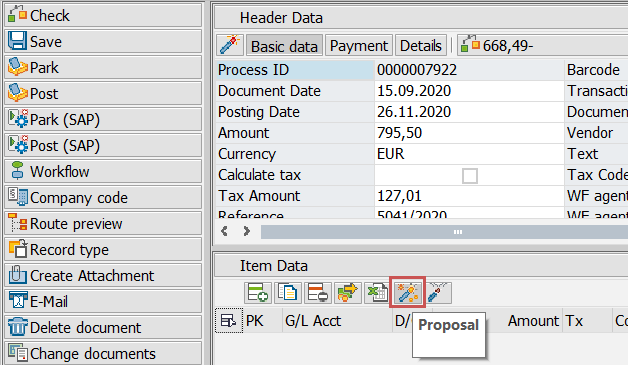
In AP and XI workflows, the Proposal can be entered in a customer-specific toolbar with the function code PROPOSE.
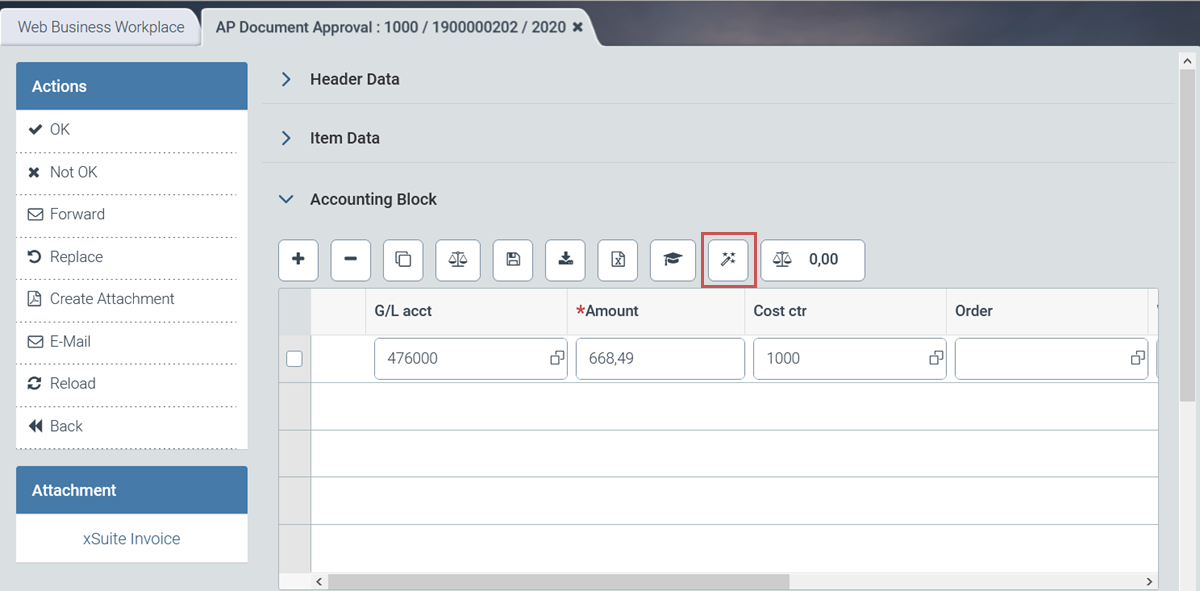
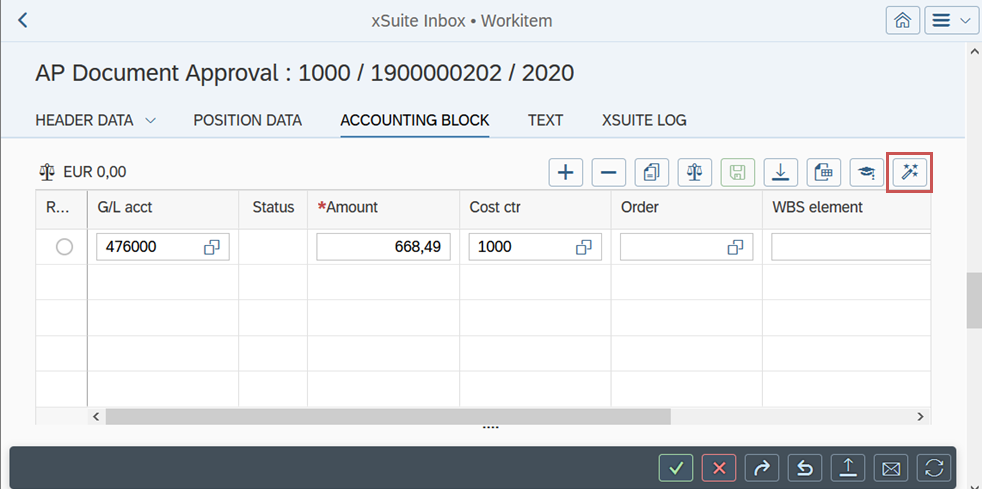
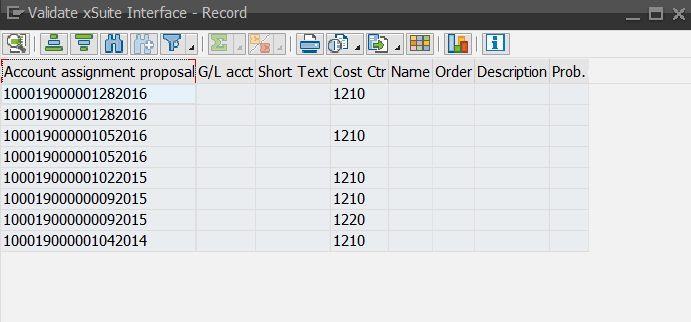
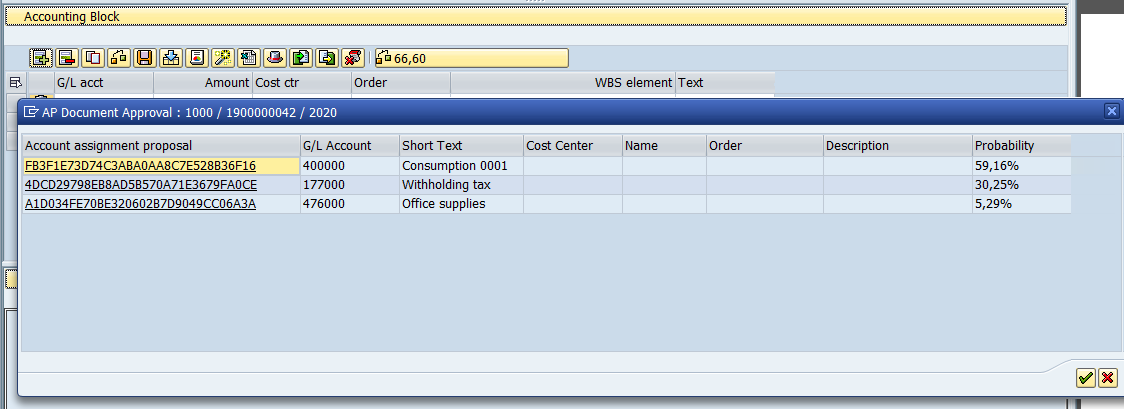
When the user clicks on the Proposal button, a dialog with account assignment suggestions opens from which the user can choose.
Two modes are available for generating account-assignment proposals. For more information, see Modes for generating account-assignment proposals.
Account-assignment proposals in xSuite Web
Account assignment proposals in SAP Fiori
Modes for generating account-assignment proposals
"History" mode
This mode is activated by default. The system proposes account assignments of the last documents that match the company code and vendor of the open document and that have already been posted and paid.
"xSuite Prediction Server" mode
This mode allows you to generate a proposal via the xSuite Prediction Server.
The xSuite Prediction Server is an external cloud service that is currently in the alpha phase. The xSuite Prediction Server uses AI algorithms to recommend account assignments and their probabilities. The proposals are based on the full text and image of a document.
Notice
If you want to participate in the alpha phase of the xSuite Prediction Server, please use the registration form.
The xSuite Prediction Server must be activated before use. For more information, see Activation of the xSuite Prediction Server.
Activation of the xSuite Prediction Server
To activate the xSuite Prediction Server, the following settings are necessary:
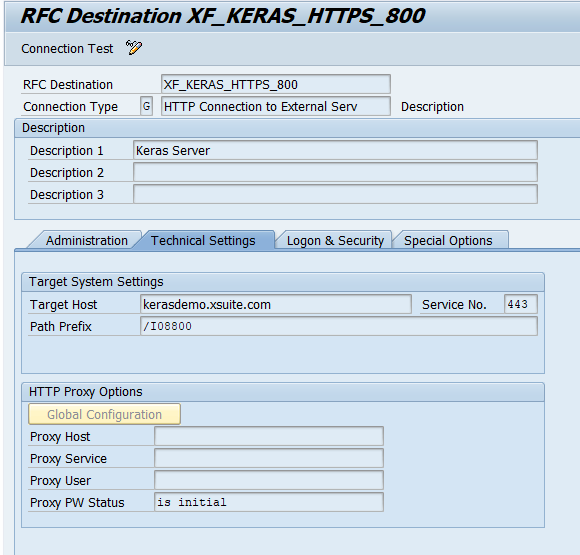
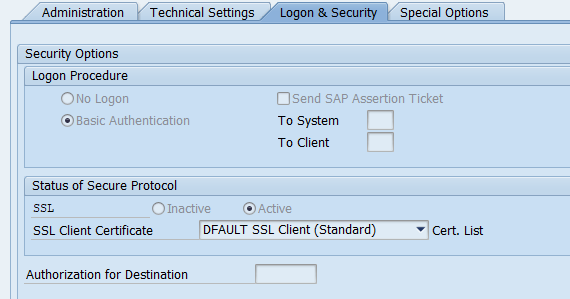
Creating an RFC destination XF_KREAS_HTTPS_<MANDT> of type HTTP for each client
The path prefix is the client on the Prediction Server.
Example for client 800:
Activation of the record-type parameter KERAS_ACITVE for each record type (transaction /WMD/BC_SPRO → xSuite Business Solutions → Interface → Define Record Types)
When importing a document with missing company code and missing vendor, xSuite Interface also obtains a proposal from the xSuite Prediction Server.
If the xSuite Prediction Server provides a proposal for the company code or vendor with a probability greater than 85%, the proposal is automatically adopted.
Schedule report /WMD/FP_CHECKIN as a periodic job in the background (recommended period: 5 minutes)
After the receipt of a document, an order is sent to the xSuite Prediction Server to extract the required data.
The document is locked in the xSuite Invoice Monitor while this order is being processed (or after a timeout of 10 minutes), which inhibits further processing.
Settings for AP and XI workflows
The xSuite Prediction Server is activated for AP and XI workflows by company code. The parameter XF_KERAS_ACTIVE_<CC> is used for this, with <CC> replaced by the actual company code, e.g., XF_KERAS_ACTIVE_1000.
If this parameter is activated, the xSuite Prediction Server is activated for account assignment proposals in the specified company code.
Reports
The reports /WMD/XF_IV_KERAS_SAMPLES and /WMD/XF_IV_KERAS_EXPORT are available for exporting samples and generating the required AI models in xSuite Prediction Server.