xFlow User Administration: Change Documents
xFlow user administration now supports change documents. This feature allows you to view changes made to a specific user master record.
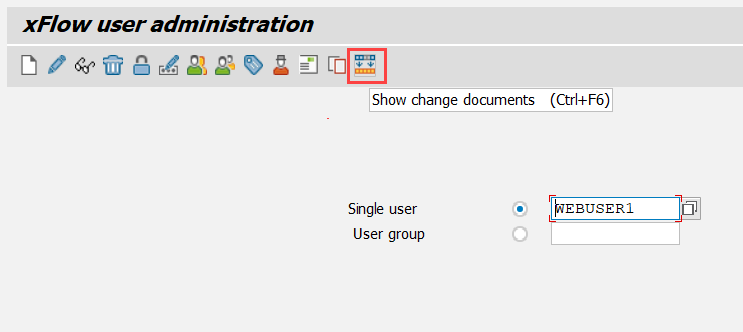
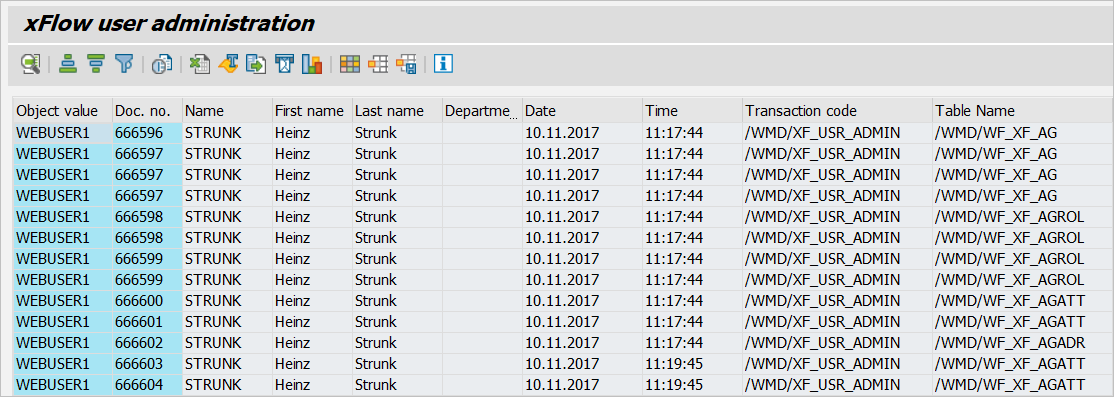
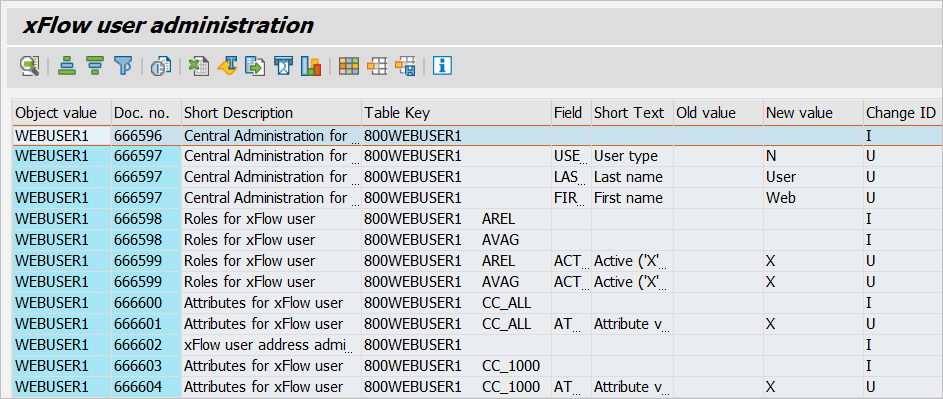
A standard SAP function is used to display the change documents. The following table presents a brief description of the individual fields (selection):
Field | Description |
|---|---|
Object Value | xFlow user ID |
Document number | Number of the change document |
Name | SAP user ID of the user who made a change. |
First name, Last name and Department | This data is retrieved from the SAP user master data. |
Date and Time | Time the change was made |
Table Name | Name of the respective table |
Table Key | Primary key for the table line |
Field | Name of the field that was changed (only for Change ID = U). |
Change ID | Change ID Possible values are:
|
Use the Change Layout function to show or hide additional fields.
Note
Immediately after you have created a new table line ( Change ID = I), the system will write another change document ( Change ID = U) for all non-initial fields. The second change document logs all data fields with a non-initial value.