Quantity Checks in the Feeder
In the account assignment lines of a feeder, the quantities are now checked as follows:
If the unit is not a percentage (%), then, for each line, the quantity will be compared to the quantity of the purchase requisition account assignment for that line.
If the unit is a percentage (%), the sum of all percentages must equal 100.
There is an exception for multiple account assignments with percentual distribution. In this case, there is now a check of the quantity item against the account-assignment lines.
Example without a percentage:
A feeder has the following items with the unit ST.
 |
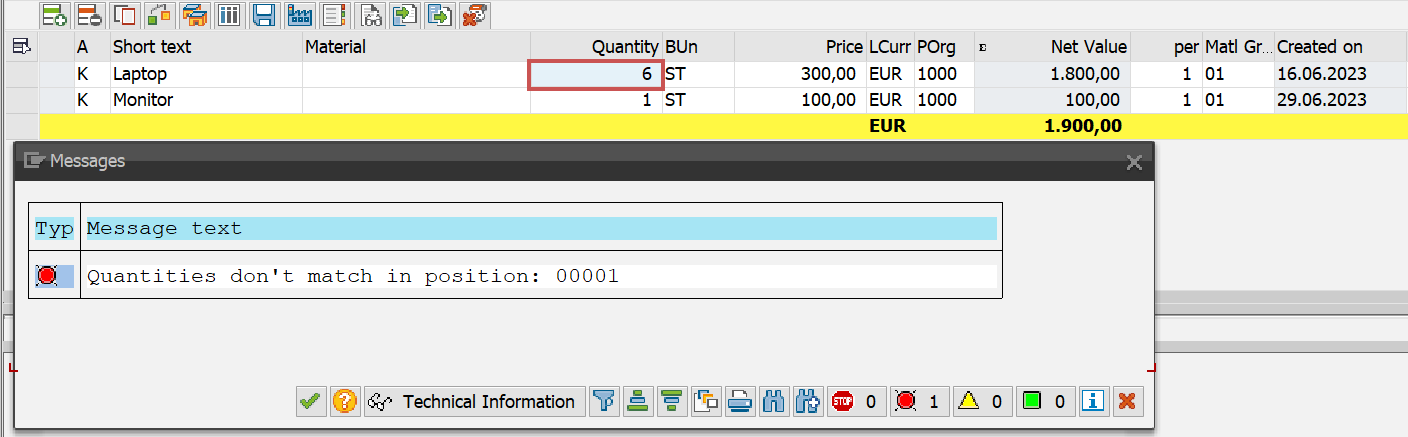
If you change the quantity of the first item to 6, an error message will appear when saving:
 |
If the quantity of this feeder is to be changed, the line must first be selected. The button  Accounting data in the account-assignment block opens a dialog where the type of calculation can be selected.
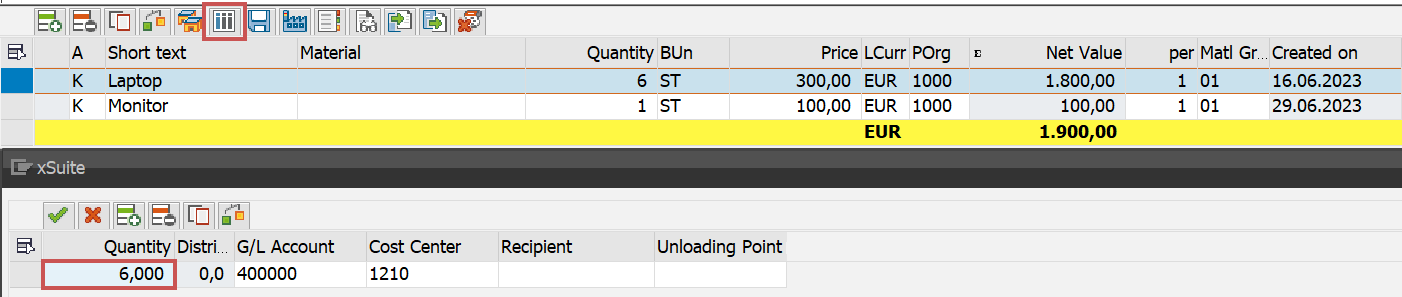 |
Click  Save, and the information will be saved in the account assignment items. The comparison is correct and no error messages appear.
Example with a percentage:
 |
If the quantity is changed here, the sum of all items with percent will be greater than 100:
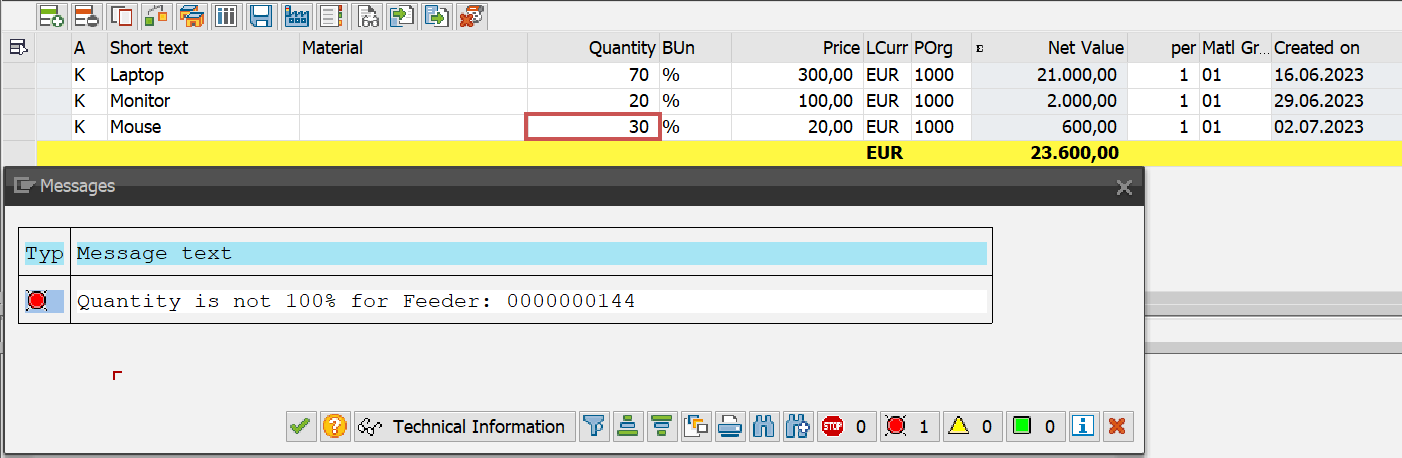 |
If the quantity changes are 100%, even though the new quantities are different from the original quantities, this is correct and the changes are saved.
 |