Text templates (SAP Fiori)
You can now create text templates (transaction /WMD/XF_TXTPL) in SAP Fiori. The new xSuite App xSuite Texttemplates is available for this purpose. With it, you can create text templates for sending emails, for example. Creating text templates in SAP Fiori is similar to creating text templates in the SAP GUI.
Notice
The xSuite App xSuite Texttemplates is only available to SAP users. xSuite Web users cannot use this xSuite App.
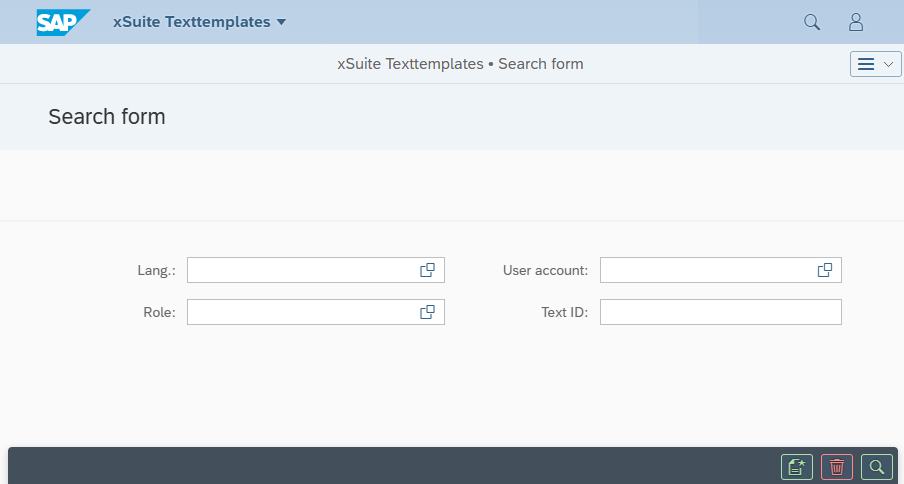
When you open the xSuite Texttemplates app, a selection screen is displayed. There, you can specify the language, user ID, user role, and text ID to search for existing text templates.
 |
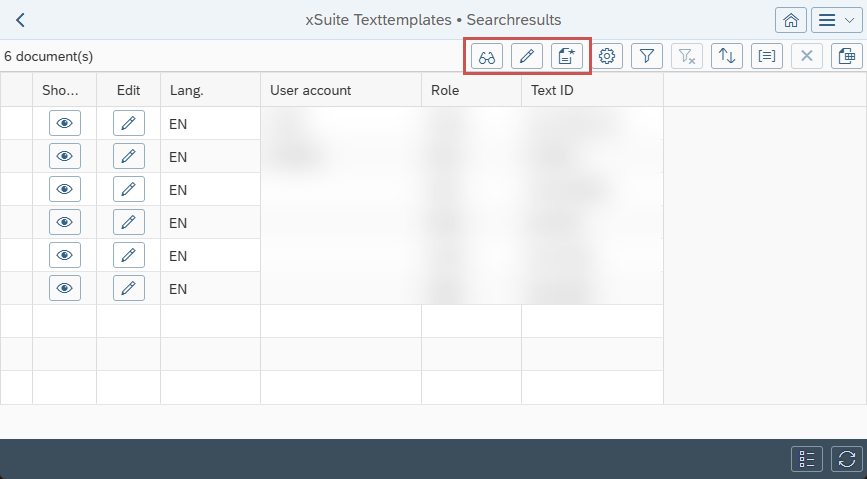
The found text templates are displayed in a hit list. The following buttons are available in the hit list:
 |
Button | Description | |
|---|---|---|
| Show | Opens the text template in display mode. In display mode, you can view the data from the text template. You can delete the text template by clicking the |
| Edit | Opens the text template in edit mode. In edit mode, you can edit the data in the text template. |
| Create | Creates a new text template. |


