The PNG Viewer in the SAP GUI
Alternative Values
In the PNG Viewer in the SAP GUI, it is now possible to select from alternative values for certain fields.
If alternative values have been detected for a field, this will be indicated in the tab Fields, in the column Alternatives. The alternative values of a field can be called up with the button  .
.
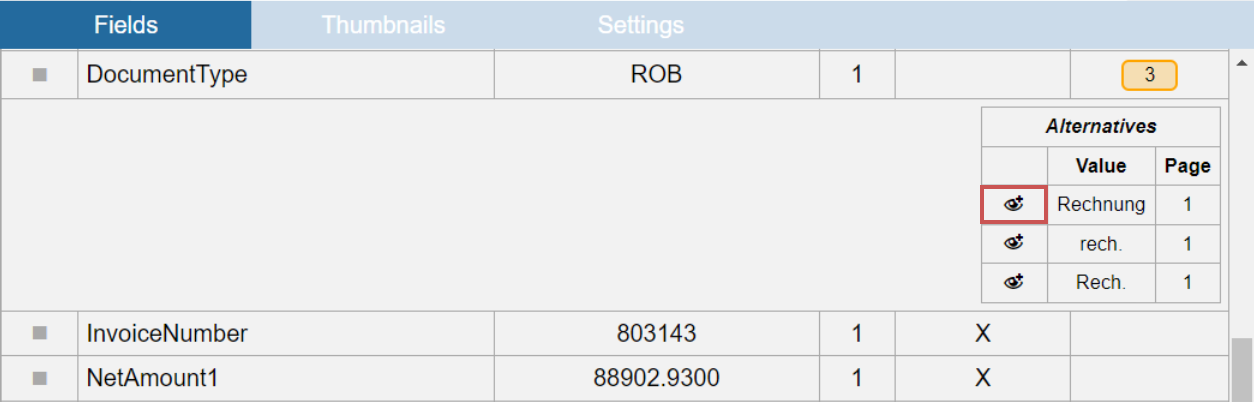 |
The area where the alternative value was found is highlighted in the document.
Training
The button  Save all is now displayed in the header of the Functions column.
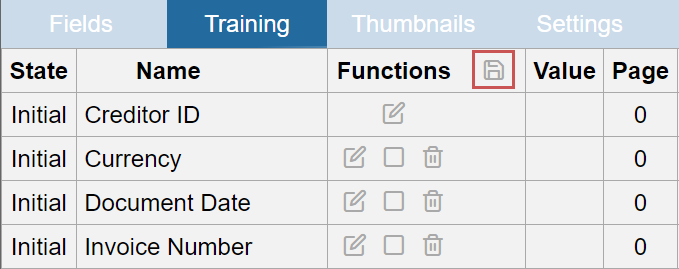 |
In addition, the obsolete columns Type, Index, and On document have been removed.
Display of Additional Functions
In the Settings tab of the PNG Viewer, you can now use the Display additional functions category to specify whether the additional functions are always shown or hidden.
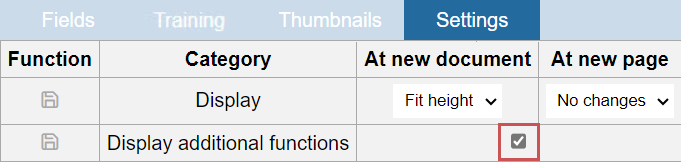 |
If the check box is enabled, the additional functions of the PNG Viewer will always be displayed. To save this setting, click the button  Save in the column Function.