Proposal for G/L Account and Cost Center
The xSuite Prediction Server was previously able to create proposals for complete account assignment blocks of FI documents. Now proposals can also be created for individual cost centers or G/L accounts.
If the user selects the Cost Center field or the G/L Account field in the account assignment block and then clicks on the  Proposal button, the xSuite Prediction Server creates a proposal for this field.
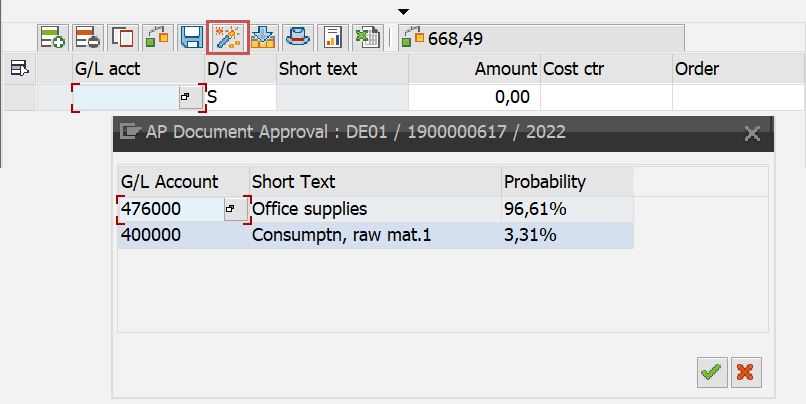 |
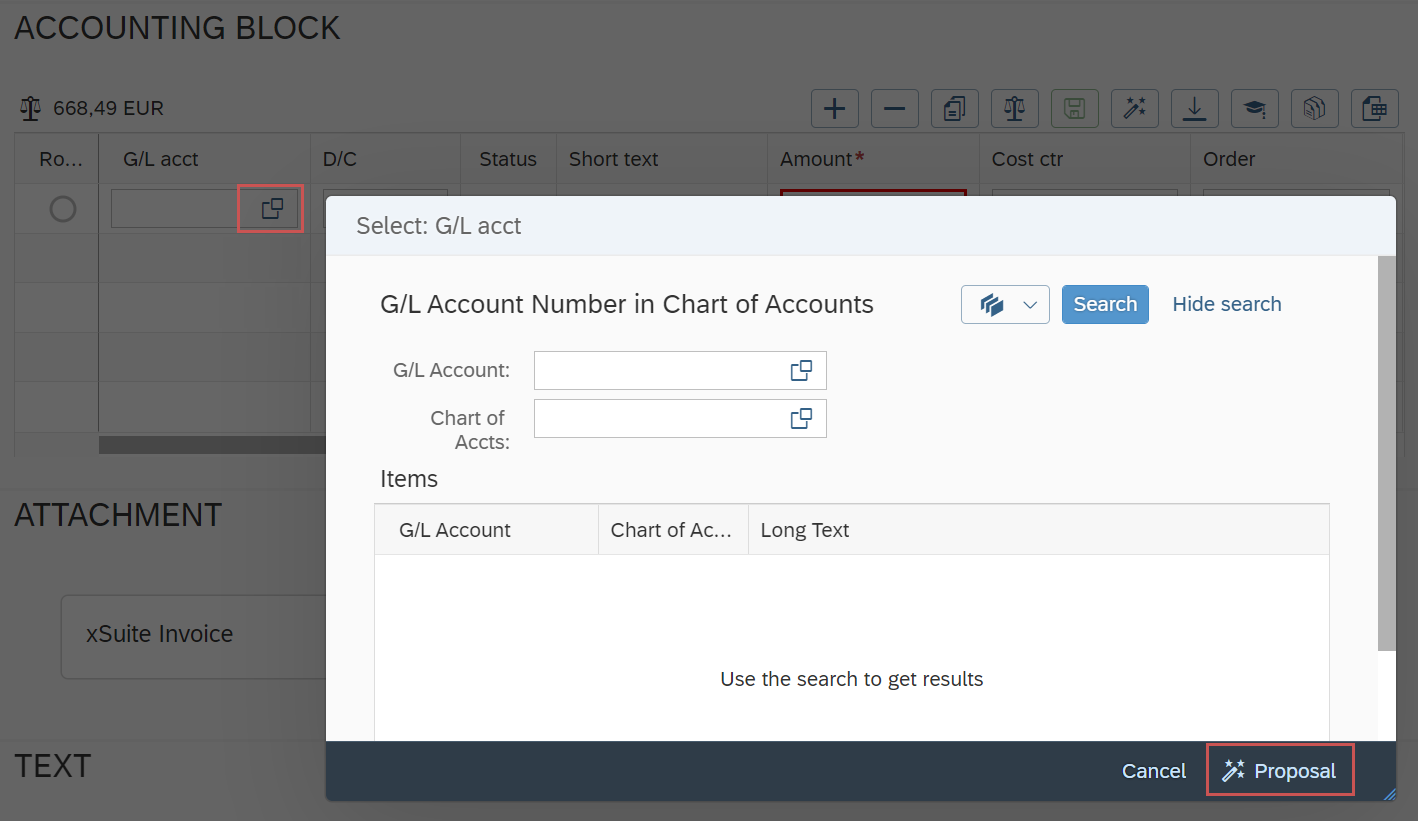
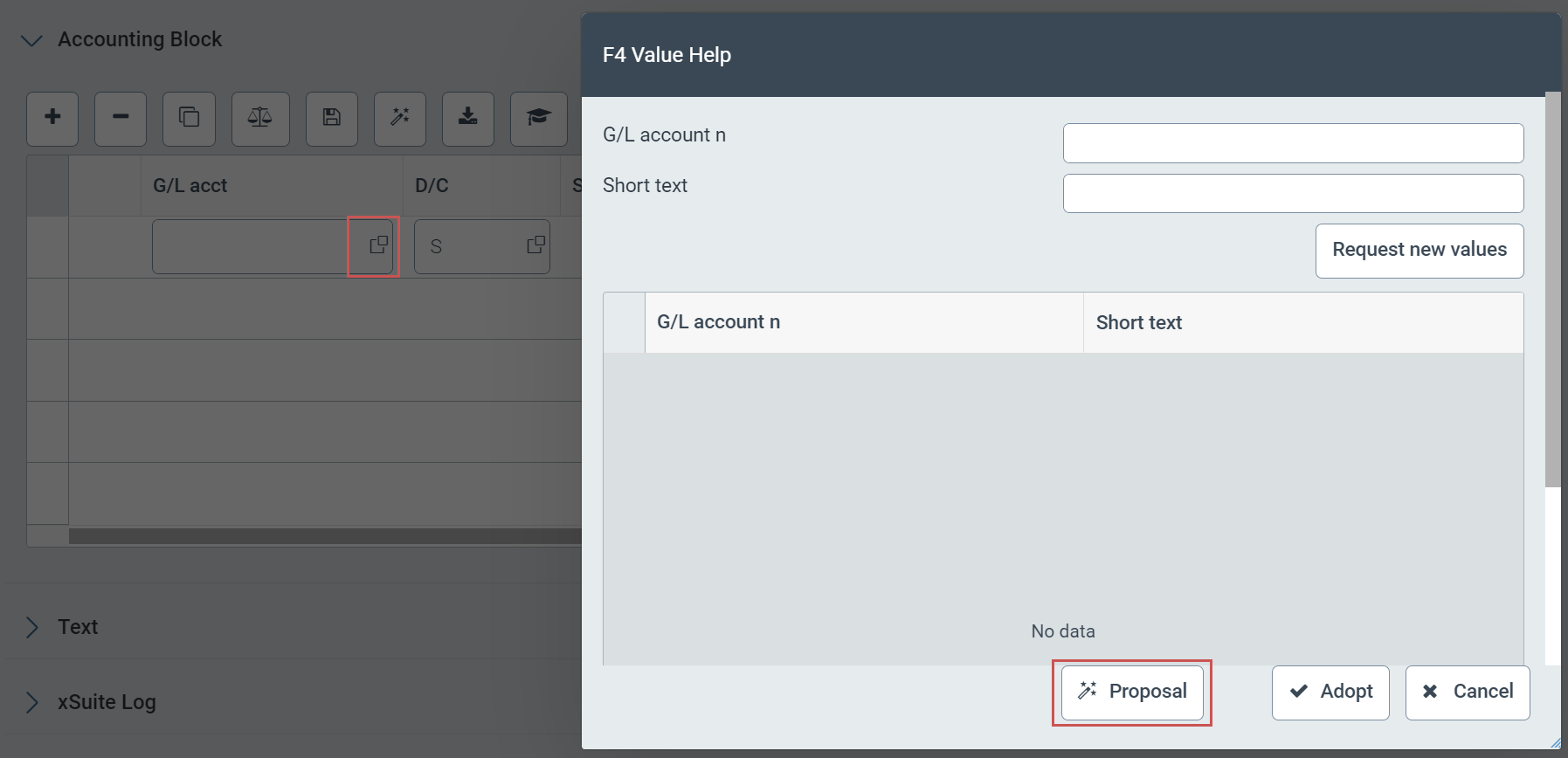
In SAP Fiori and in xSuite Web, the user can click on the Proposal button in the value help for the Cost center or G/L account field to receive proposals for these fields.
 |
 |
Value help in SAP Fiori
Value help in xSuite Web
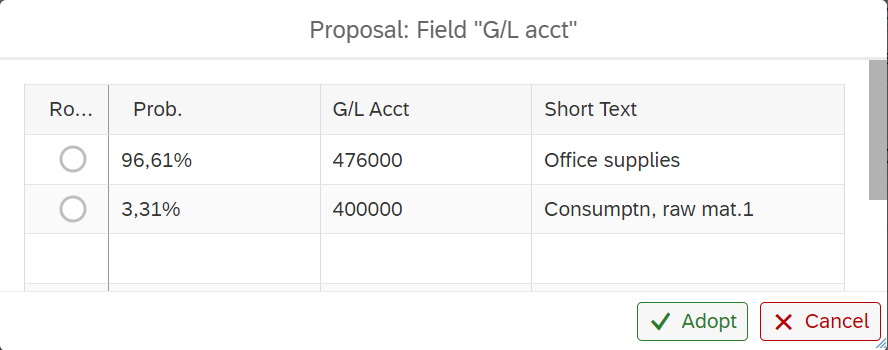
The available proposals are displayed in a new window, in descending order of probability. After selecting a line and clicking on Apply, the values of the selected proposal are transferred to the account assignment block.
 |
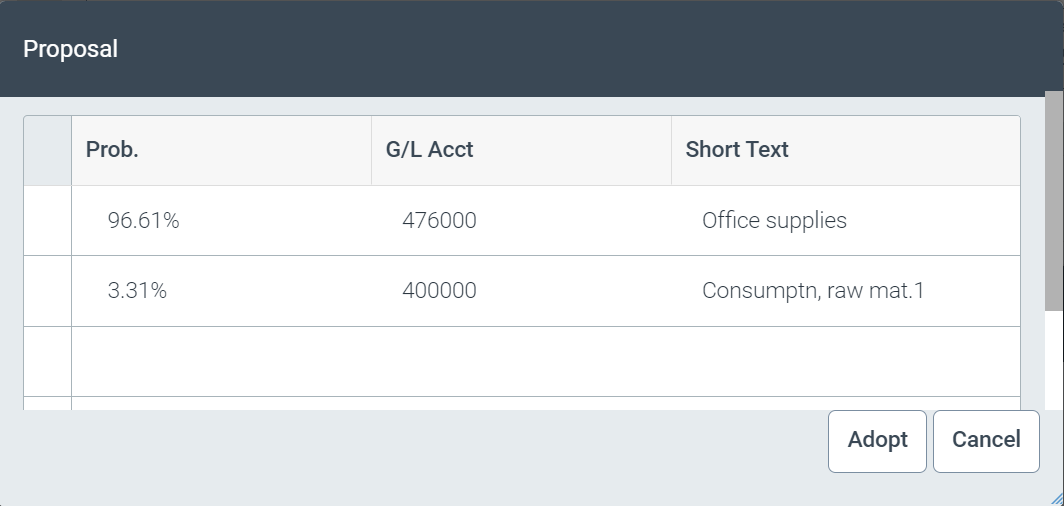 |
Proposals in SAP Fiori
Proposals in xSuite Web
If no field is selected, all existing items are deleted as before and a completely new account assignment block is created. When the entire line or the entire table is selected, a proposal for the selection is displayed.
When importing an FI document from outside SAP, only proposals for the entire account assignment block used to be created. If such a proposal was not possible, no line was created. This function has been enhanced in the current release. If the xSuite Prediction Server can predict a G/L account and/or a cost center with a probability upward of 85%, the system creates a single item with these values.
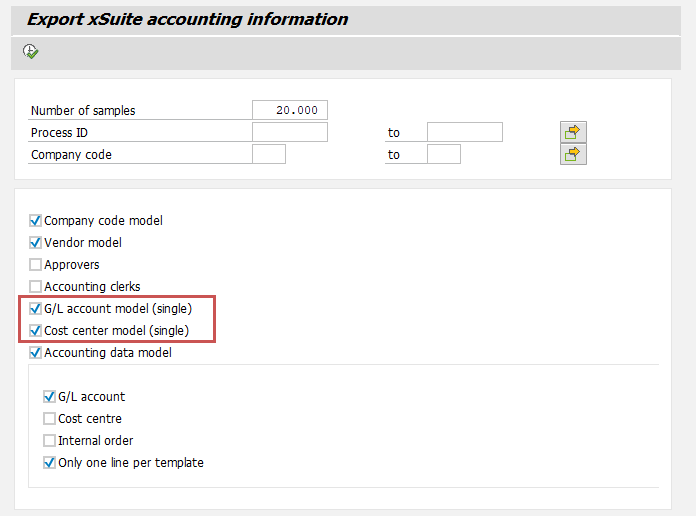
To activate the cost center and G/L account proposals, new AI models must be created for the xSuite Prediction Server. These are generated by the report /WMD/XF_IV_KERAS_EXPORT. The options G/L account model (single) and Cost center model (single) must be activated in the report.
 |