Workflow for posted TM documents (S/4HANA)
Since xSuite Cube Version 5.2.11, TM documents can be posted from the Invoice Monitor (transaction /WMD/FP_INVM). With the new version, a workflow can now also be started for such posted TM documents.
SAP Transportation Management creates a purchase order based on the freight order or settlement document. This purchase order is created as a service order with goods-receipt-related invoice verification, but without service-related invoice verification. Goods receipt and service entry sheet are created together with the purchase order.
Technically speaking, TM documents are therefore MM invoices (invoices with purchase order reference) that are assigned to a service order in SAP. When posting an invoice such as this, SAP uses logistical invoice verification, as with all MM invoice documents. Due to the structure of a service order, there may be price blocks at the item level, but no quantity blocks.
A price block is set at item level if the total amount of all invoice items belonging to a service order item is higher than the order amount (plus tolerance, which can be set in SAP customizing). If SAP sets a price block for an individual item, the payment block "R" is set at header level. By setting this block, the invoice can only be paid through an additional approval.
The Invoice Monitor has been adapted to allow recognition of price blocks prior to invoice posting. This allows the user to process the price blocks at the earliest point possible.
An MM invoice that is blocked for payment can be released either via the MRBR transaction or via the xSuite workflow for payment release. After all items with price blocks have been released for payment, the payment block "R" is removed.
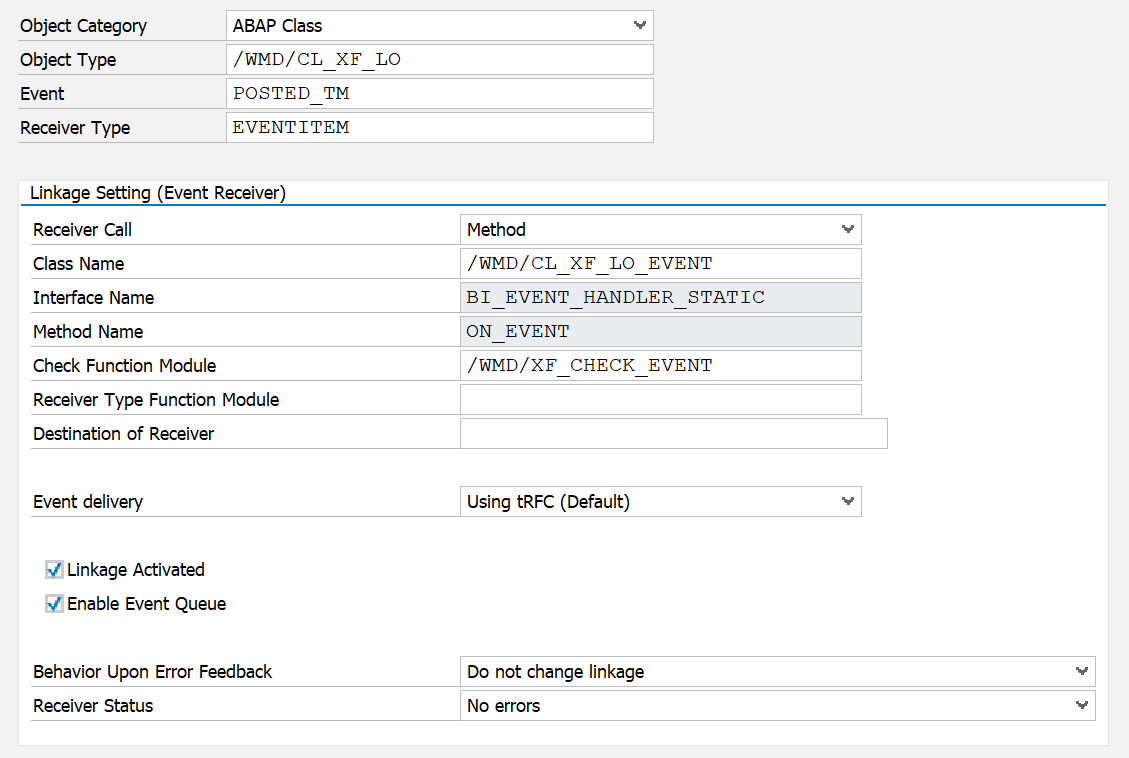
The new event /WMD/CL_XF_LO -> POSTED_TM has been added to the workflow. This event is always triggered when a TM document is posted. An event receiver with the following data must be created for this event in the event-type linkage (transaction SWETYPV):
 |
Once the event receiver has been created, a new workflow instance can be started. A new workflow template is available for this in the Workflow Builder (transaction /WMD/XF_BUILDER) (Builder ID 8).
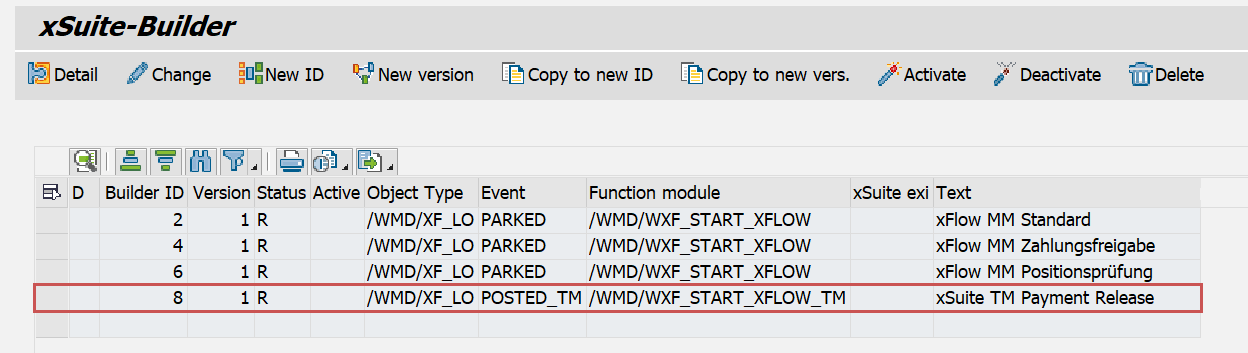 |
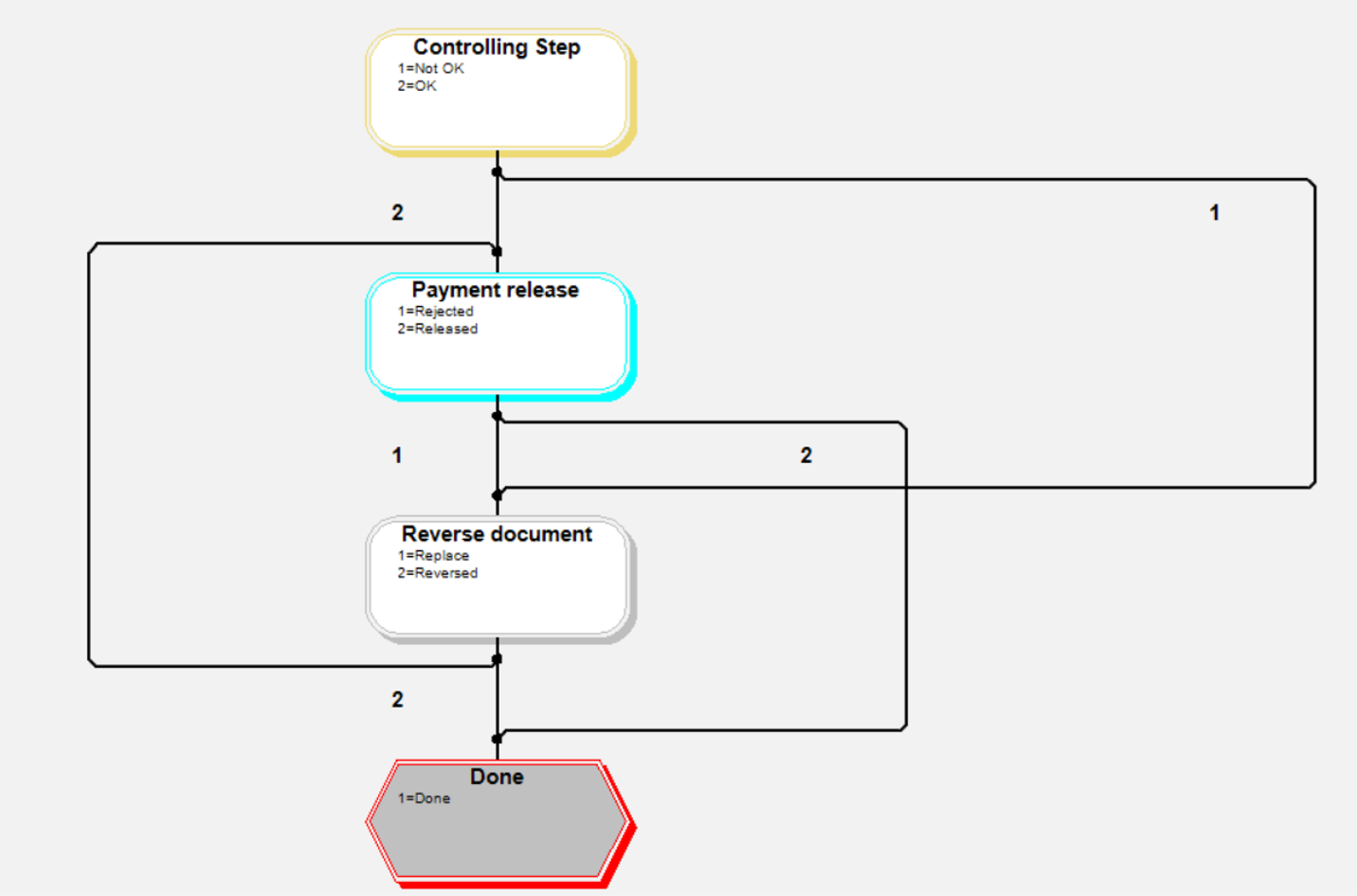
This workflow template can be copied for this purpose. The workflow template uses xSuite's standard functionalities and the standard workflow tasks (invoice control and payment release).
 |
Notice
The check module /WMD/WXF_START_XFLOW_TM must be used for the workflow template. This module only reacts to TM documents.
Do not use the check module /WMD/WXF_START_XFLOW, which does not react to TM documents.
In the workflow tasks, 4 new columns are available in the Item Data area that apply specifically to TM documents:
Freight order number
Freight order item
Settlement document number
Settlement document item