The Feeder with Multiple Selection
It is now possible to assign multiple feeder lines simultaneously. To do so, select the preferred lines and click the account-assignment button. The usual account-assignment view will open.
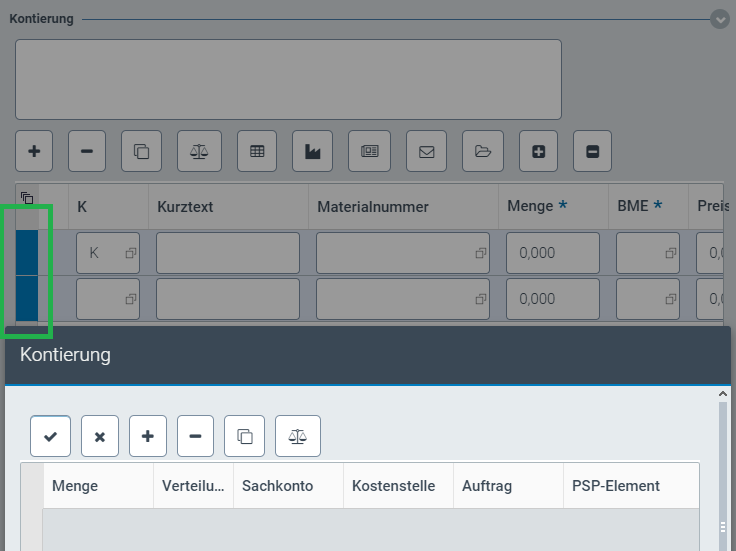
After confirming the account assignment, all other account assignments for the selected lines will be discarded and the specified account assignment set up. If selected lines already have been assigned accounts, the account assignment of the uppermost selected line will be displayed.
This function is available both for xFlow Web as well as for xFlow Fiori.