Quick View of Vendor Data (SAP Fiori)
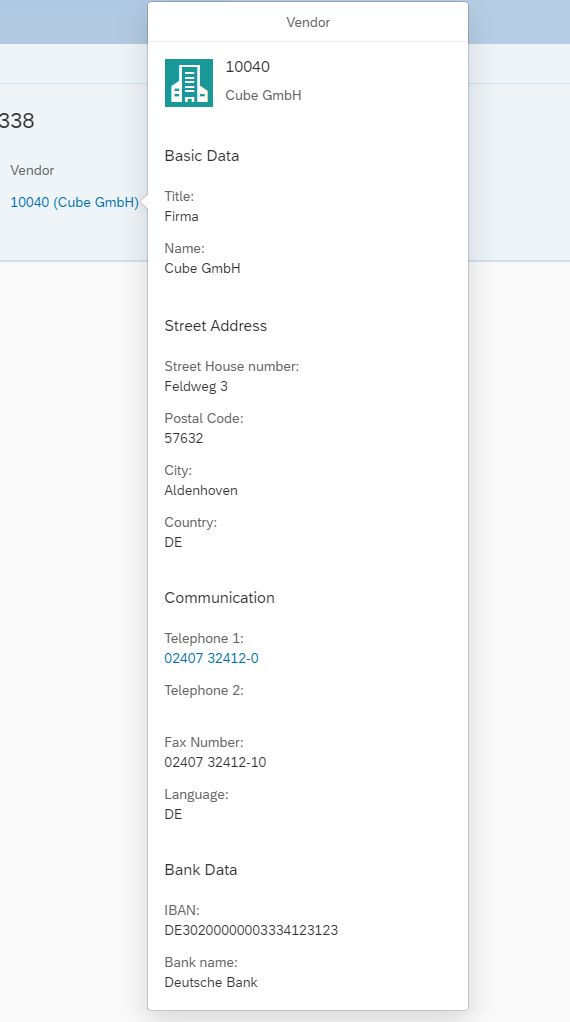
A quick view of the vendor can be opened in the page header by clicking on the vendor name.
 |
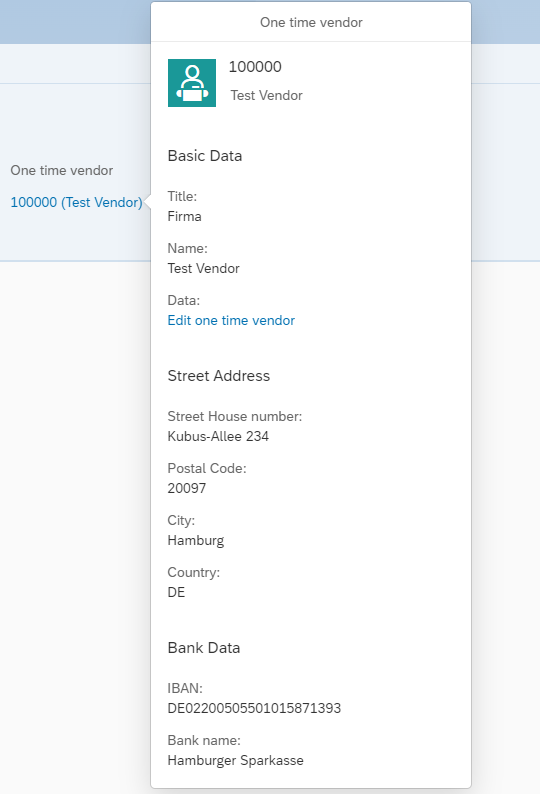 |
In the quick view, the categories Basic Data, Street Address, PO box address, Communication, and Bank Data appear. If any of the vendor's data is not available, the respective category or field is not displayed.
If values are missing, a minus sign (-) is automatically set, depending on the SAPUI5 version used. Telephone numbers can be clicked and the number is automatically called if this is technically possible on the device used.
Depending on whether it is a regular vendor or a one-time vendor, the text of the header, the title of the quick view and the icon of the quick view will differ.
In the quick view of a one-time vendor in the Invoice Monitor, the link Edit one time vendor or Display one time vendor is displayed. Depending on whether the document is open in change mode or in display mode, vendor data can either be viewed or edited via this link.
If SAPUI5 Version 1.92 or higher is used, the shape of the icon ("Square" / "Circle") and the color of the icon ("Accent1" / "Accent6") are different. Up to and including SAPUI5 Version 1.92, the icon has only one possible shape ("Square") and the same color – that specified by the framework – is always used.
By clicking on the title or icon of the quick view, vendor information can be opened in a new browser tab in the SAP app "Show vendor." The prerequisite for this is that the SAP app "Vendor" is available and can be accessed via the SAP Fiori Launchpad. If the SAP app is not available, no link is displayed.