Multiple Selection for Goods Receipt Postings
In the workflow, multiple items can now be selected simultaneously when posting goods receipts.
Notice
The selected items must belong to the same purchase order. If items of different orders are selected, an error message to this effect will be displayed.
Procedure in SAP Fiori
The checkboxes can be used to select multiple items. Afterwards, you can post goods receipt for these items by clicking on  Post goods receipt.
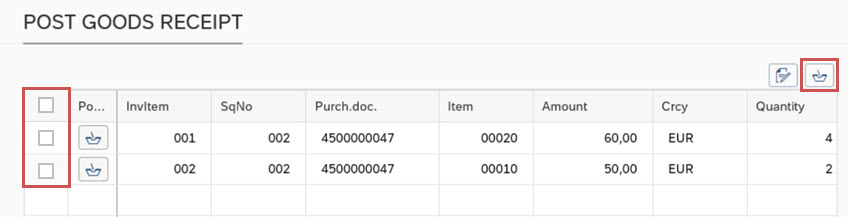 |
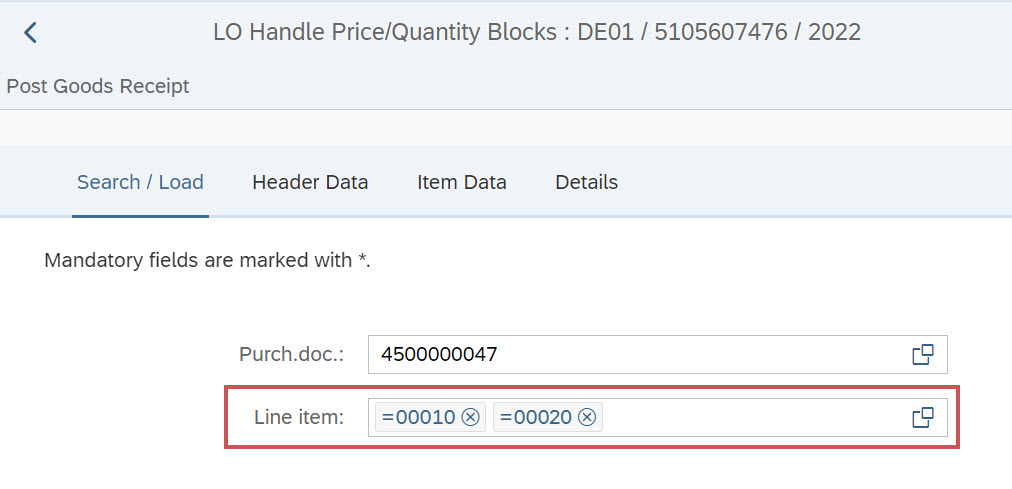
In the Post goods receipt view, multiple items of an order can be specified in the Search/Load tab, or selected using the F4 input help.
 |
In the xSuite Apps Post Goods Receipt and xSuite Invoice Monitor, multiple items can also be selected and/or specified and loaded.
Procedure in xSuite Web
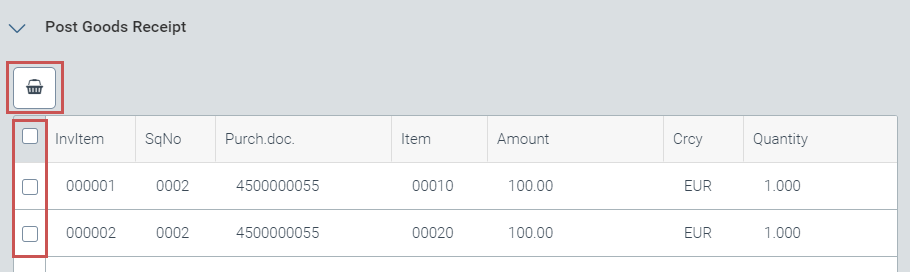
The checkboxes can be used to select multiple items. Afterwards, you can post goods receipt for these items by clicking on Post goods receipt.
 |
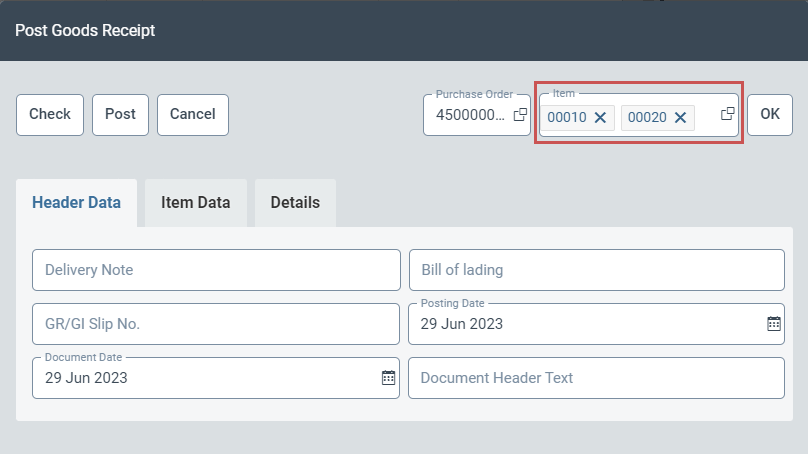
The Post goods receipt view displays all items previously selected.
 |