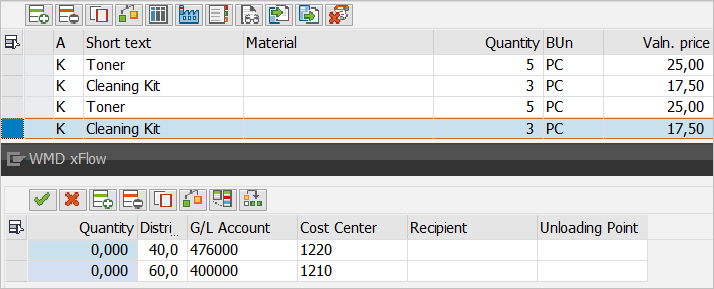
Selection of Multiple Items for Account Assignment in Feeder
In the past, it was possible to assign each line item of a feeder separately. If multiple items were to be assigned to the same accounts, the account assignment still needed to be performed for each one.
In xFlow Version 5.2.1, you can group the account assignment of multiple line items.
To do so, select all the line items you wish to assign and then invoke the account assignment, as follows:
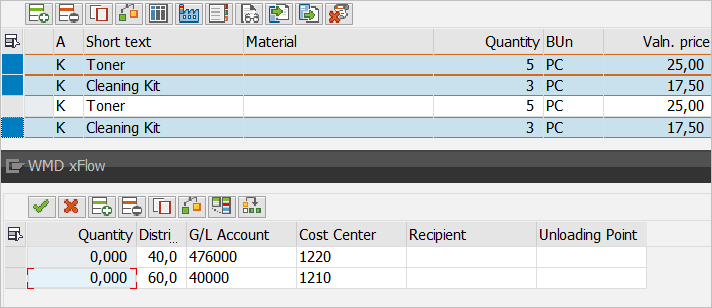
The account assignment of the first item selected will be used as the representative account assignment (here, Item 1). This account assignment is adopted for all items selected (here: Items 1, 2 and 4). The account assignments of unselected line items remain unaffected.
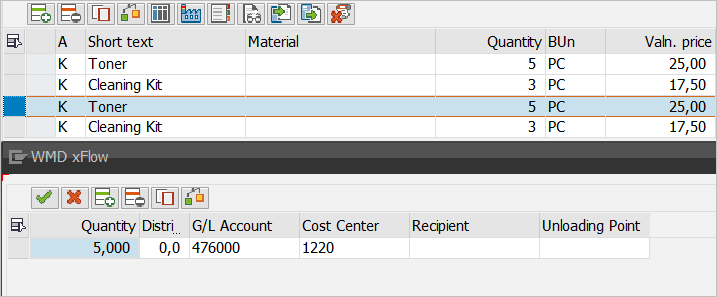
An example of the account assignment of Item 3:
Here is how Item 4 looks after the account assignment  has been adopted: