xFlow Feeder Templates
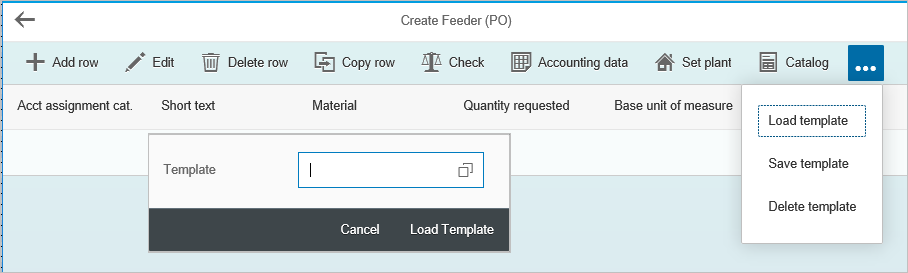
You can now save the content of an xFlow feeder as a user-specific template for similar order tasks in the future. The system will save both the feeder items and their account assignment(s). The feeder item table provides the Load Template, Save Template and Delete Template buttons for this purpose.
xFlow Mobile
If you click any of the template buttons, a small pop-up window will open. Enter the template name in this window. If you do not know the name of the template, you can open a simple F4 input help.
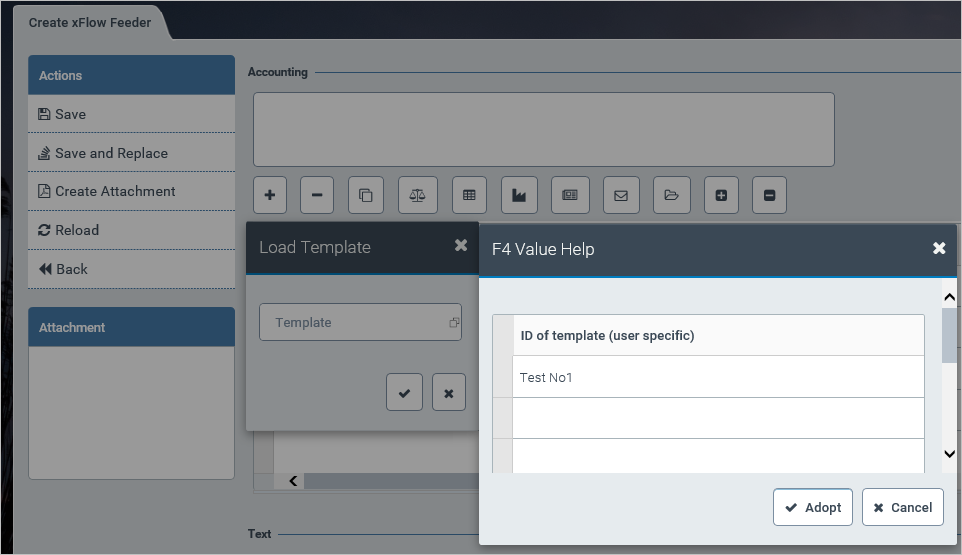
Once you have finished entering or selecting the name, click the checkmark button to complete the template process. If you wish to abort the process, click an “X” button.
xFlow Mobile
The functionality is the same, but the visual presentation differs slightly.
xFlow Mobile
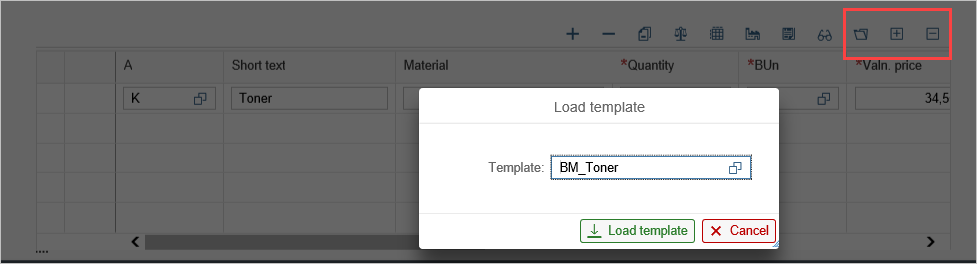
Again, the functionality is identical. Note that xFlow Mobile offers another display option for mobile devices, which is suitable for tablet users.