Invoice Monitor
The Invoice Monitor (transaction /WMD/FP_INVM) has been enhanced with various fields for this version and slightly adapted for SAP Fiori. The following sections explain the changes in detail.
New fields
Two new fields have been added and lend themselves to being populated by Windows Interface in particular. These fields are Scan Time and Input Channel.
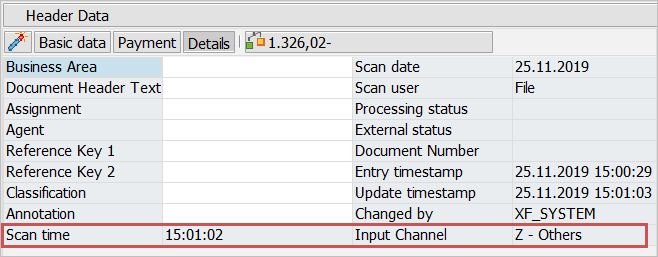
The Scan Time field is used to display the time of the scan process in order to specify the scan time more precisely next to the Scan Date field.
This new field has 6 characters and the format HHMMSS. In the standard system, this field is not required and is not displayed. If required, you can activate it in header data customizing.
The Input Channel field displays the channel through which the document was received. The possible input channels are defined in the domain /WMD/FPINCHANNEL (transaction SE11).
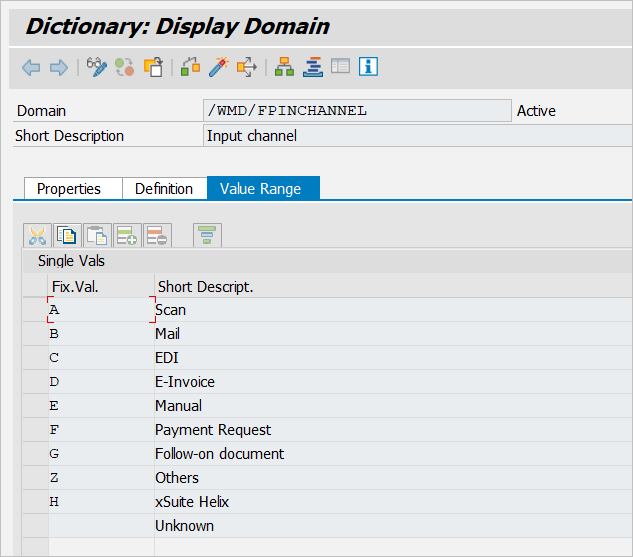
In the standard system, this field is not required and is not displayed. If required, you can activate it in header data customizing.
Header data display
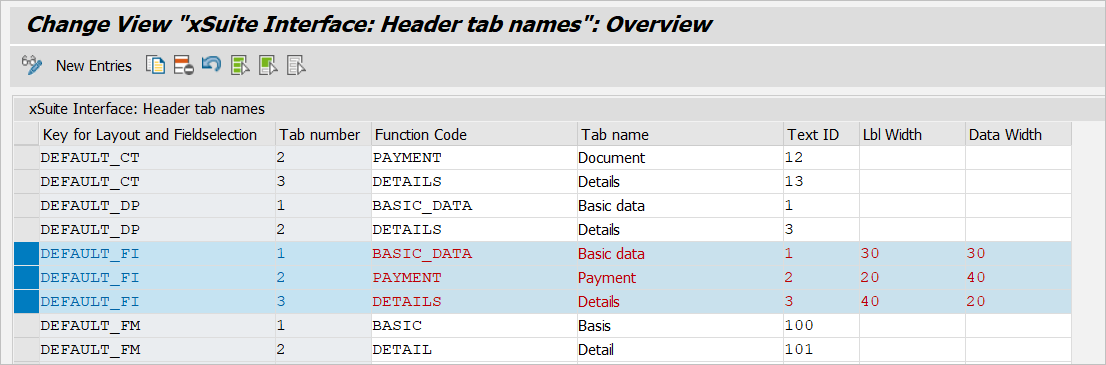
Previously, it was not possible to adjust the width of the columns in the header data.
The width can now be adjusted (transaction /WMD/BC_SPRO), specified with the number of characters.
Note that the width of the label columns and value columns can only be specified by tab, not by label-value pair.
Changes for SAP Fiori
The Invoice Monitor is also available as an xSuite App for SAP Fiori.
In the course of this development, some changes were made to the back end. The interfaces have remained largely as is or have been extended by optional importing or exporting parameters.
Caution
Under no circumstances may the parameter iv_web or i_web or web be set to "X" in a user exit. This parameter is reserved for the Fiori interface.
If any processing of the F4 input helps was necessary, it has been adjusted. An adjustment is not necessary after an update. However, there may be differences in the source code between user exits here and in the standard version.
The user exit IV60 is a special case. Although this user exit can be used as usual for the SAP GUI, it does not automatically provide the same functions for Fiori. If a customer-specific implementation has been carried out here, this functionality must also be implemented for Fiori. Parameter IV_WEB was introduced in the standard module /WMD/XF_IV_FP_IV60. This enables a switch between the SAP GUI and Fiori.
Further incompatibilities to user exits are unknown, but cannot be ruled out as the changes are far-reaching and numerous. Therefore, if there is a high proportion of user exits, it is advisable to carry out a short test run after the update.