Payment requests – xSuite Web
When creating a payment request, multiple attachments can now be uploaded directly.
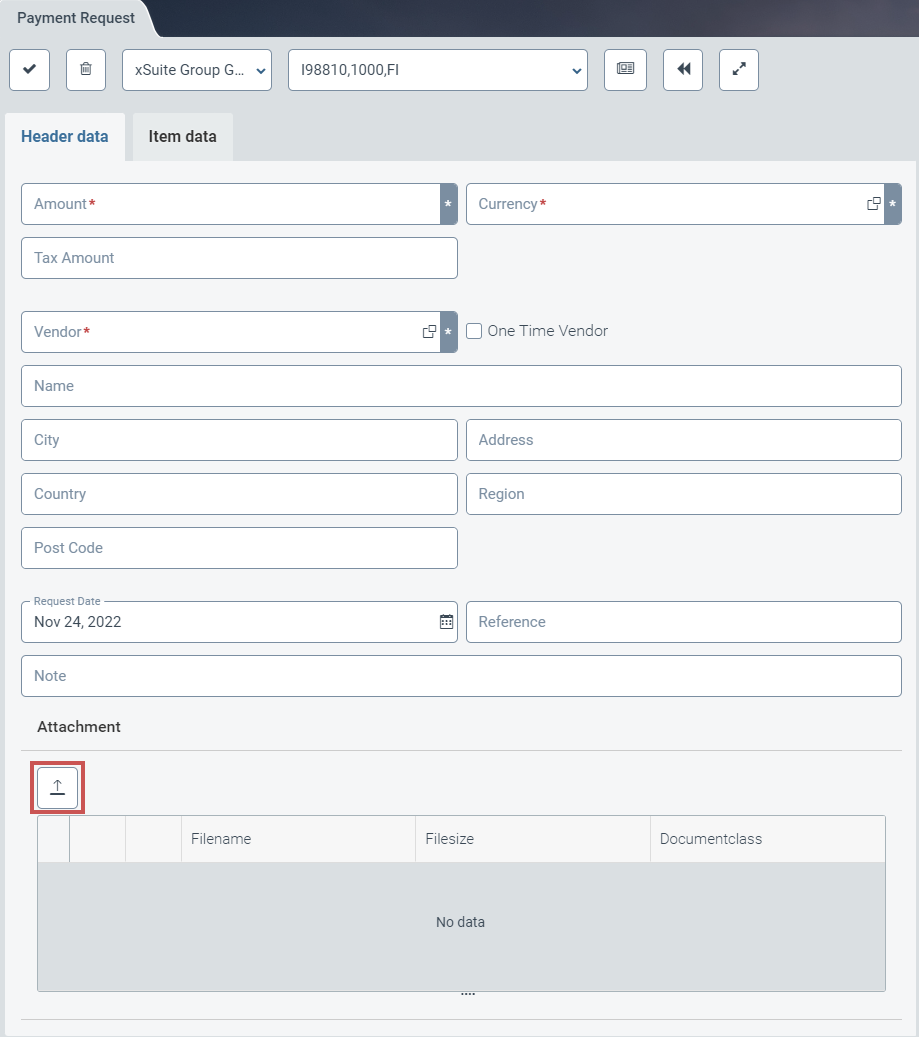 |
The button Upload Attachment opens a dialog for selecting a file.
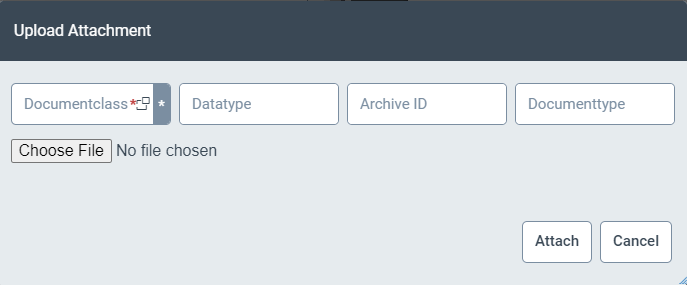 |
The user must first select a suitable document type for a new upload. If no document type is selected, an error message will appear, indicating that the selected file is of the wrong type.
If the user has selected a file and then confirms the selection by clicking the Attach button, an entry will be added under Attachment.
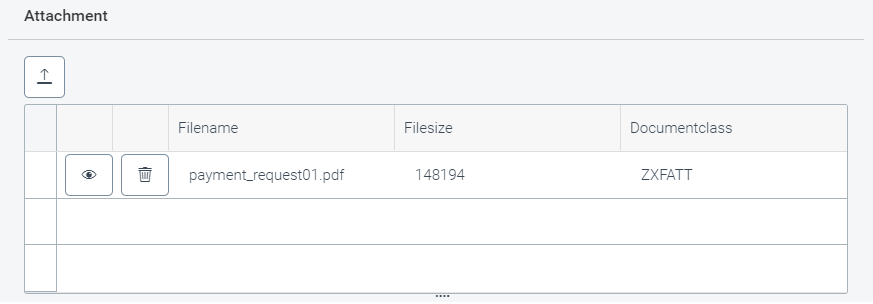 |
The following buttons are available for each entry in the list:
Button | Description | |
|---|---|---|
| Remove | Deletes the attachment. |
| Preview | Offers a preview of the file on the right side of the screen. |

