Saving Column Width in Views (xSuite Web / SAP Fiori)
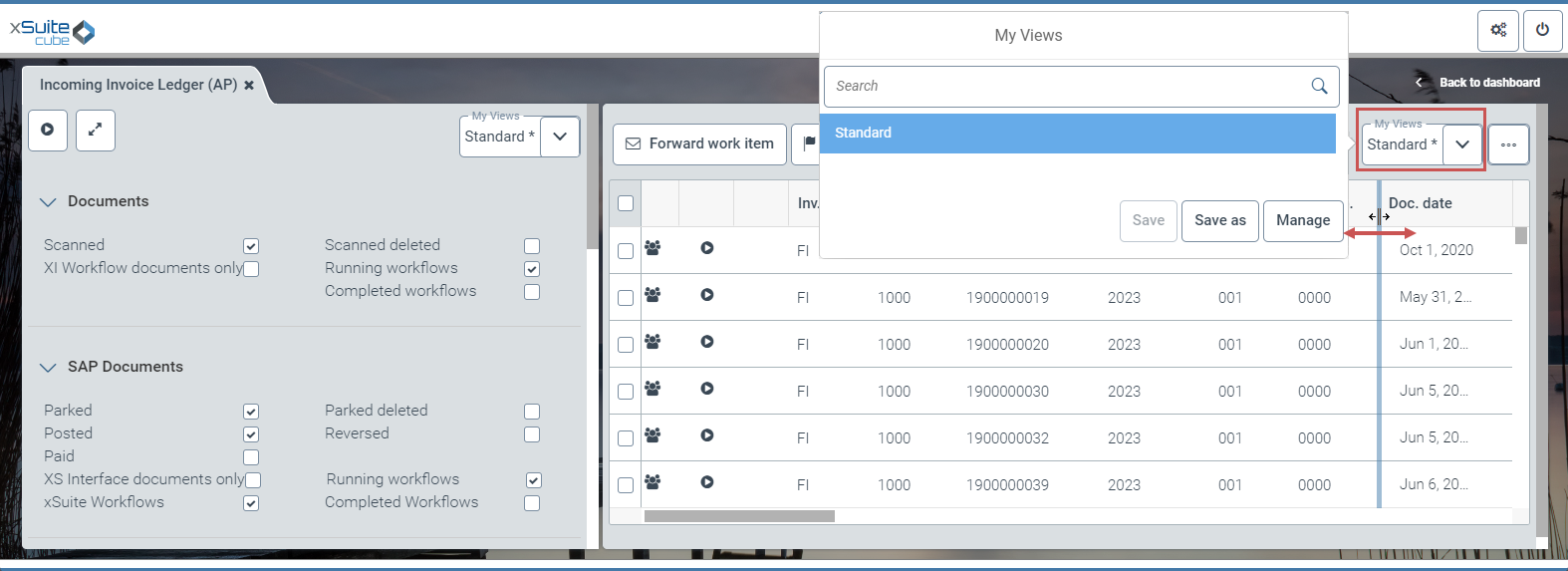
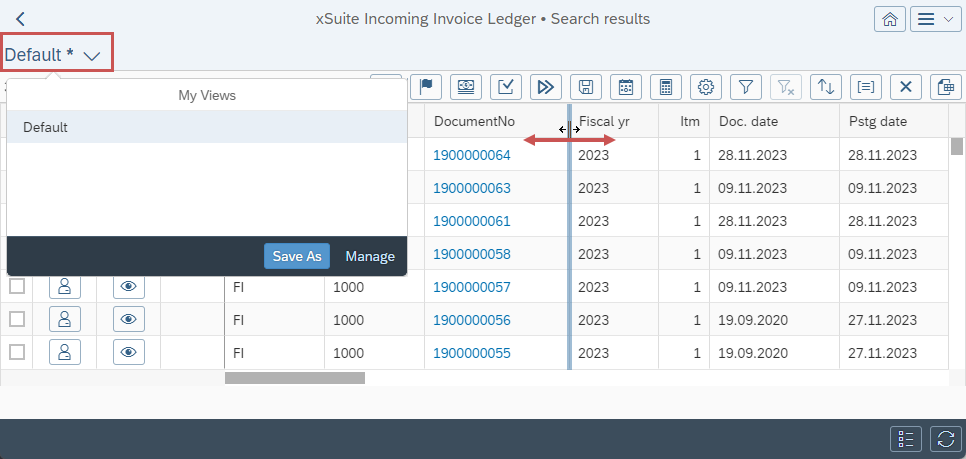
If the width of the columns is adjusted manually in the xSuite overviews or in the xSuite monitors, this adjustment can now be saved in a view. When the view is called up again, the columns are displayed in the adjusted width.
Only the width of the columns that are currently visible is saved in the view. If hidden columns are shown, they are always displayed with the standard width according to the field catalog.
Changing column width in xSuite Web:
 |
Changing column width in SAP Fiori:
 |
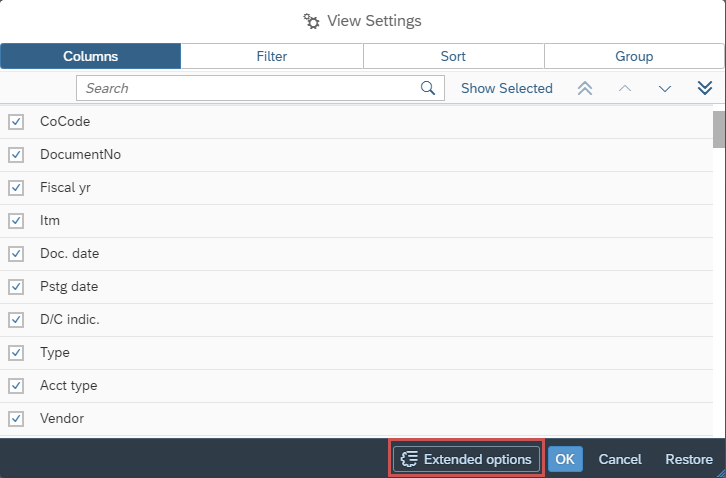
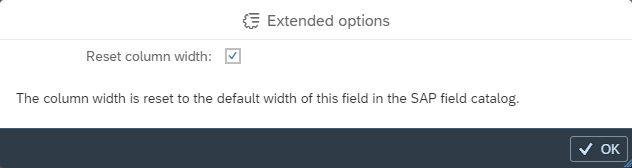
In SAP Fiori, all columns can be reset to the default column width in the view settings. Click the Extended options button and select Reset column width.
 |
 |
Notice
The Extended options button is only displayed if the view contains columns whose width has been manually adjusted.