Change documents for the feeder
Changes to the feeder document are now logged in change documents. The feeder document data is stored in tables /WMD/XF_PO_DATA (feeder lines) and /WMD/XF_PO_EBKN (account assignment). Logging therefore always relates to both tables.
The new Change Documents button takes you to the change log display.
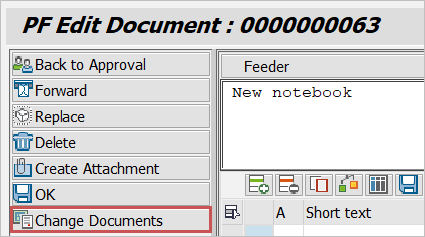
The tasks in which the Change Documents button is available are defined in customizing under Maintain Toolbars . In the standard system, the function is activated in the Display, Complete, and Change tasks.
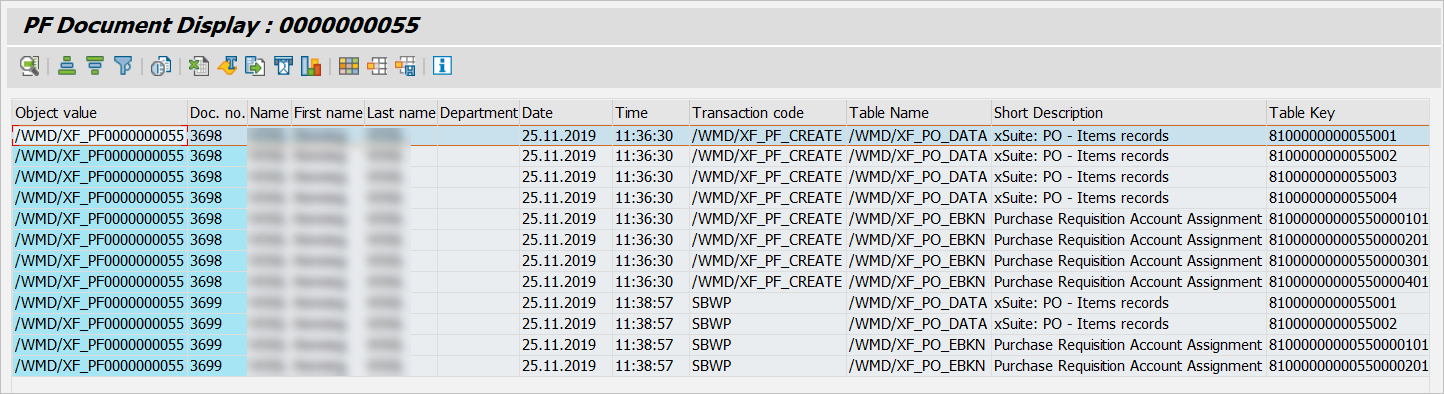
If no change documents exists, the system will issue a message. This only applies to feeder documents created before Release 5.2.3.
Change documents of deleted feeders
If you execute the Delete document function for a feeder document, the document will be flagged for deletion and will no longer appear for processing.
The change documents for deleted feeder documents are called with report RSSCD100 (transaction SE38).
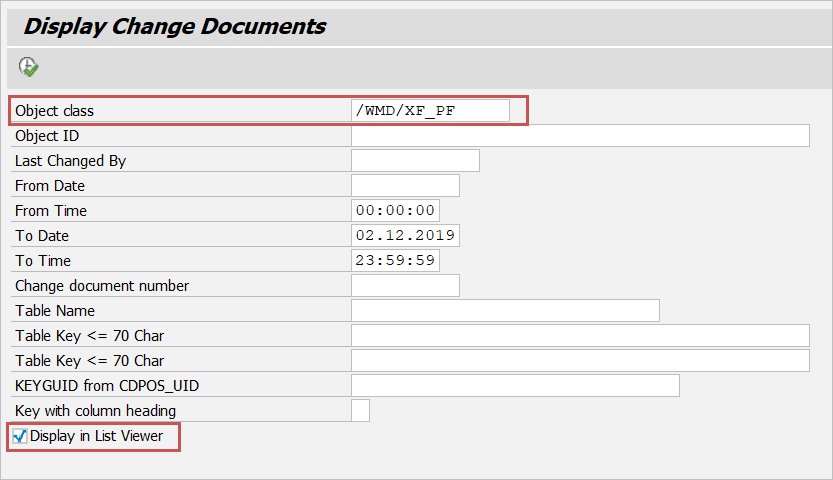
The object class for the feeder is /WMD/XF_PF. Leave the Display in List Viewer checkbox activated.
In the overview that appears, select Edit → Set filter (CtrlF5).
Choose Field name as the column name.
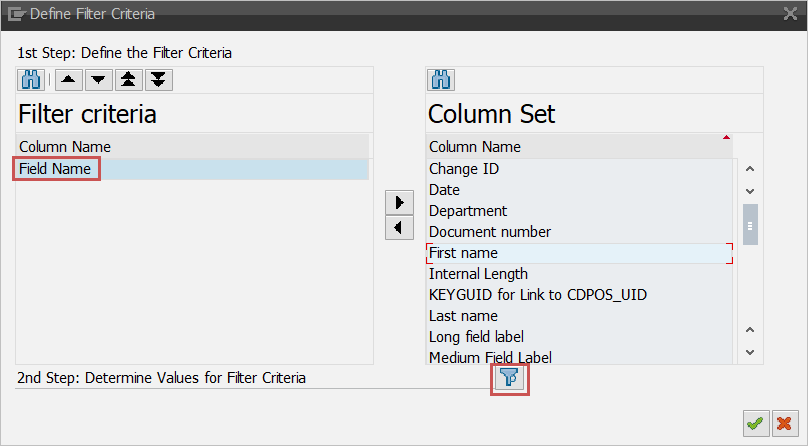
Select the field name "LOEKZ" as the filter criterion.

Now you only see the change documents that cover the deletion of feeder documents.

You can save defined filter criteria as a user-specific layout.