Change confirmation assignment
Previously, it was possible to assign incorrectly assigned purchase order numbers/items to other purchase orders/items using the Change PO items function in the Item Data area.
However, it was not possible to change the assignment of multiple confirmations for each confirmation item individually. A change of assignment to another PO item always applies to all confirmations of this item.
In the Confirmation Items sub-window, you can now assign confirmation items with greater granularity.
Note
We recommend that you first organize the worklist of PO items using the Change PO items function.
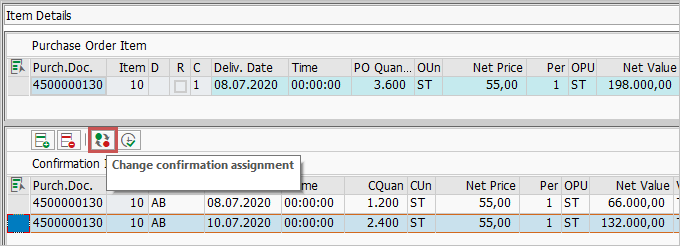
To assign a confirmation item differently, select the confirmation item and click the  Change confirmation assignment.
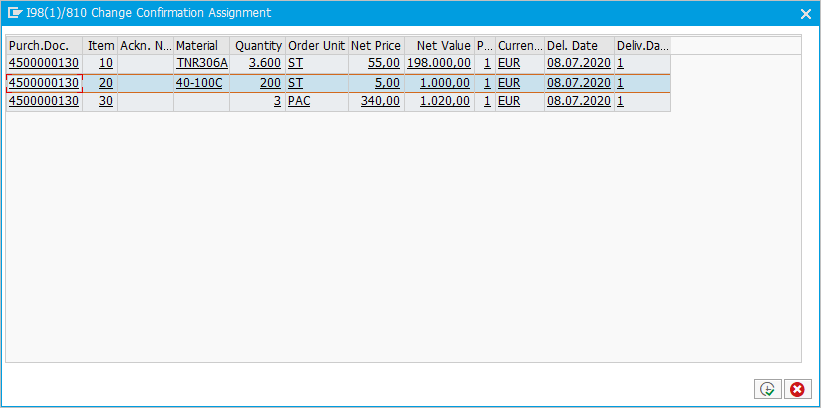
An overview of all PO items from the worklist will open.
Select the target item and click the button  Execute.
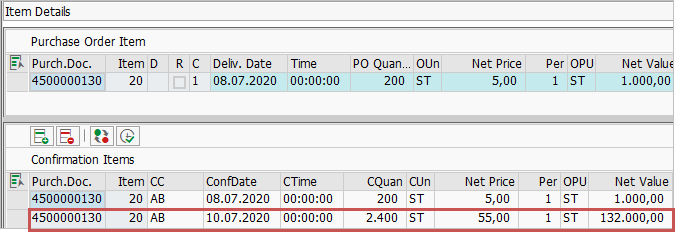
The previously selected confirmation item will now be assigned to the selected PO number and PO item.