"Select Line Item Approver" (Role AAC4/LAC4) – xSuite Web / SAP Fiori
The workflow task "Select Line Item Approver" is now available for the FI workflow and the MM workflow.
Here, in the Item Release / Select Agent area, the user can select approvers for the items of a document at different levels.
UI – xSuite Web
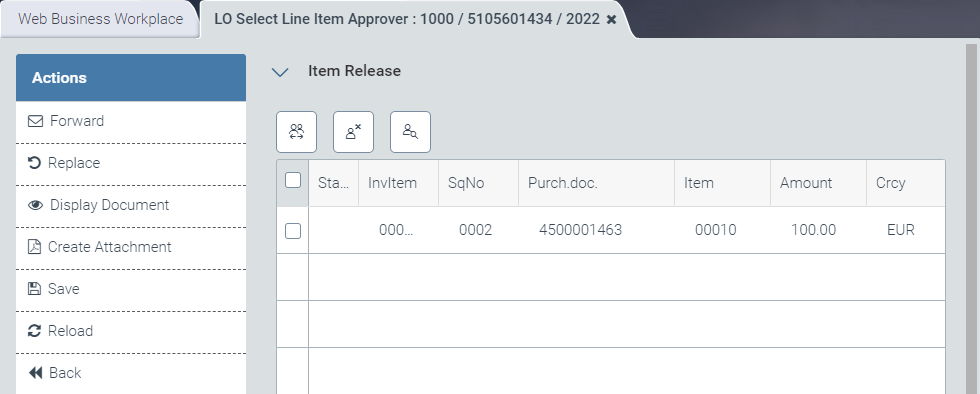 |
UI – SAP Fiori
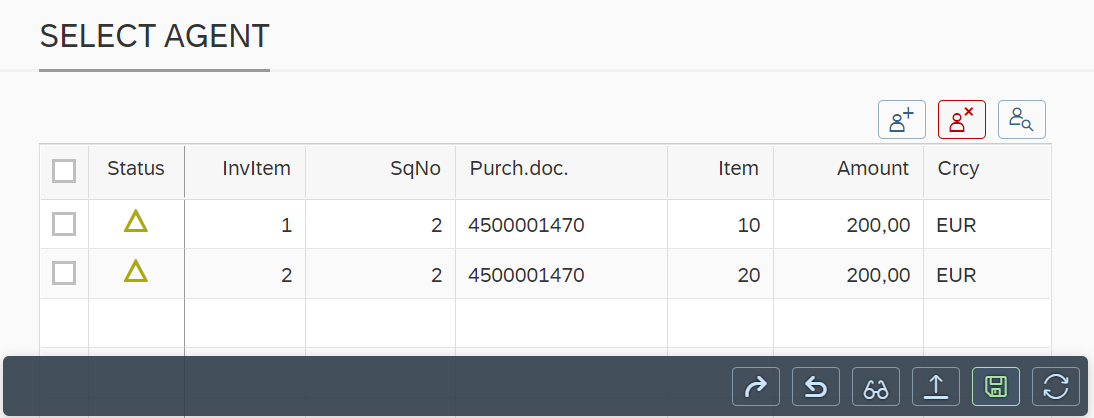 |
The following buttons are available for this purpose:
xSuite Web | SAP Fiori | Description |
|---|---|---|
|
| Opens one or more dialogs. This is where the user can select the responsible item approvers for the item rows marked. A responsible approver is selected for each level. One dialog opens per level. When a user is selected for an item, the |
|
| Resets the user selection of the item rows marked. When user selection is reset for an item, the |
|
| Opens an overview of the distribution of responsibilities by task, item and level. |


Clicking the Save button saves the document and the selected item approvers.