Flagging documents as recurring entries
Analogous to the flag for recurring entry in AP workflow, the Tag document as recurring button is now also available in the xSuite Invoice Monitor in SAP GUI and SAP Fiori.
Notice
The button is only available if the recurring posting is active in xSuite Basis customizing.
The Tag document as recurring button is visible in xSuite Invoice Monitor by default. The button can be maintained in a customer-specific toolbar with the function code MARK_RD.
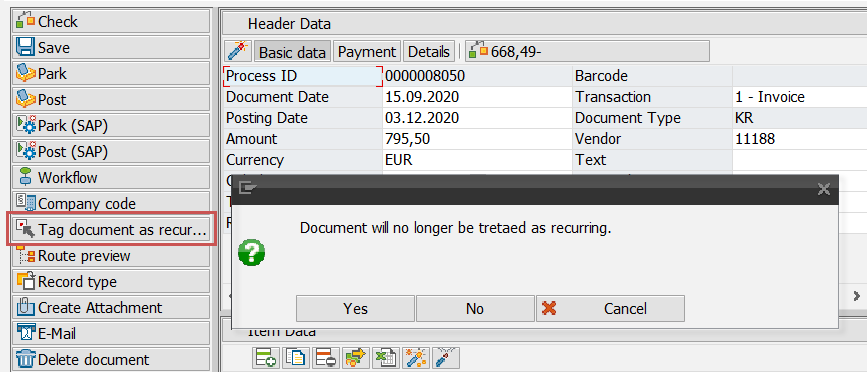
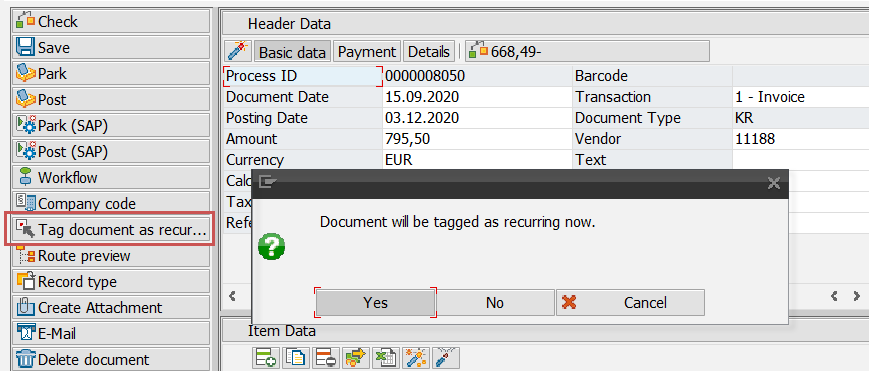
When you click on the Tag document as recurring button, a dialog box will open with the query of whether the process should be continued. A dialog box will then open asking whether the parked document should be posted or deleted afterwards.
To remove a flag marking a document as recurring, click on the Tag document as recurring button again. A dialog box will first appear for affirmation that the flag should be removed.