Change Documents in the xFlow Invoice Account-Assignment Block
The system now generates change documents for the xFlow Invoice account-assignment block. The documents allow you to keep track of which agent made a change to a specific field of the account-assignment block, on what date and at which time. The change documents are generated when you save the account-assignment block; you can view them in the xFlow detail screen:
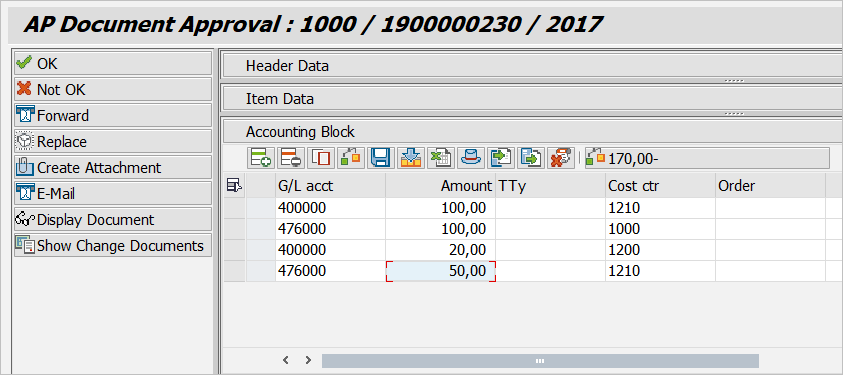

You need to enable the function code SHOW_CHANGE_DOCS in the respective model toolbar to activate the button Show Change Documents. After importing the update transports, this button will be added to the default toolbars.