Process Analyzer
As of version 5.2.4, the Process Analyzer from the SAP GUI (transaction /WMD/XF_PA_ONL) is also provided in the Fiori Launchpad as a separate xSuite App.
The prerequisite for use is logging on as an SAP user from the Fiori Launchpad.
Start page
On the application start page, the user can either go directly to one of four predefined overviews (Last Month, Last Week, This month and This week) or to a search form for complex searches.
Alternatively, by specifying a NAV parameter when calling the application, you can go straight into one of the tiles.
The following NAV parameters are supported:
Parameter | Description |
|---|---|
lastMonth | Brings you straight to the overview for the last month. |
thisMonth | Brings you straight to the overview for the current month. |
lastWeek | Brings you straight to the overview for the last week. |
thisWeek | Brings you straight to the overview for the current week. |
complex | Brings you straight to the complex search. |
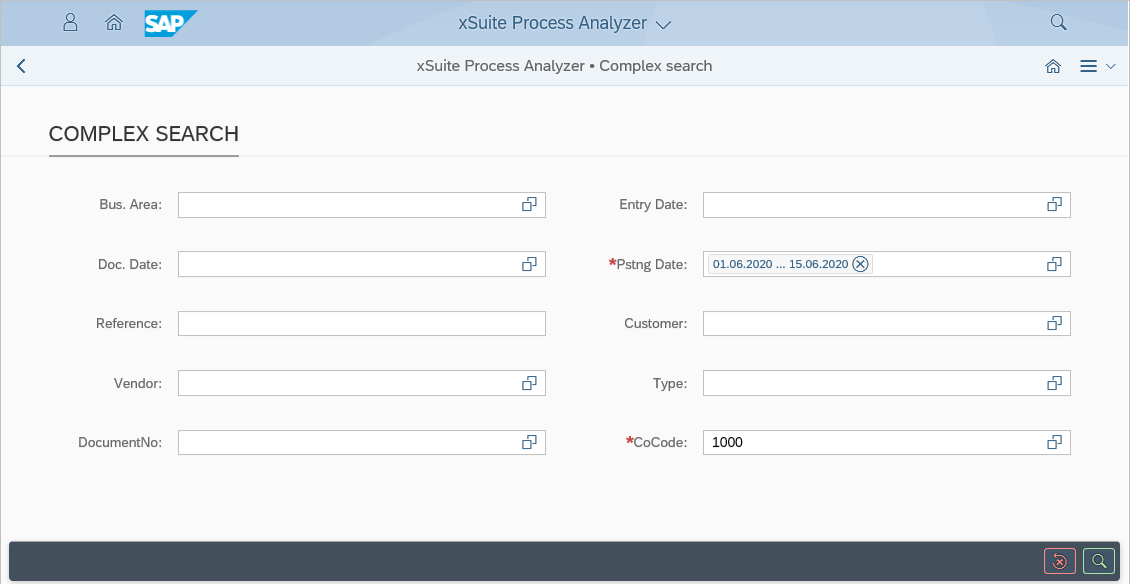
Complex search
The complex search generates an individual overview based on the specified search parameters. When the  Execute button is clicked, the search is executed and the user is taken to the overview.
Overview
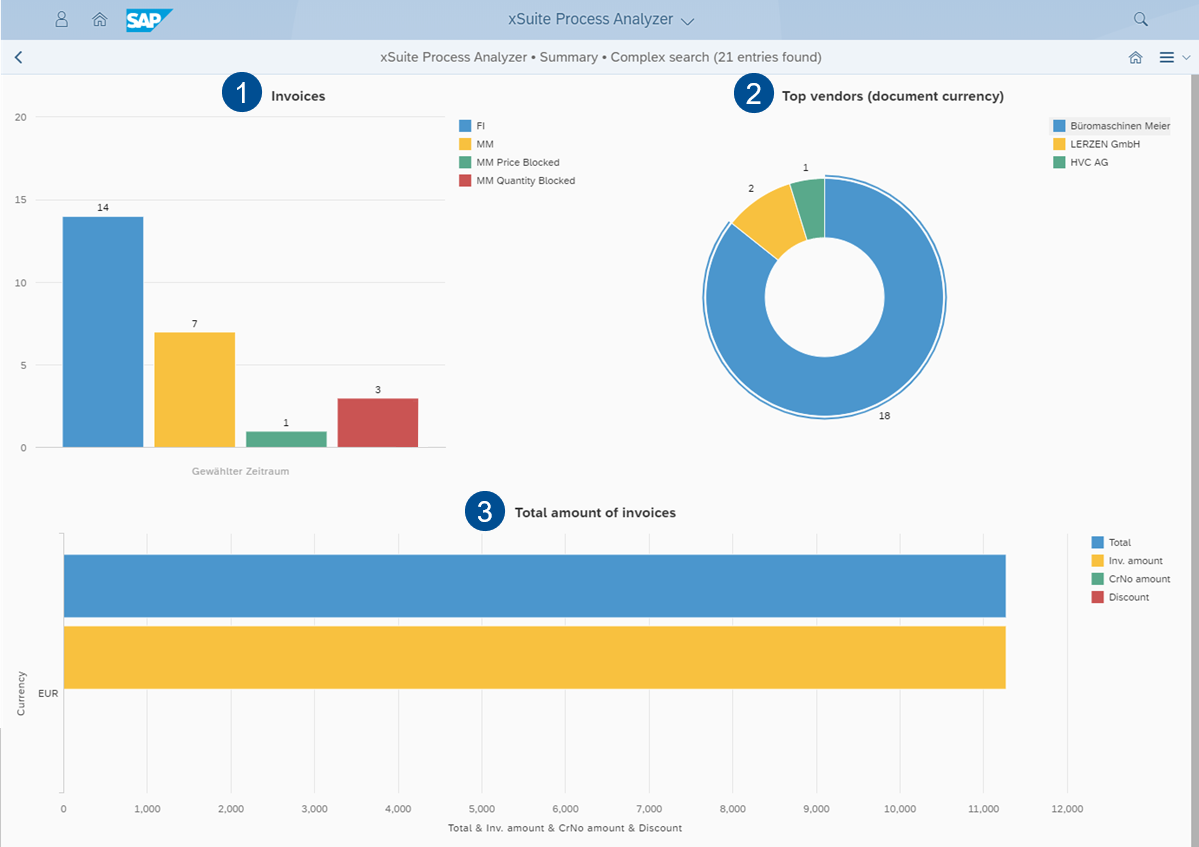
When the user performs a complex search or clicks on a predefined tile, he arrives at the overview. In this screen, three different graphs provide a quick overview of the selected period.
Section | Description | |
|---|---|---|
1 | Invoices | Shows the total of all invoices in the selected period, divided by invoice type. |
2 | Top vendors (document currency) | Shows the top ten vendors and their share of invoices in the selected period. |
3 | Total amount of invoices | Shows the total amount of all invoices in the selected period. |
When the mouse pointer is moved over a bar of a graph, further information about the respective bar can be viewed. When a bar of a graph is clicked, the Detail view will open. For more information, see Detail view.
Detail view
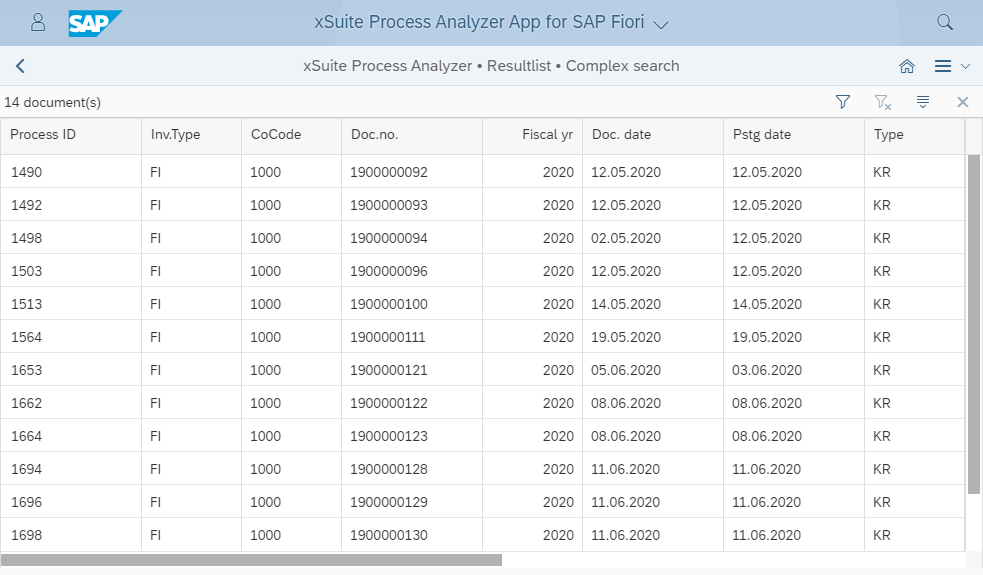
The detail view is a list view of the invoices of a selected period.
The list can be filtered and sorted with the buttons  Filter and
  Sort.
Sort.