"Edit purchase requisition after rejection" (Role PRER) – xSuite Web / SAP Fiori
Notice
Prerequisite: In the /sap/bc/bsp/wmd/ui5_365/settings.js file, the xf5web.its_enabled web parameter has the value true. In the task assignment of xSuite Customizing, the task is activated as ITS task (transaction /WMD/BC_SPRO → xSuite Business Solutions → Workflow → Basic → Basic Settings → Assign Tasks).
The workflow task "Edit purchase requisition after rejection" is now available in xSuite Web and in SAP Fiori.
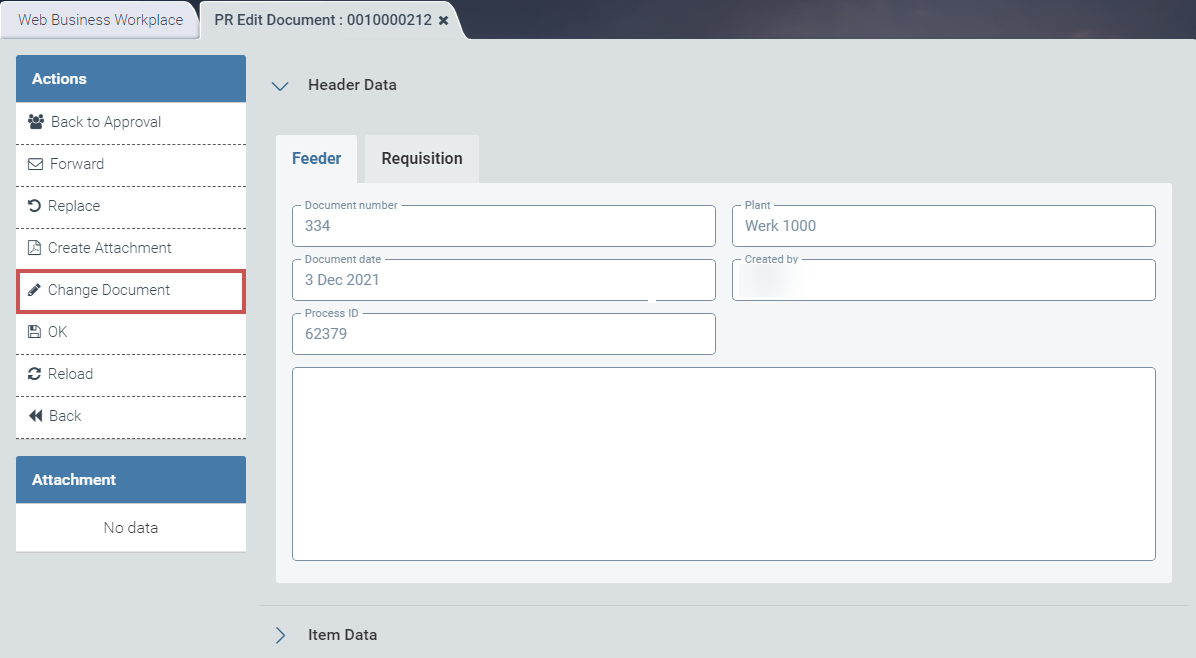
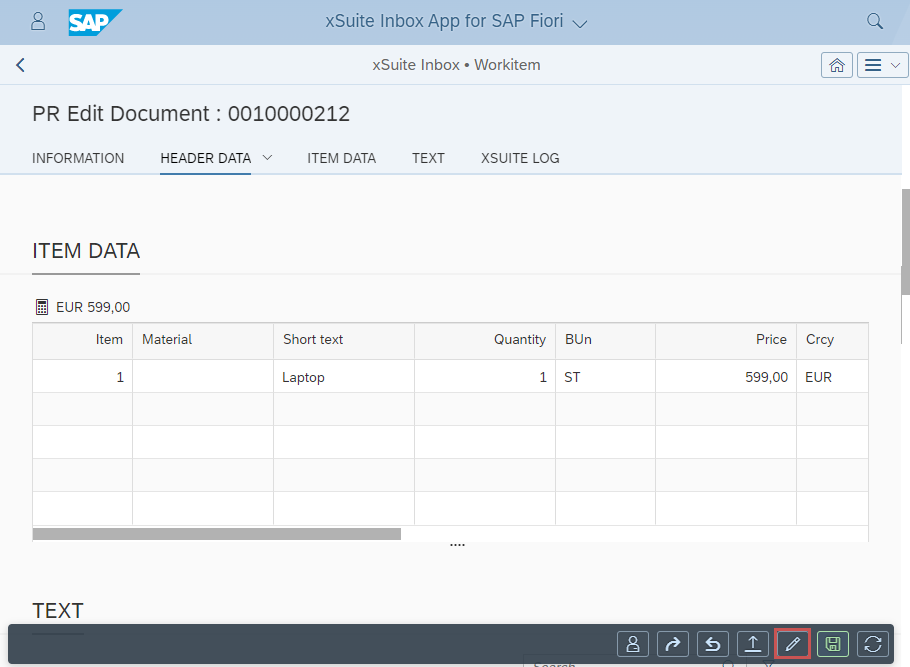
Here, the user can edit the linked purchase requisition (Change Document button).
UI – xSuite Web
 |
UI – SAP Fiori
 |
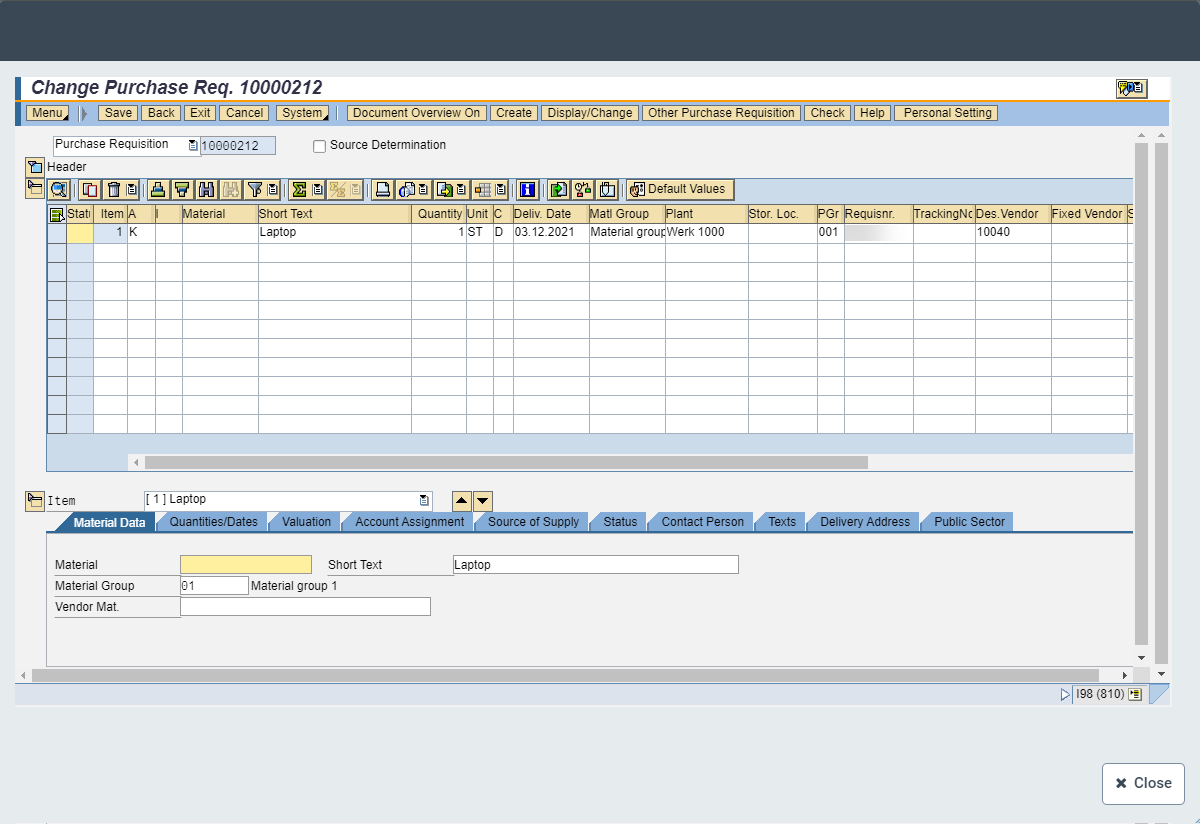
Clicking the Change Document button will open the /WMD/PR_CHANGE transaction as a Web Dynpro application.
 |
After the user edits the SAP document, it will be updated in the background. The workflow view will then also display the changes made.