Deleting Attachments from a Feeder
Attachments can now be deleted in feeder creation (Transaction /WMD/XF_PF_CREATE) and in the workflow task "Edit preliminary feeder" (role PFCC).
Procedure in the SAP GUI
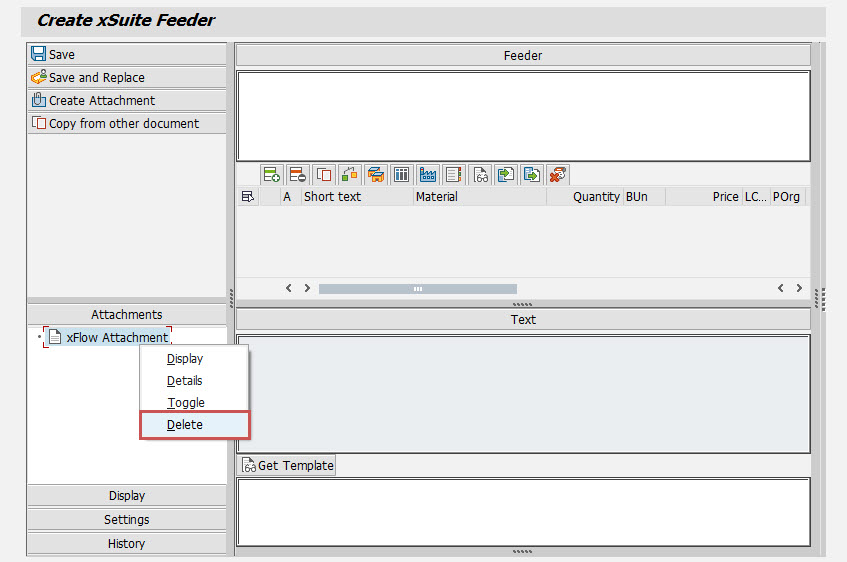
Individual attachments can be selected in the list of attachments. To delete the attachment, right-click on it and then click Delete in the context menu.
 |
Procedure in SAP Fiori
In the list of attachments, you can select one or more attachments to be deleted. An alternative method of selection for deletion is the  button in the PNG Viewer. When clicking on this icon, the attachment that is currently displayed will always be the item that will be deleted.
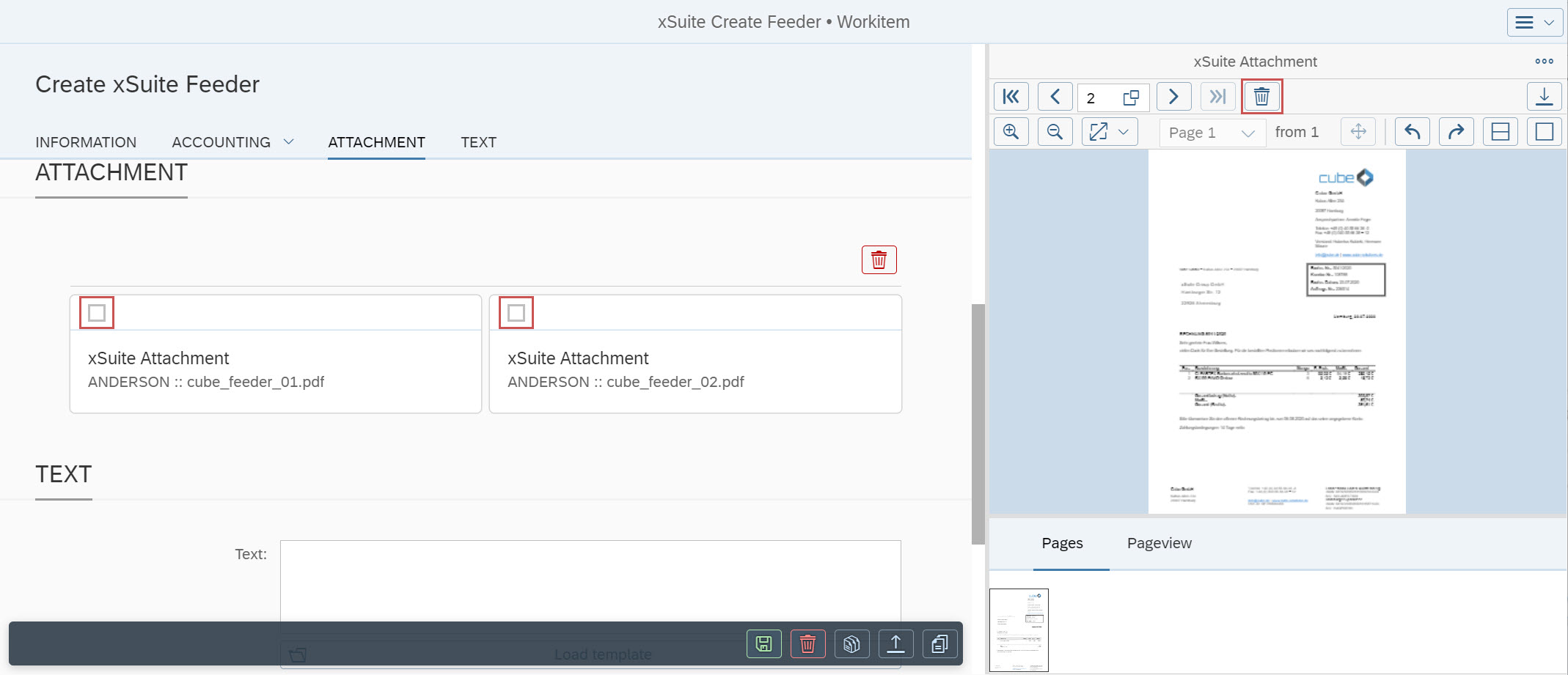
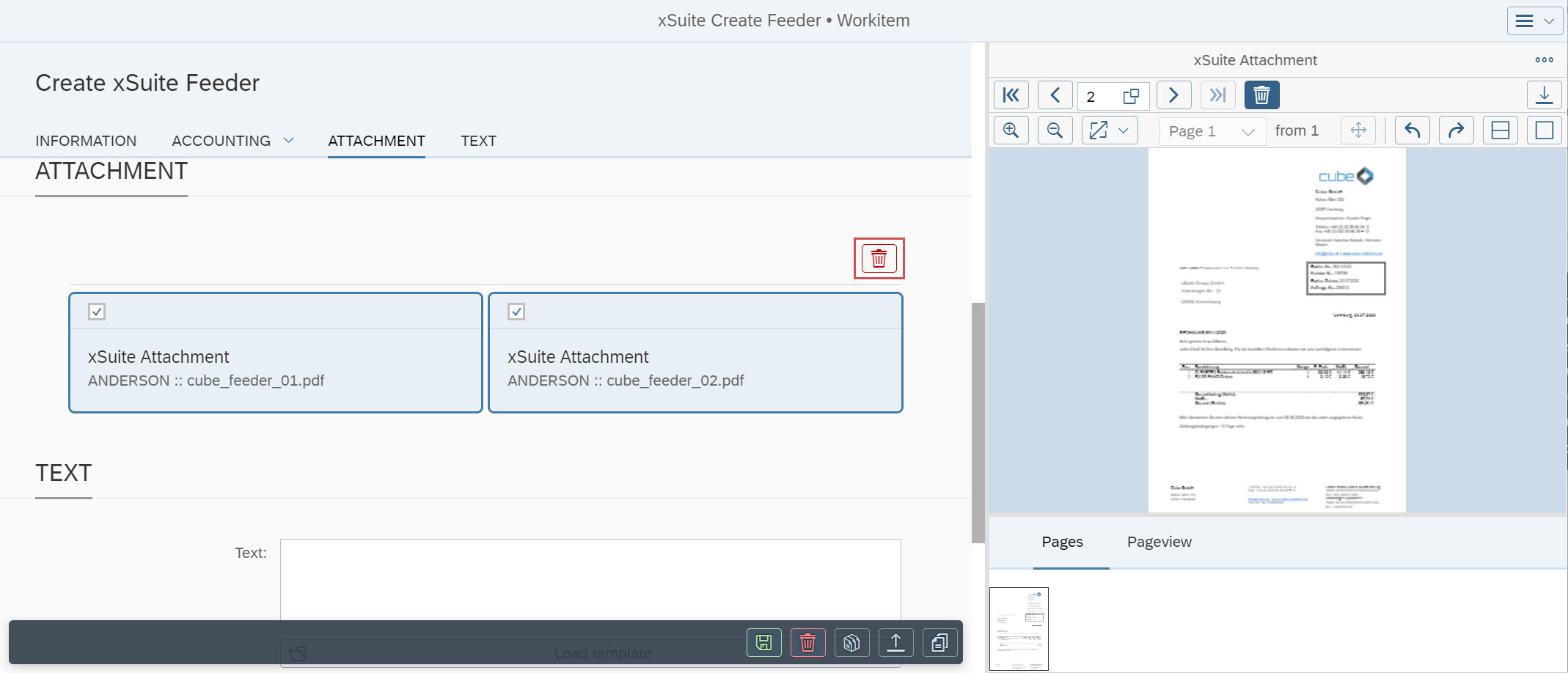
Once attachments have been selected for deletion, click the button  Delete selected attachments in the Attachment area, and the selected attachments will deleted from the feeder.
Procedure in xSuite Web
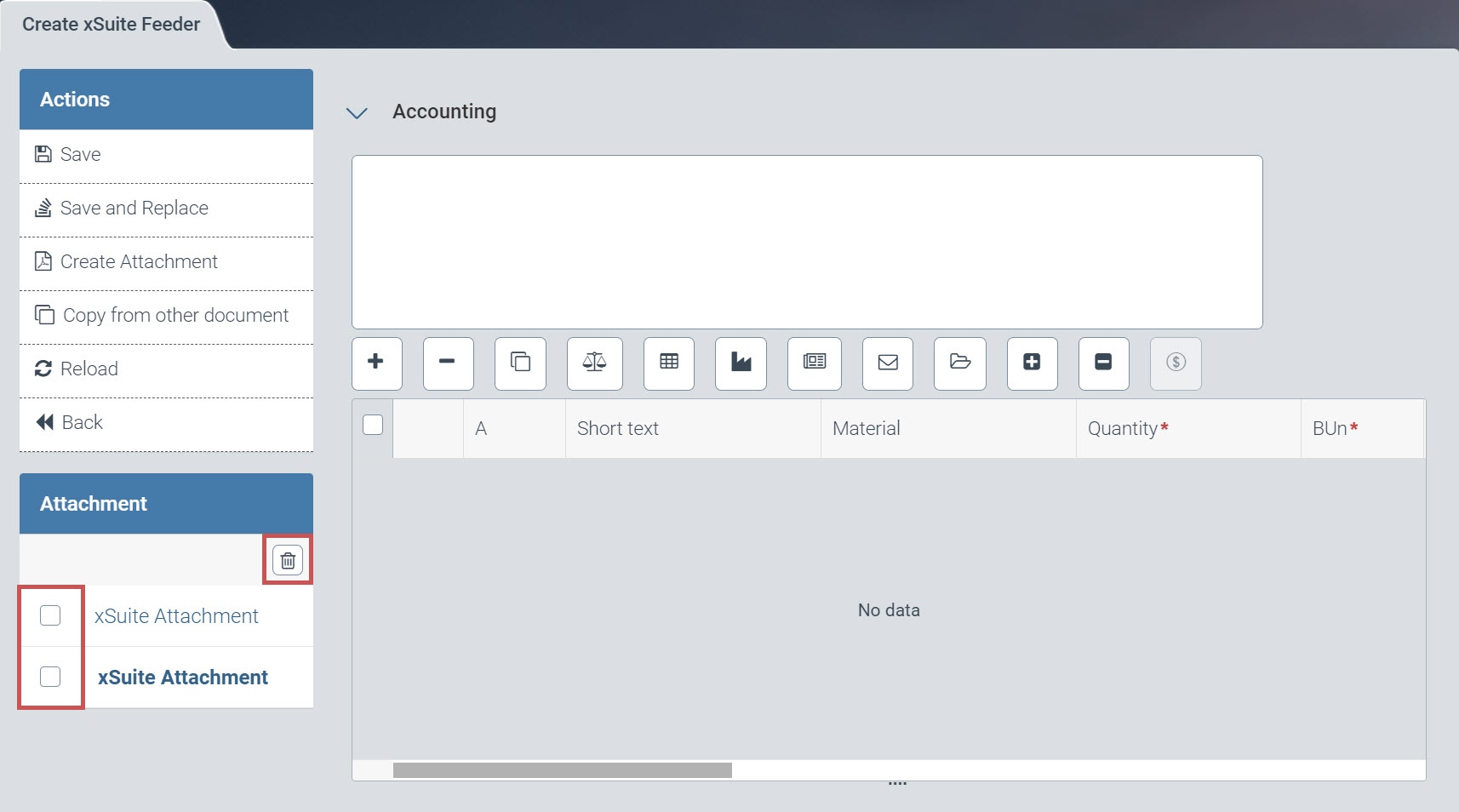
In the list of attachments, you can select one or more attachments to be deleted. The selected attachments can be deleted with the button  Delete selected attachments in the header of the list.
 |