Multiple account assignments in the feeder
In feeder and procurement workflow tasks that have the account-assignment function, you can assign accounts for multiple items simultaneously.
After maintenance, all quantities of the edited items were previously automatically overwritten with the quantity of the first item. The quantities that had been determined were thus lost.
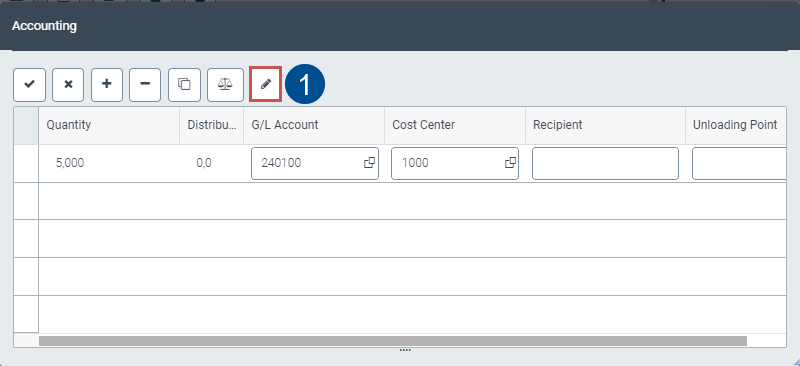
In the SAP GUI, in xSuite Web und in SAP Fiori, the buttons Change quantity and Unlock quantity are now available.
UI – SAP GUI
 |
UI – xSuite Web
 |
UI – SAP Fiori
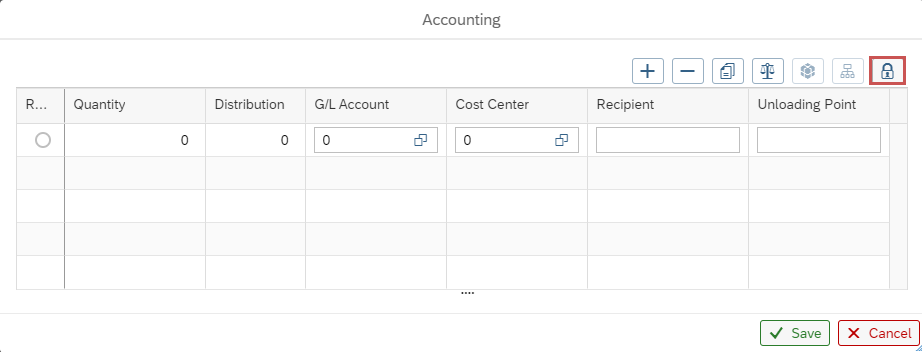 |
The user can specify which editing mode will be used using this button:
The quantities specified in the feeder item will be retained. The quantity cannot be changed in the account-assignment block. The quantity in the feeder item will not be overwritten.
The quantity specified in the account assignment will be applied to all items.
Notice
When assigning a single row to an account, the Change quantity or Unlock quantity button will not be available. Here, the quantity defined in the feeder item will be used.
Multiple account assignment refers only to items with single account assignment. In a multiple account assignment, the quantities in the feeder items are always overwritten with the quantities from the common account assignment.