IDoc processing
The input data for Interface OC can be processed coming from an EDI line. The EDI process INPUT_ORDRSP is run.
Functional description
The solution described here is based directly on the inbound IDoc of type "ORDERS05". This means that the IDoc is directly read and processed by xSuite. The necessary technical validations are based on the SAP standard. IDoc processing can be adapted or extended for specific projects.
Once the technical validations have been successfully completed, the IDoc data is transferred to xSuite structures and prepared for FP import. The data is also transferred to a SmartForms form and thus converted into a readable form.
The FP import is then carried out and an Interface document of the type "order confirmation" is generated. If errors occur up to this point preventing the creation of an Interface document (which also includes the previous technical validation), an IDoc status record with an error message will be created and processing terminated.
After the Interface document has been created, it is linked to the SmartForms form previously created. Then the tolerance check of the data takes place. Depending on the result of the tolerance check and the customizing settings for the Interface record type, the document will either be posted through and set to the status Closed, or it will retain the status Open and be displayed in the Order Confirmation Monitor, where further postprocessing can take place.
Procedure and components
The function modules listed below belong to function group /WMD/FP_OC_IDOC.
Function module /WMD/FP_IDOC_INPUT_ORDRSP
This function module is the first step in IDoc processing. It has the same signature as the standard function module IDOC_INPUT_ORDRSP. To use this function module instead of the standard function module, it must be entered in EDI customizing. For more information, see EDI customizing).
The function module serves as a framework for further processing and as an interface to the SAP IDoc framework.
ABAP Class /WMD/CL_FP_OC_IDOC_ORDRSP
This class is called by function module /WMD/FP_IDOC_INPUT_ORDRSP. It performs the actual processing of the IDoc. That includes:
Mapping IDoc records in intermediate xSuite structures
Performing technical validation, such as checking field lengths
Mapping the data into the FP import structures
Creating a PDF form
Performing the FP import
Return of status records to the FB /WMD/FP_IDOC_INPUT_ORDRSP
This class can also be used for testing purposes. For more information, see Form /WMD/FP_IDOC_INPUT_ORDRSPand Function module /WMD/FP_OC_INPUT_ORDRSP_TEST.
The class implements the interface /WMD/IF_FP_OC_IDOC_ORDRSP and is an exit class, that is, it can be overridden for specific projects.
Form /WMD/FP_IDOC_INPUT_ORDRSP
This function module is used to test the form /WMD/FP_IDOC_INPUT_ORDRSP and to test IDoc processing.
When testing a form from transaction SMARTFORMS, the form does not receive any external data. The data required for processing must be obtained elsewhere. This task is performed by function module /WMD/FP_IDOC_INPUT_ORDRSP, which you can call using a switch in the form. The input parameter I_TESTMODE must have the value "X" and I_DOCNUM the value "IDoc<number>". The function module calls the class /WMD/CL_FP_OC_IDOC_ORDRSP in test mode, preventing further processing of the IDoc from taking place.
Example: If the form is called in test mode with F8 → F8, the interface of the form function module will appear. The two parameters mentioned above must be set here.
Import parameters | Value |
|---|---|
I_TESTMODE | X |
I_DOCNUM | 0000000000836819 |
In this way, the processing of the IDoc can be tested and the result visualized without having to go through the postprocessing by FP import and generation of an Interface data record.
Function module /WMD/FP_OC_INPUT_ORDRSP_TEST
This function module is used to test the entire process chain:
IDoc processing with the IDoc class
Performing the FP import
Postprocessing in program /WMD/FP_OCB
The function module is used for troubleshooting within the entire processing section. The programs, function modules, and classes involved are normally executed in the background. This makes it difficult to search for a processing error.
With this function module, however, processing can take place in dialog mode, allowing errors to be found using the ABAP debugger.
EDI customizing
The settings described below are exemplary and must be adapted to the specific installation. In particular, the namespace /WMD/ should be replaced by a suitable customer namespace.
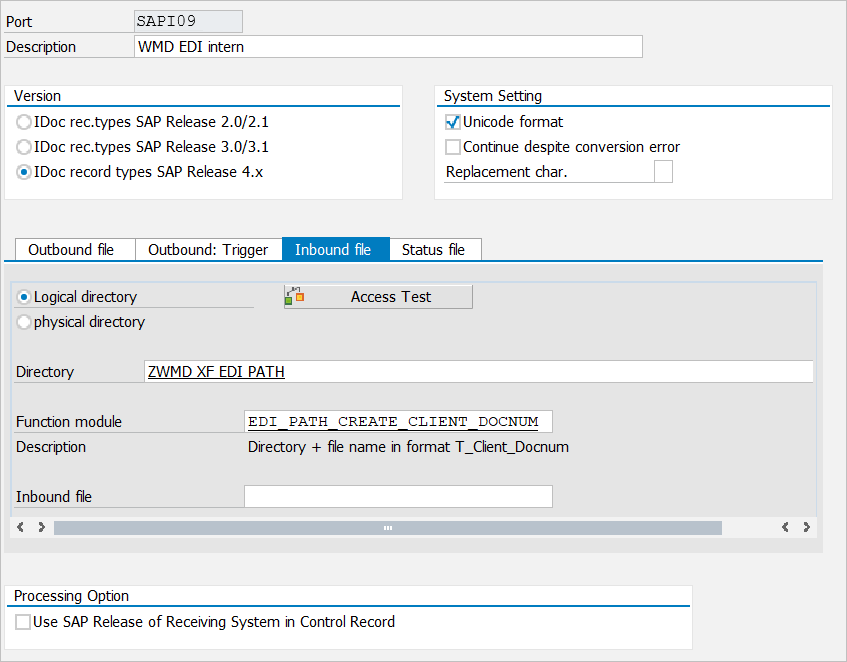
Port definition
Transaction WE21
For example, a port of type "File" is used here. We recommend that you use a logical directory that was previously set up with TA FILE. The file port is useful when setting up the EDI line for the first time to test the processing of a single IDoc. For productive operation, it is more suitable to use a different port type, such as XML via HTTP.
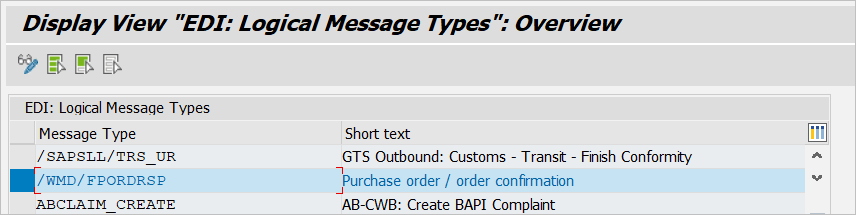
Creating a logical output type
Transaction WE81
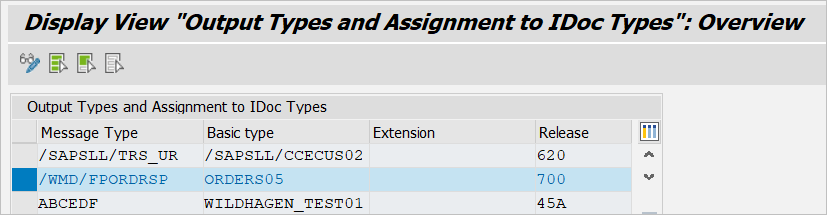
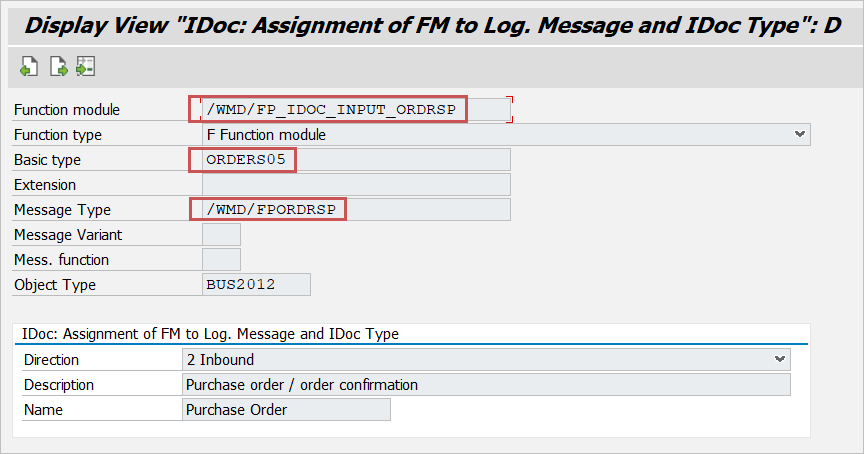
Assignment of message type / IDoc types
Transaction WE82
Assignment of message type / application object
Transaction WE57
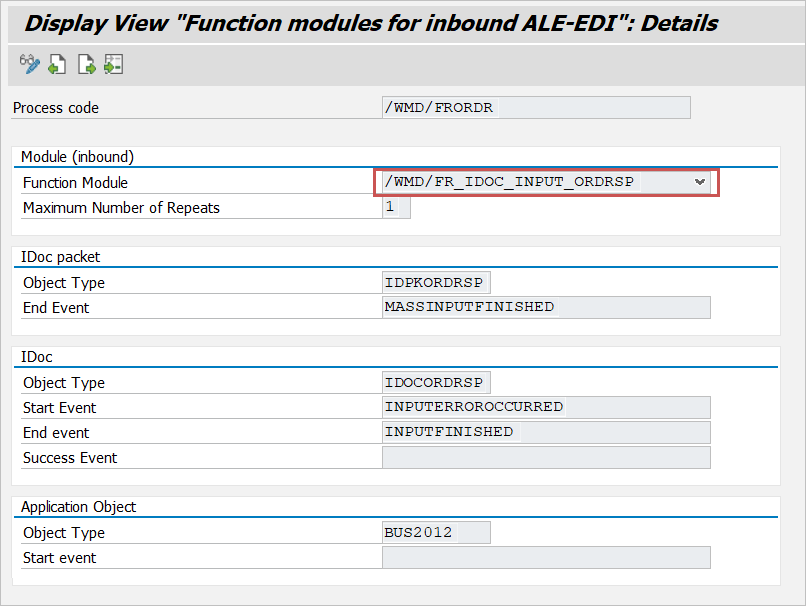
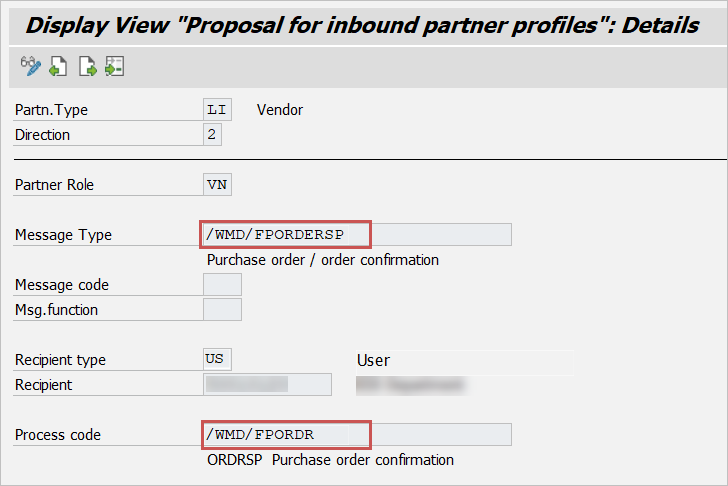
Process code input
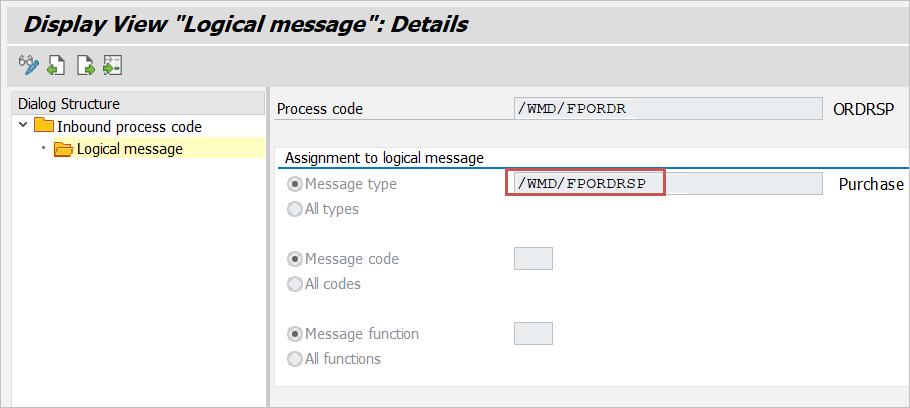
Transaction WE42
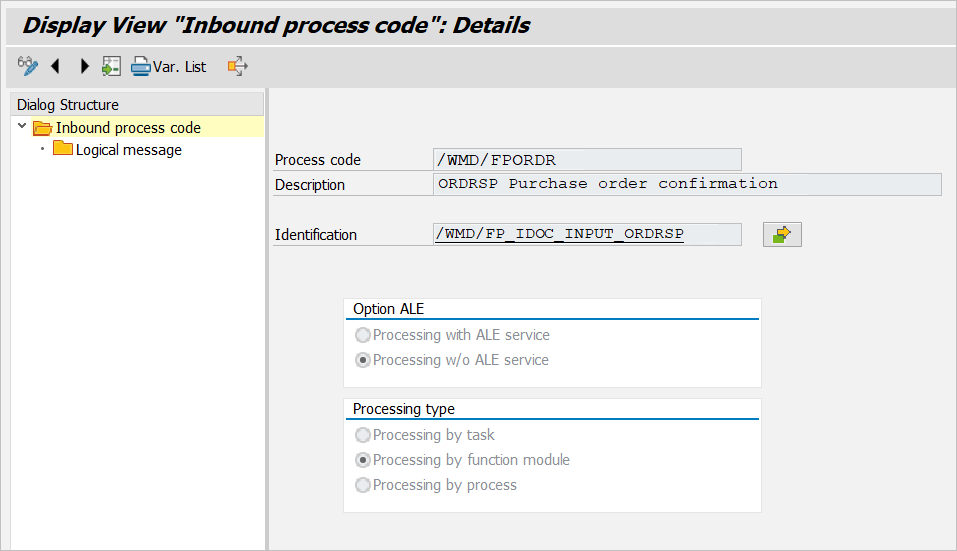
Detail view:
Logical message:
Receipt of proposals
Transaction WE27
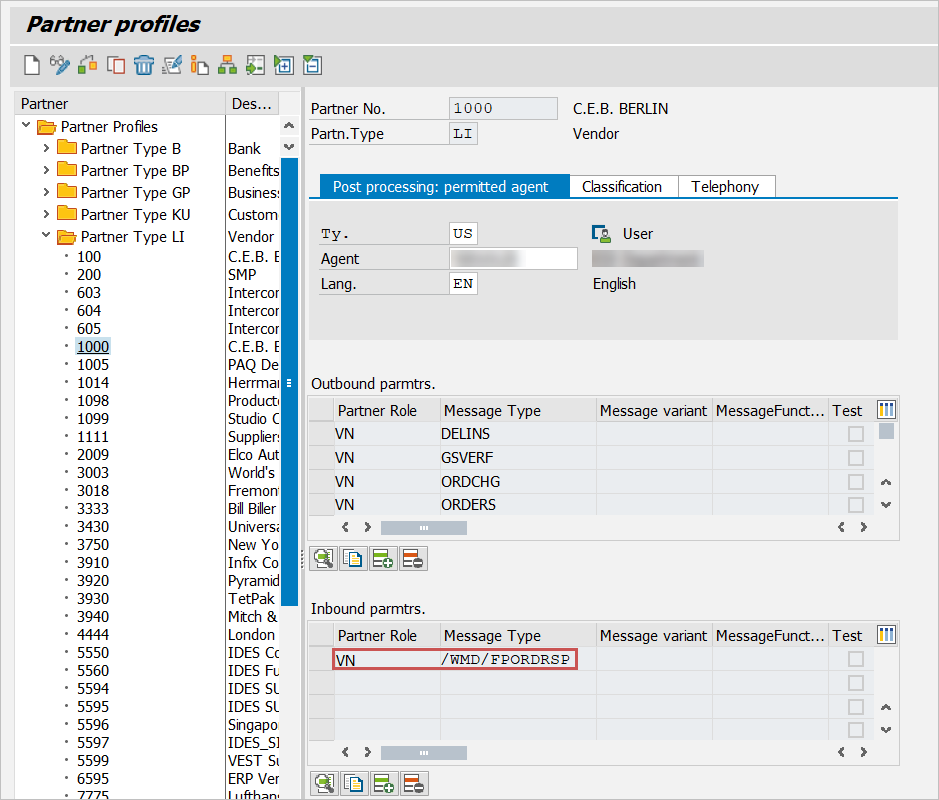
Partner agreement
Transaction WE20