"XI Approval of service entry sheet" (Role XIES) – xSuite Web / SAP Fiori
Notice
Prerequisite: In the /sap/bc/bsp/wmd/ui5_365/settings.js file, the xf5web.its_enabled web parameter has the value true. In the task assignment of xSuite Customizing, the task is activated as ITS task (transaction /WMD/BC_SPRO → xSuite Business Solutions → Workflow → Basic → Basic Settings → Assign Tasks).
In the workflow task "XI Check Service Entry," you can now call the SAP transaction /WMD/ML81 in xSuite Web and in SAP Fiori.
A click on the button  /
/  Entry sheet in the account-assignment block will open the transaction as a Web Dynpro application.
UI – xSuite Web
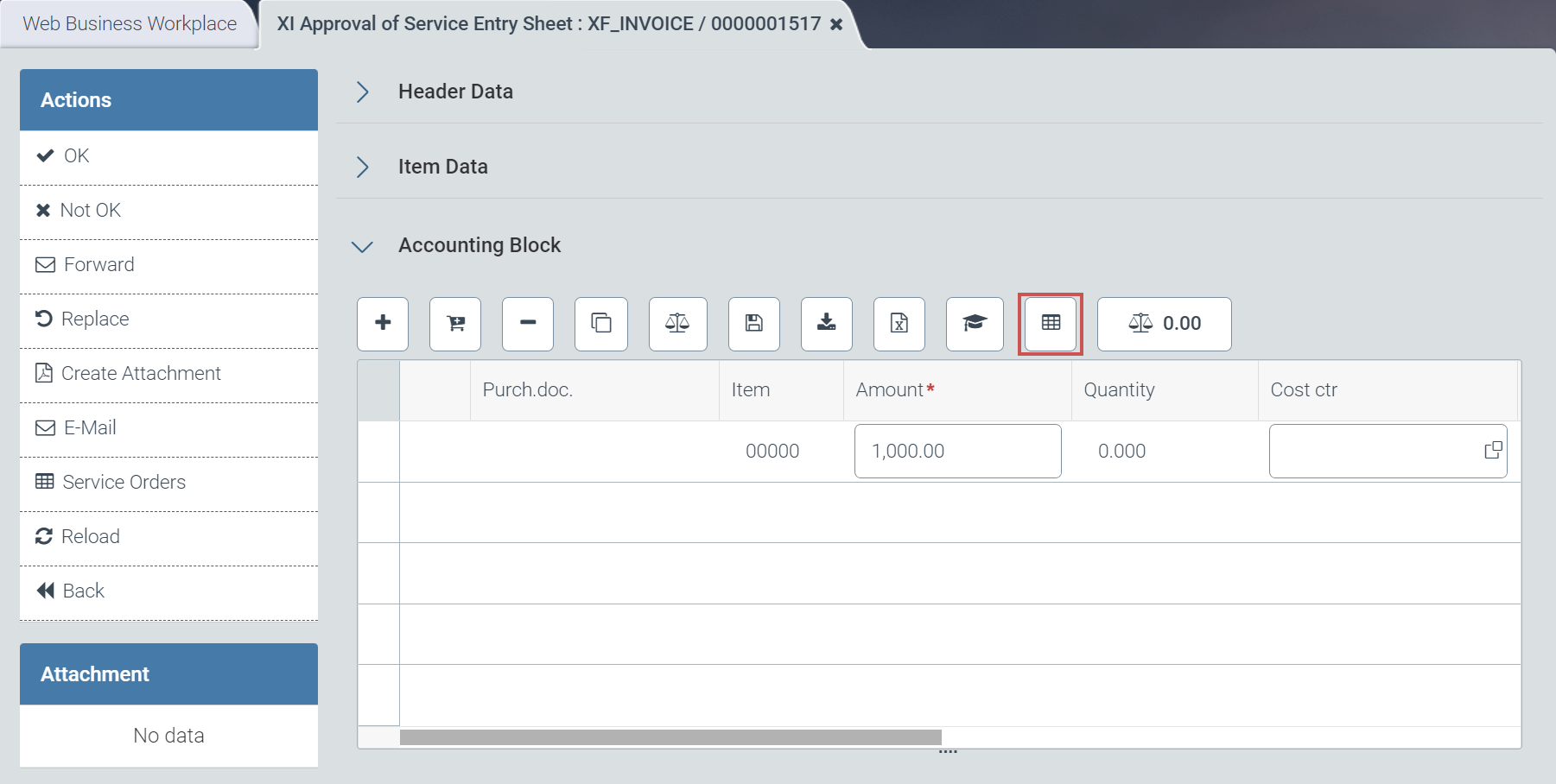 |
UI – SAP Fiori
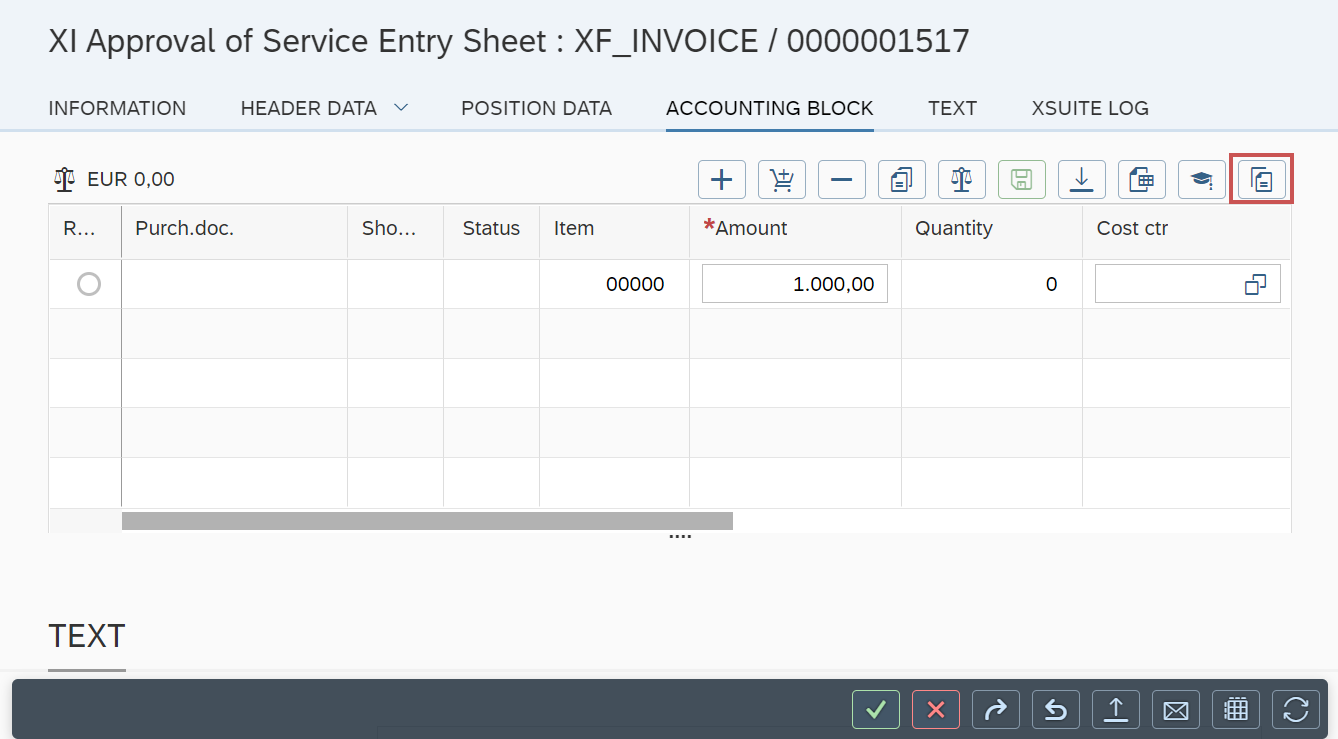 |
Here, the user can enter services to the document. If the user has previously selected an account assignment row, the EBELN (Purchase Order) and EBELP (Purchase Order Item) fields will be pre-populated.
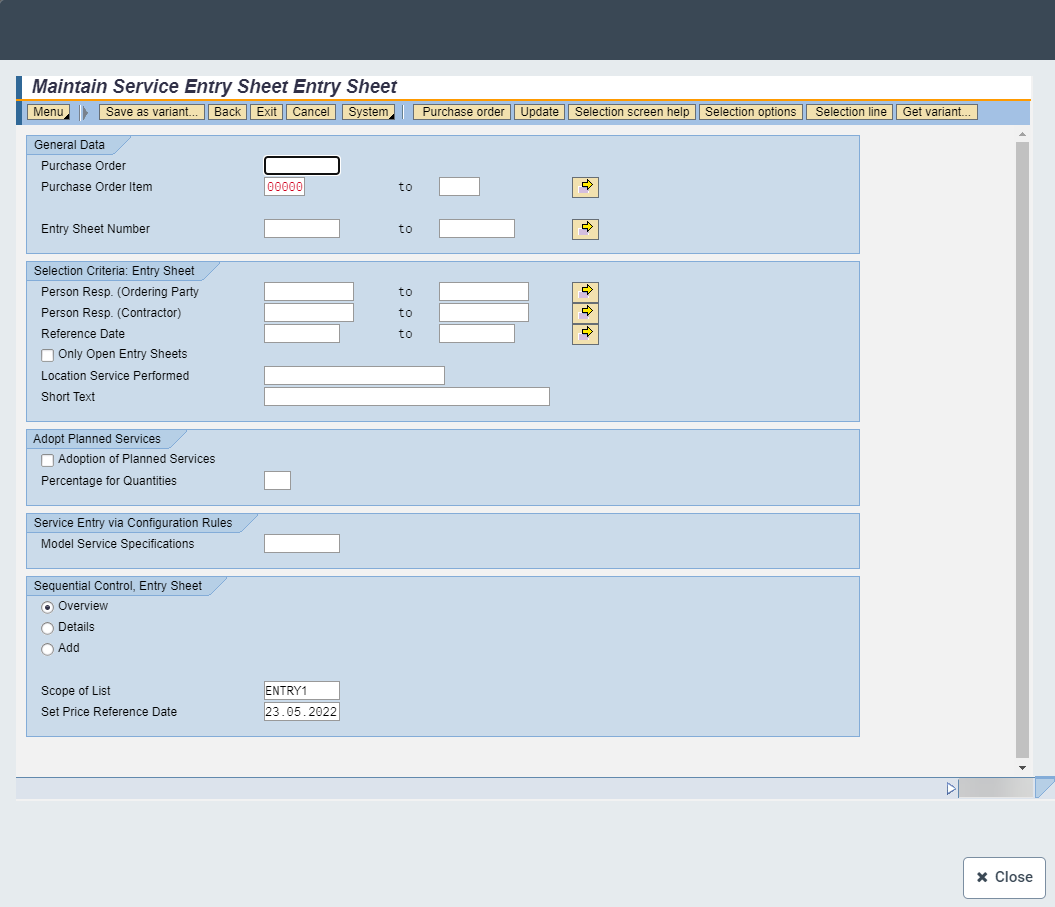 |
After the transaction is completed, the corresponding references to the current service entry are also shown.