[de] PS-M-Workflowaufgaben
[de] "PS-M Auswahl Prüfer" – Rolle FMC0
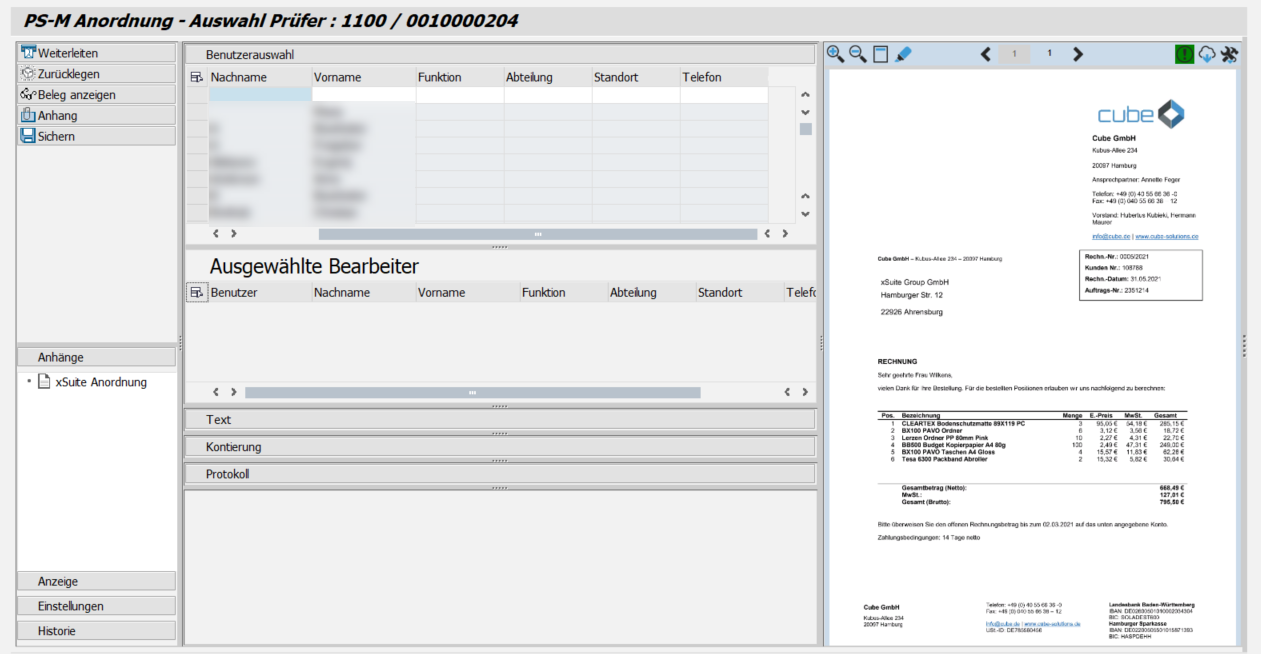
[de] Anzeige – SAP GUI
 |
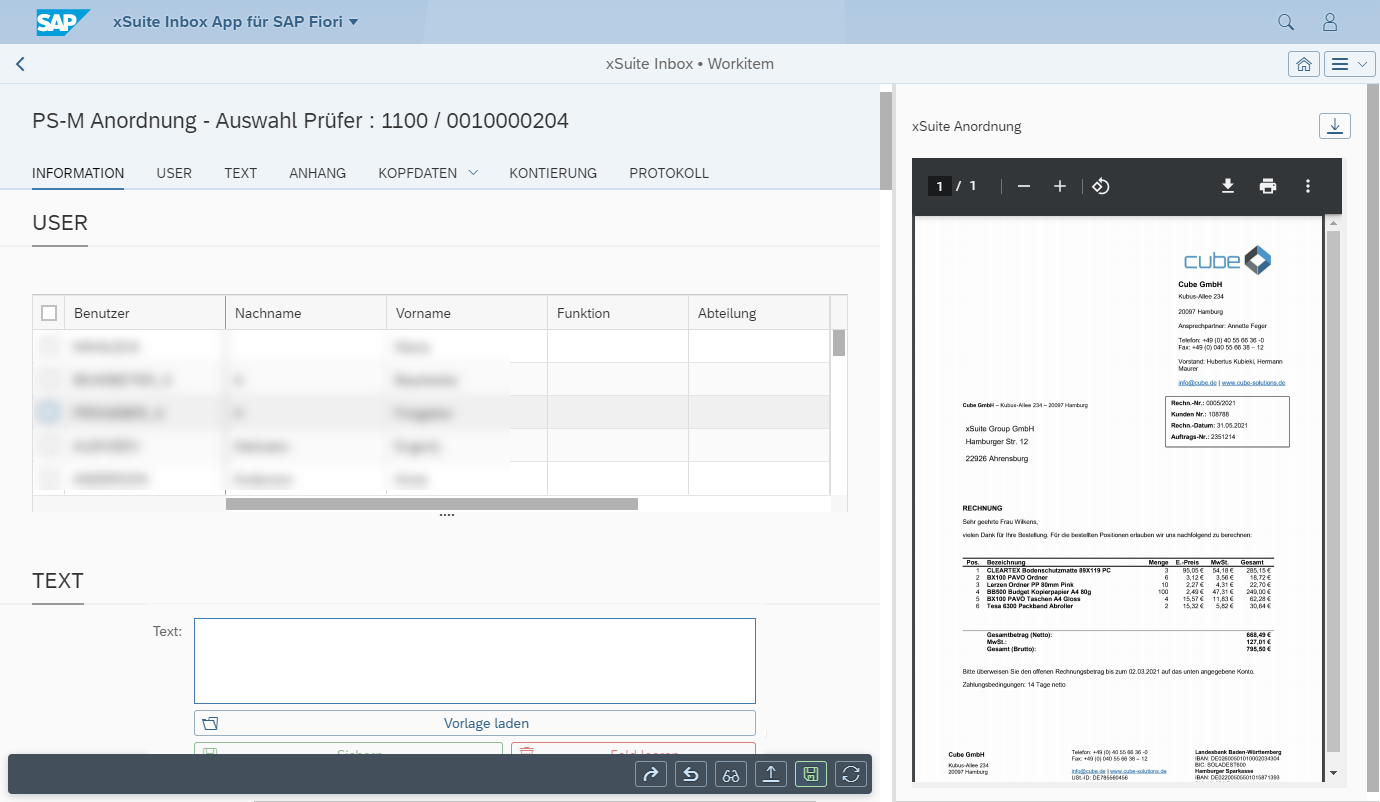
[de] Anzeige – SAP Fiori
 |
[de] Anzeige – xSuite Web
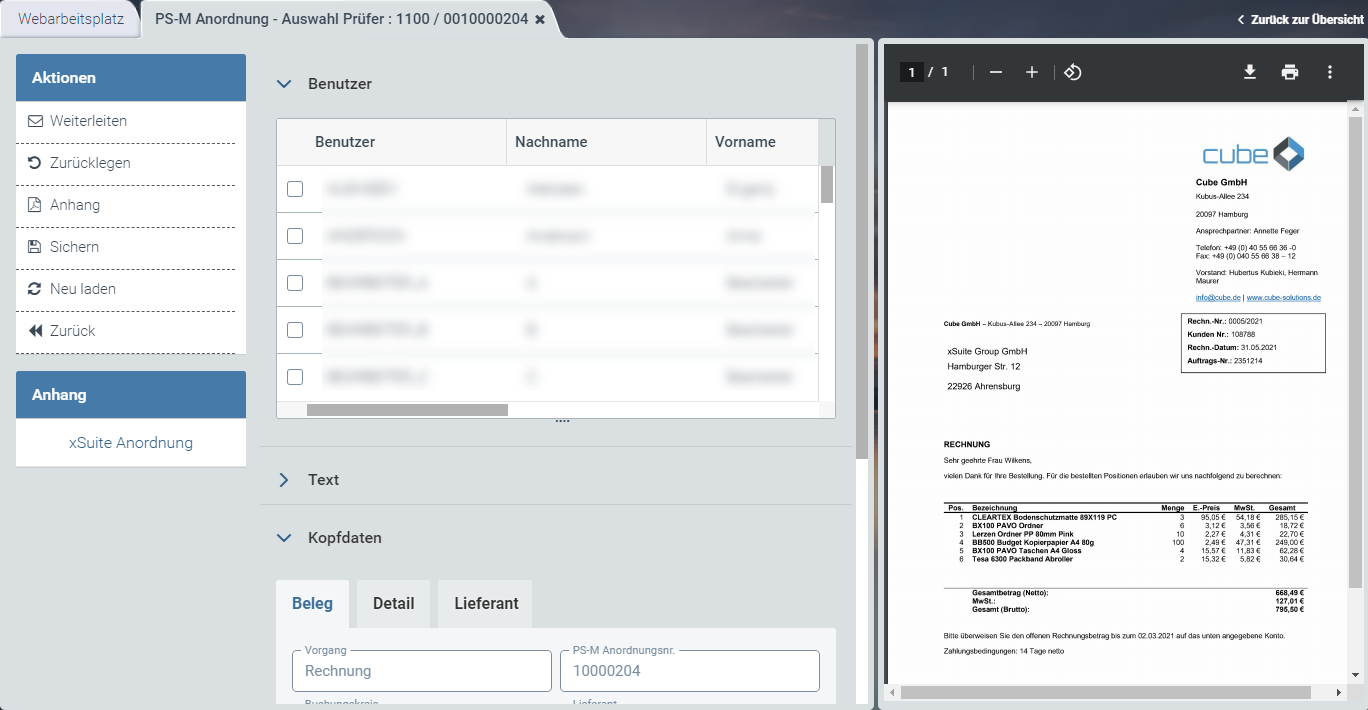 |
[de] Informationen zum Aufbau finden Sie unter [de] Aufbau – Workitem im SAP GUI, [de] Aufbau – Workitem in SAP Fiori und [de] Aufbau – Workitem in xSuite Web.
[de] Buttons am Beleg – Rolle FMC0
SAP Fiori | SAP GUI / xSuite Web | [de] Beschreibung |
|---|---|---|
| [de] Weiterleiten | |
| [de] Zurücklegen | |
| [de] Beleg anzeigen | [de] Öffnet den SAP-Beleg im Anzeigemodus. [de] Info: Dieser Button ist nur im SAP GUI und in SAP Fiori verfügbar. In SAP Fiori wird der SAP-Beleg über den ITS-Service (Internet Transaction Server Service) geöffnet. [de] Tastenkombination im SAP GUI: CtrlShiftF10 |
| [de] Anhang | |
| [de] Sichern | [de] Tastenkombination im SAP GUI: CtrlF9 |
| [de] Neu laden | [de] Info: Dieser Button ist nur in xSuite Web und SAP Fiori verfügbar. |
| [de] Zurück | [de] Info: Dieser Button ist nur in xSuite Web und SAP Fiori verfügbar. |


[de] "PS-M Sachliche Prüfung" – Rolle FMAG
[de] Ausführungszeiträume für Daueranordnungen
[de] Für Daueranordnungen wird zusätzlich der Bereich Ausführungszeiträume angezeigt.
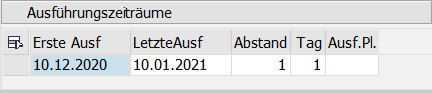 |
[de] Der Benutzer kann einen Ausführungsplan, der zuvor erstellt wurde, über die F4-Wertehilfe in der Spalte Ausf.Pl. auswählen. Nach der Auswahl des Ausführungsplans werden die restlichen Felder automatisch gefüllt.
[de] Alternativ kann der Benutzer die Felder Erste Ausführung, Letzte Ausführung, Abstand und Tag manuell ausfüllen.
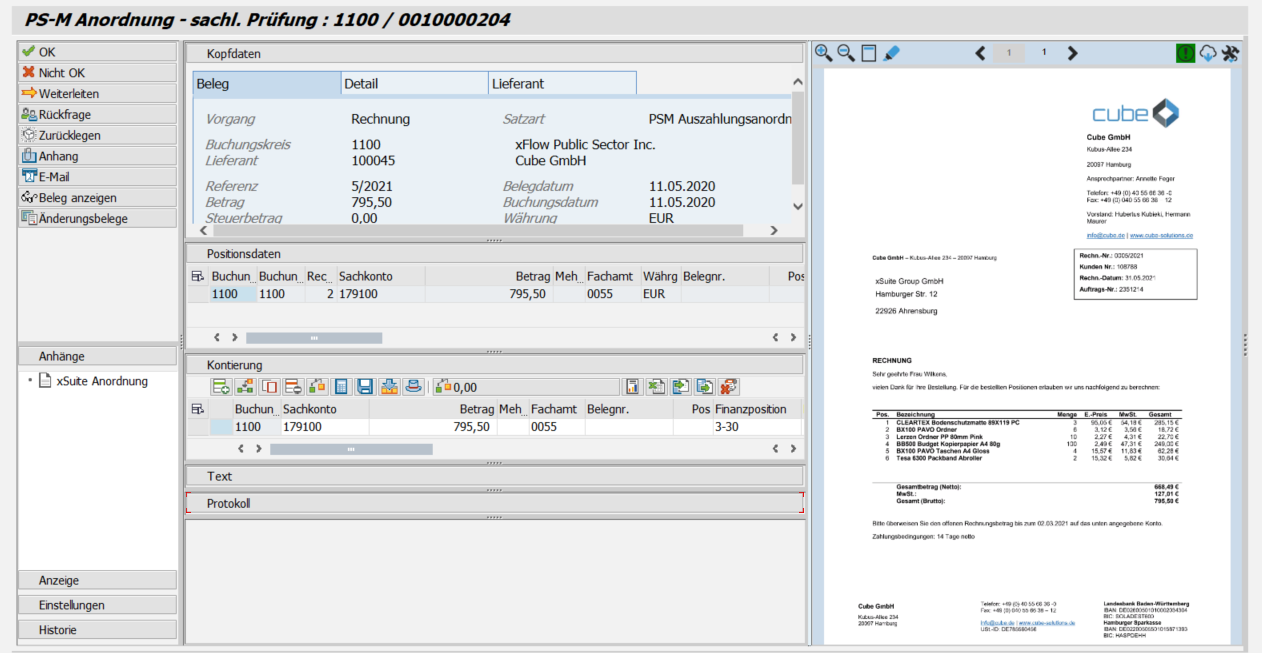
[de] Anzeige – SAP GUI
 |
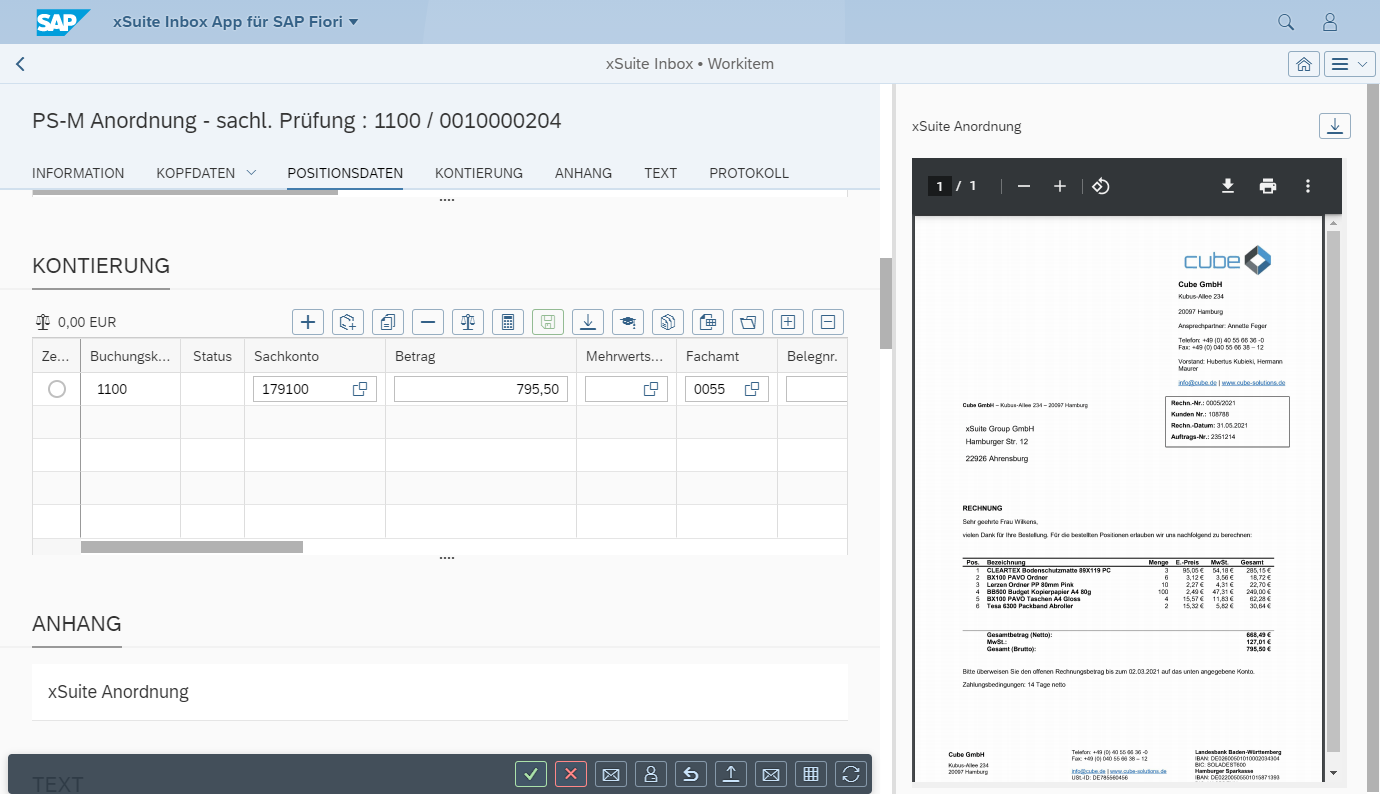
[de] Anzeige – SAP Fiori
 |
[de] Anzeige – xSuite Web
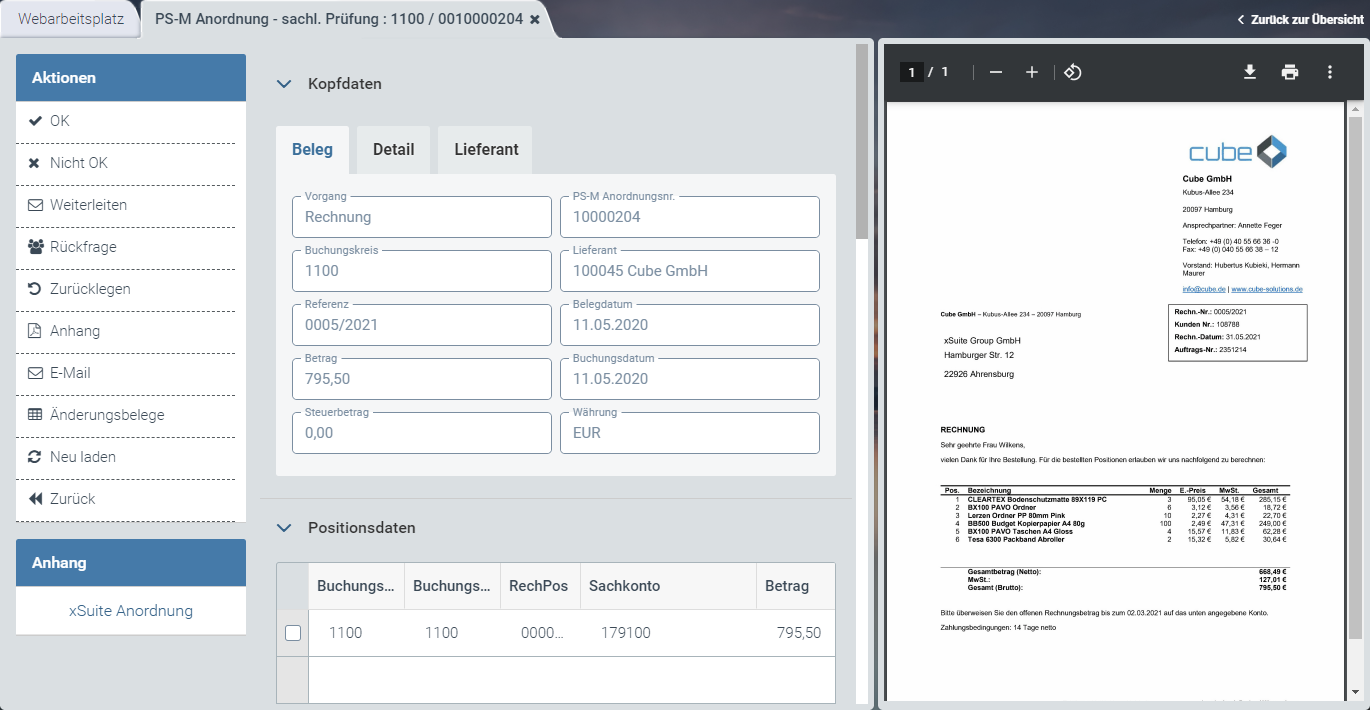 |
[de] Informationen zum Aufbau finden Sie unter [de] Aufbau – Workitem im SAP GUI, [de] Aufbau – Workitem in SAP Fiori und [de] Aufbau – Workitem in xSuite Web.
[de] Buttons am Beleg – Rolle FMAG
SAP Fiori | SAP GUI / xSuite Web | [de] Beschreibung |
|---|---|---|
| [de] OK | [de] Tastenkombination im SAP GUI: CtrlF7 |
| [de] Nicht OK | [de] Tastenkombination im SAP GUI: CtrlF8 |
| [de] Weiterleiten | |
| [de] Rückfrage | |
| [de] Zurücklegen | |
| [de] Anhang | |
| [de] E-Mail | |
-- | [de] Beleg anzeigen | [de] Öffnet den SAP-Beleg im Anzeigemodus. [de] Info: Dieser Button ist nur im SAP GUI verfügbar. [de] Tastenkombination im SAP GUI: CtrlShiftF10 |
| [de] Änderungsbelege | |
| [de] Neu laden | [de] Info: Dieser Button ist nur in xSuite Web und SAP Fiori verfügbar. |
| [de] Zurück | [de] Info: Dieser Button ist nur in xSuite Web und SAP Fiori verfügbar. |


[de] Buttons im Kontierungsblock – Rolle FMAG
[de] SAP GUI | [de] SAP Fiori | [de] xSuite Web | [de] Name / Beschreibung |
|---|---|---|---|
|
|
| [de] Neue Zeile: [de] Fügt eine neue Kontierungszeile ein. [de] Tastenkombination im SAP GUI: ShiftF6 |
|
|
| [de] Neue Anlagenzeile: [de] Fügt eine neue Anlagenposition hinzu (Buchungsschlüssel 70/75). |
|
|
| [de] Zeile kopieren: [de] Kopiert eine markierte Kontierungszeile. |
|
|
| [de] Zeile löschen: [de] Löscht eine markierte Kontierungszeile. |
|
|
| [de] Prüfen: [de] Prüft die vorhandenen Positionsdaten. Hierbei wird geprüft, ob die eingetragenen Werte z. B. das richtige Format haben. [de] Tastenkombination im SAP GUI: ShiftF7 |
|
|
| [de] Skontorechnung: |
|
|
| [de] Sichern: [de] Speichert die Informationen aus dem Kontierungsblock. [de] Tastenkombination im SAP GUI: ShiftF8 |
|
|
| [de] Übertragung vom SAP-Dokument: [de] Überträgt die Kontierungsinformationen aus dem SAP-Beleg in den Kontierungsblock. |
|
|
| [de] Kopfdaten: [de] Öffnet eine teilweise editierbare Übersicht der Kopfdaten. |
|
|
| [de] Saldo: |
|
|
| [de] Allg. Kontierungsvorlage: |
|
|
| [de] Kontierung via Excel hochladen: |
|
|
| [de] Pers. Kontierungsvorlage laden: |
|
|
| [de] Pers. Kontierungsvorlage speichern: |
|
|
| [de] Pers. Kontierungsvorlage löschen: |


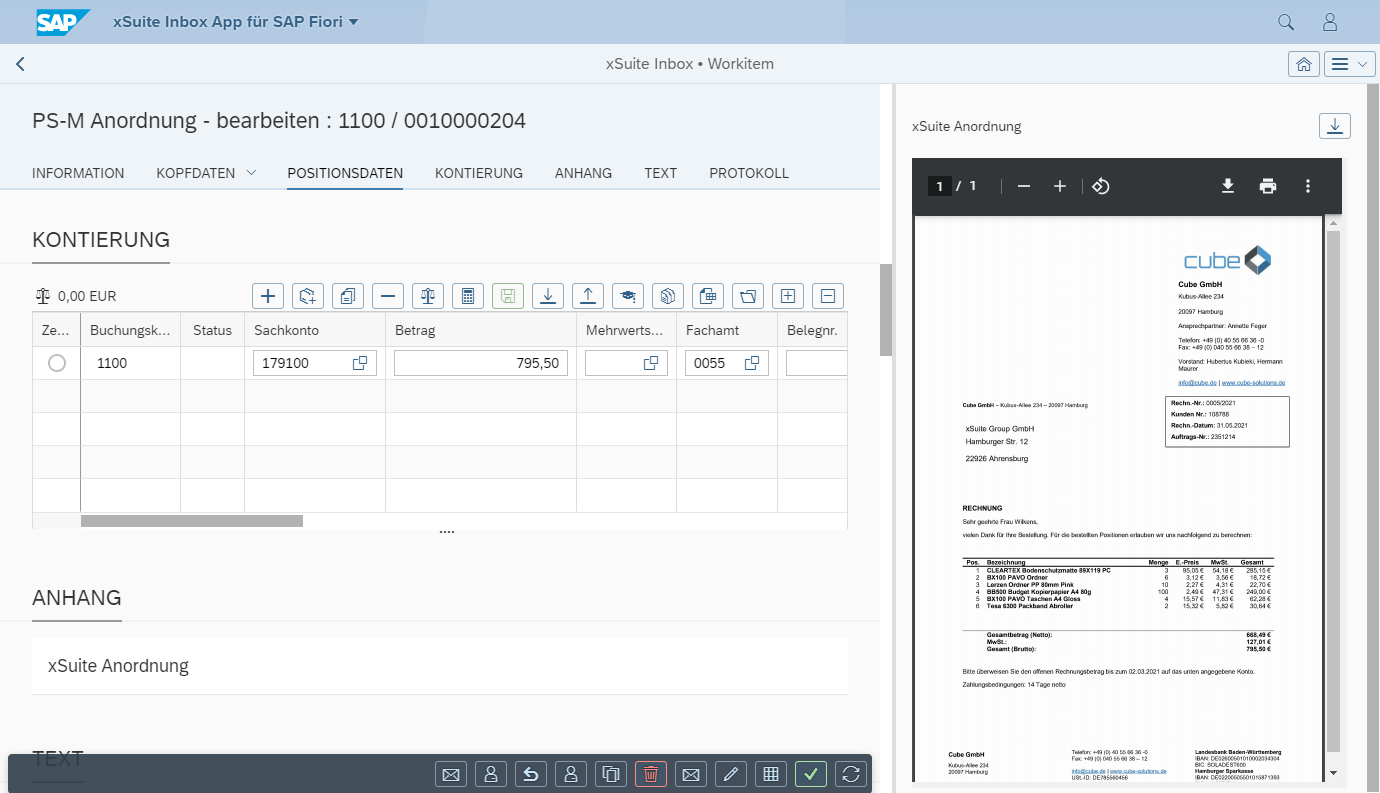
[de] "PS-M Bearbeitung" – Rolle FMCC
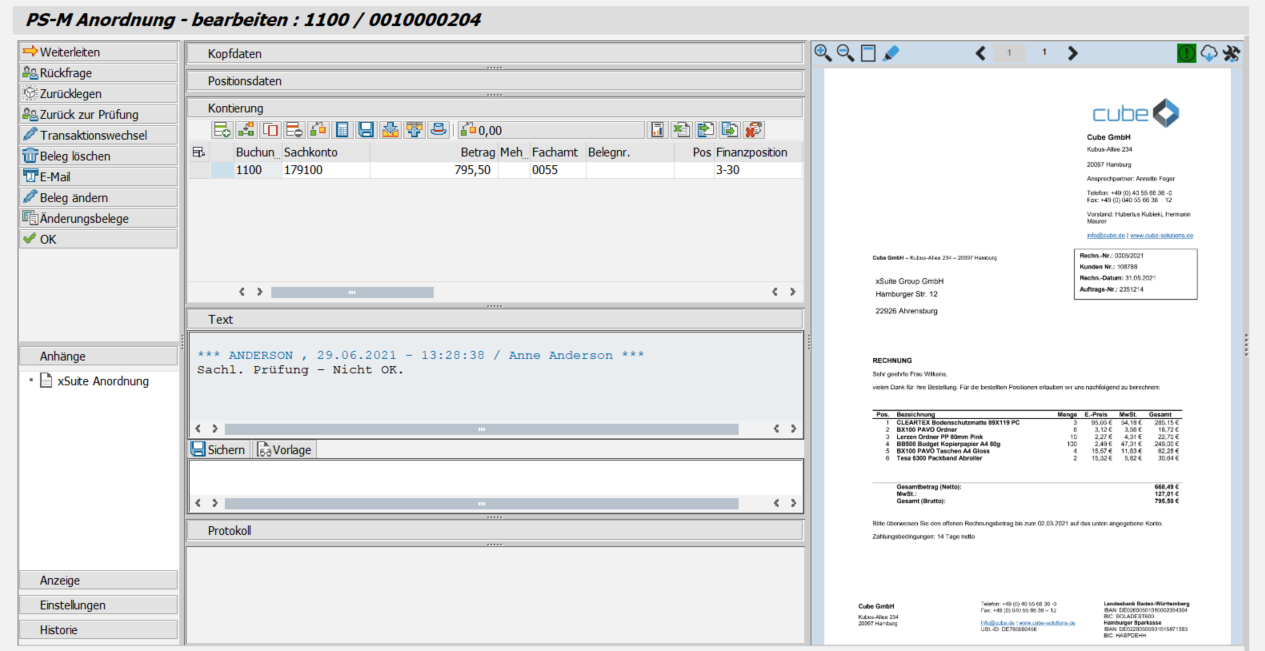
[de] Anzeige – SAP GUI
 |
[de] Anzeige – SAP Fiori
 |
[de] Anzeige – xSuite Web
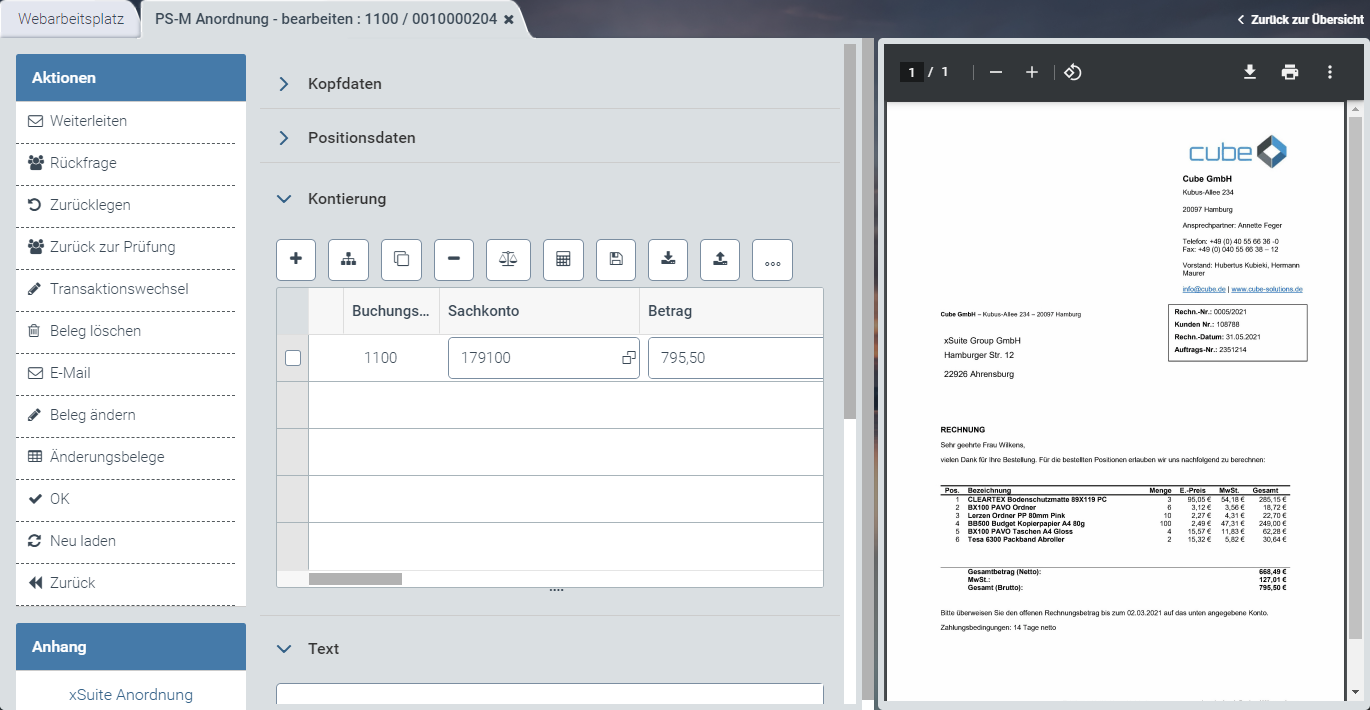 |
[de] Informationen zum Aufbau finden Sie unter [de] Aufbau – Workitem im SAP GUI, [de] Aufbau – Workitem in SAP Fiori und [de] Aufbau – Workitem in xSuite Web.
[de] Buttons am Beleg – Rolle FMCC
SAP Fiori | SAP GUI / xSuite Web | [de] Beschreibung |
|---|---|---|
| [de] Weiterleiten | |
| [de] Rückfrage | |
| [de] Zurücklegen | |
| [de] Zurück zur Prüfung | |
| [de] Transaktionswechsel | |
| [de] Beleg löschen | |
| [de] E-Mail | |
| [de] Beleg ändern | [de] Öffnet den SAP-Beleg im Änderungsmodus. [de] In xSuite Web und in SAP Fiori wird der SAP-Beleg über den ITS-Service (Internet Transaction Server Service) geöffnet. [de] Tastenkombination im SAP GUI: CtrlF10 |
| [de] Änderungsbelege | |
| [de] OK | [de] Tastenkombination im SAP GUI: CtrlF5 |
| [de] Neu laden | [de] Info: Dieser Button ist nur in xSuite Web und SAP Fiori verfügbar. |
| [de] Zurück | [de] Info: Dieser Button ist nur in xSuite Web und SAP Fiori verfügbar. |


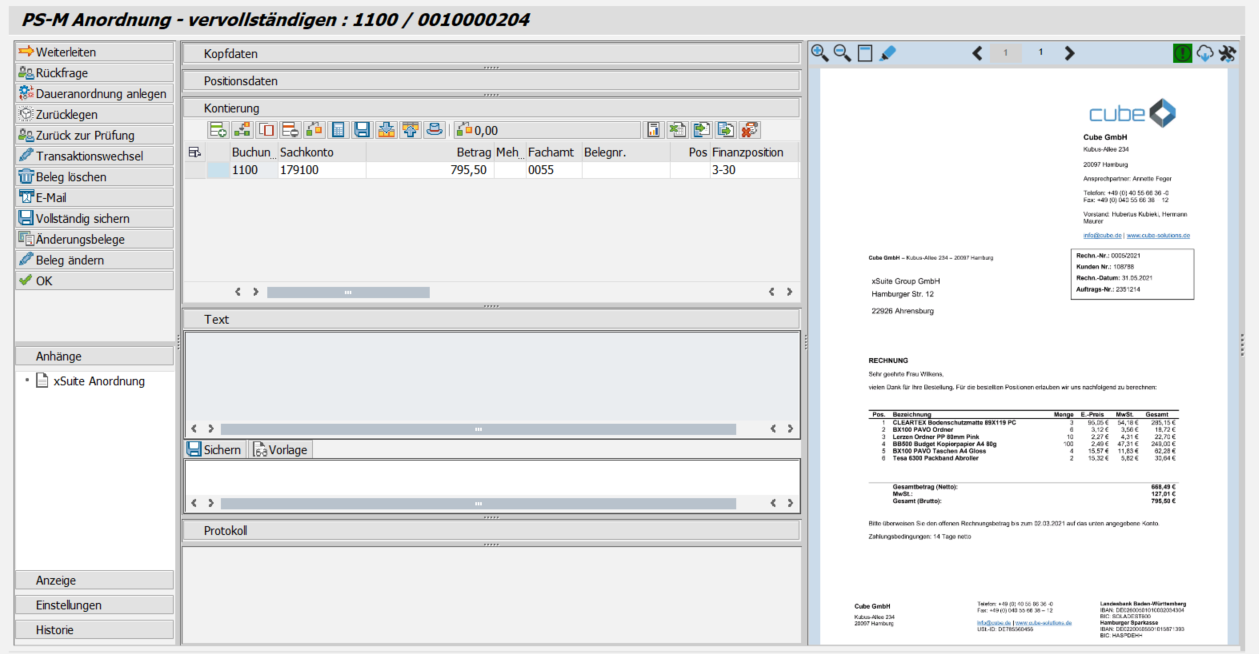
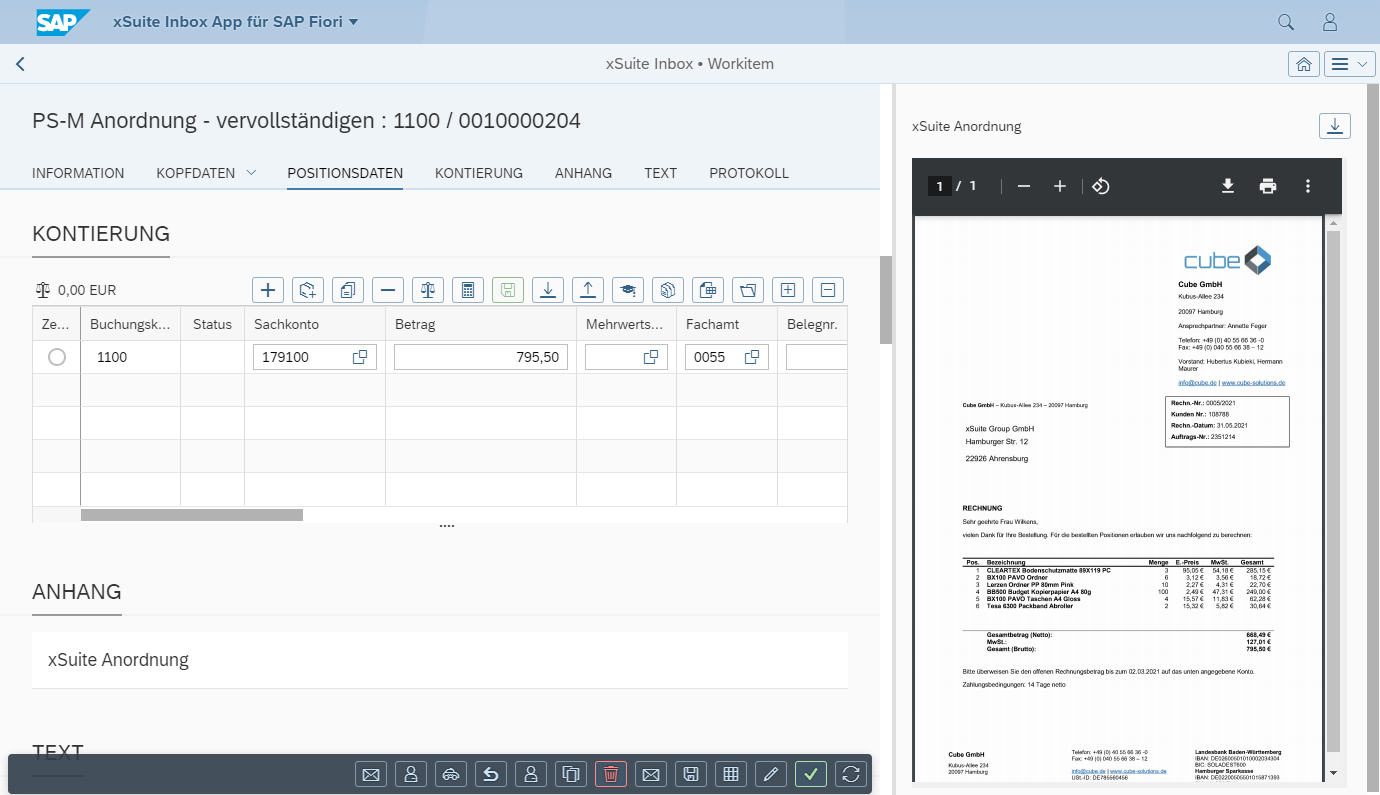
[de] "PS-M Vervollständigung" – Rolle FMC1
[de] Anzeige – SAP GUI
 |
[de] Anzeige – SAP Fiori
 |
[de] Anzeige – xSuite Web
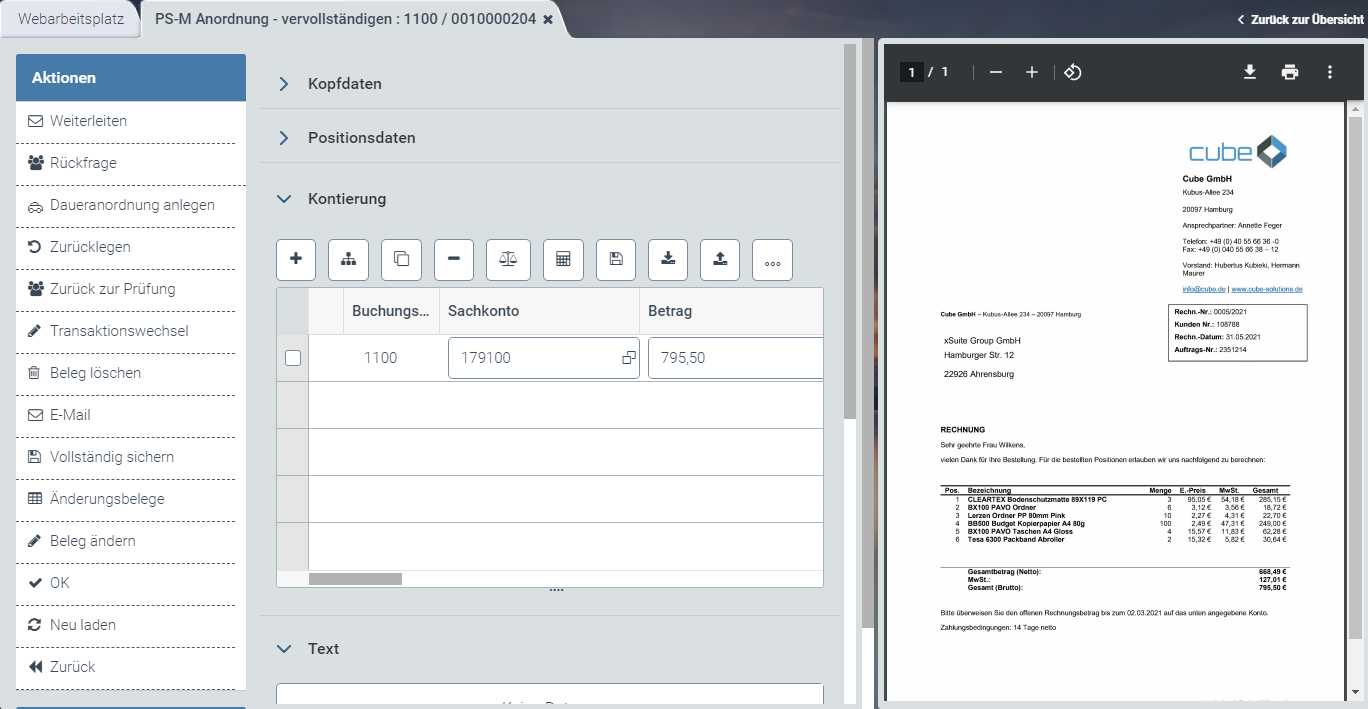 |
[de] Informationen zum Aufbau finden Sie unter [de] Aufbau – Workitem im SAP GUI, [de] Aufbau – Workitem in SAP Fiori und [de] Aufbau – Workitem in xSuite Web.
[de] Buttons am Beleg – Rolle FMC1
SAP Fiori | SAP GUI / xSuite Web | [de] Beschreibung |
|---|---|---|
| [de] Weiterleiten | |
| [de] Rückfrage | |
| [de] Daueranordnung anlegen | [de] Erstellt eine Daueranordnung auf Basis des Workitems. Der Benutzer kann die Ausführungszeiträume der Daueranordnung festlegen. [de] Für die Daueranordnung wird ein xSuite-Interface-Beleg erstellt. |
| [de] Zurücklegen | |
| [de] Zurück zur Prüfung | |
| [de] Transaktionswechsel | |
| [de] Beleg löschen | |
| [de] E-Mail | |
| [de] Vollständig sichern | [de] Tastenkombination im SAP GUI: CtrlF6 |
| [de] Änderungsbelege | |
| [de] Beleg ändern | [de] Öffnet den SAP-Beleg im Änderungsmodus. [de] In xSuite Web und in SAP Fiori wird der SAP-Beleg über den ITS-Service (Internet Transaction Server Service) geöffnet. [de] Tastenkombination im SAP GUI: CtrlF10 |
| [de] OK | [de] Tastenkombination im SAP GUI: CtrlF5 |
| [de] Neu laden | [de] Info: Dieser Button ist nur in xSuite Web und SAP Fiori verfügbar. |
| [de] Zurück | [de] Info: Dieser Button ist nur in xSuite Web und SAP Fiori verfügbar. |


[de] Buttons im Kontierungsblock – Rolle FMC1
[de] SAP GUI | [de] SAP Fiori | [de] xSuite Web | [de] Name / Beschreibung |
|---|---|---|---|
|
|
| [de] Neue Zeile: [de] Fügt eine neue Kontierungszeile ein. [de] Tastenkombination im SAP GUI: ShiftF6 |
|
|
| [de] Neue Anlagenzeile: [de] Fügt eine neue Anlagenposition hinzu (Buchungsschlüssel 70/75). |
|
|
| [de] Zeile kopieren: [de] Kopiert eine markierte Kontierungszeile. |
|
|
| [de] Zeile löschen: [de] Löscht eine markierte Kontierungszeile. |
|
|
| [de] Prüfen: [de] Prüft die vorhandenen Positionsdaten. Hierbei wird geprüft, ob die eingetragenen Werte z. B. das richtige Format haben. [de] Tastenkombination im SAP GUI: ShiftF7 |
|
|
| [de] Skontorechnung: |
|
|
| [de] Sichern: [de] Speichert die Informationen aus dem Kontierungsblock. [de] Tastenkombination im SAP GUI: ShiftF8 |
|
|
| [de] Übertragung vom SAP-Dokument: [de] Überträgt die Kontierungsinformationen aus dem SAP-Beleg in den Kontierungsblock. |
|
|
| [de] Übertragung zum SAP-Dokument: [de] Überträgt die Kontierungsinformationen aus dem Kontierungsblock in den SAP-Beleg. |
|
|
| [de] Kopfdaten: [de] Öffnet eine teilweise editierbare Übersicht der Kopfdaten. |
|
|
| [de] Saldo: |
|
|
| [de] Allg. Kontierungsvorlage: |
|
|
| [de] Kontierung via Excel hochladen: |
|
|
| [de] Pers. Kontierungsvorlage laden: |
|
|
| [de] Pers. Kontierungsvorlage speichern: |
|
|
| [de] Pers. Kontierungsvorlage löschen: |


[de] "PS-M Freigabe" – Rolle FREL
[de] Anzeige – SAP GUI
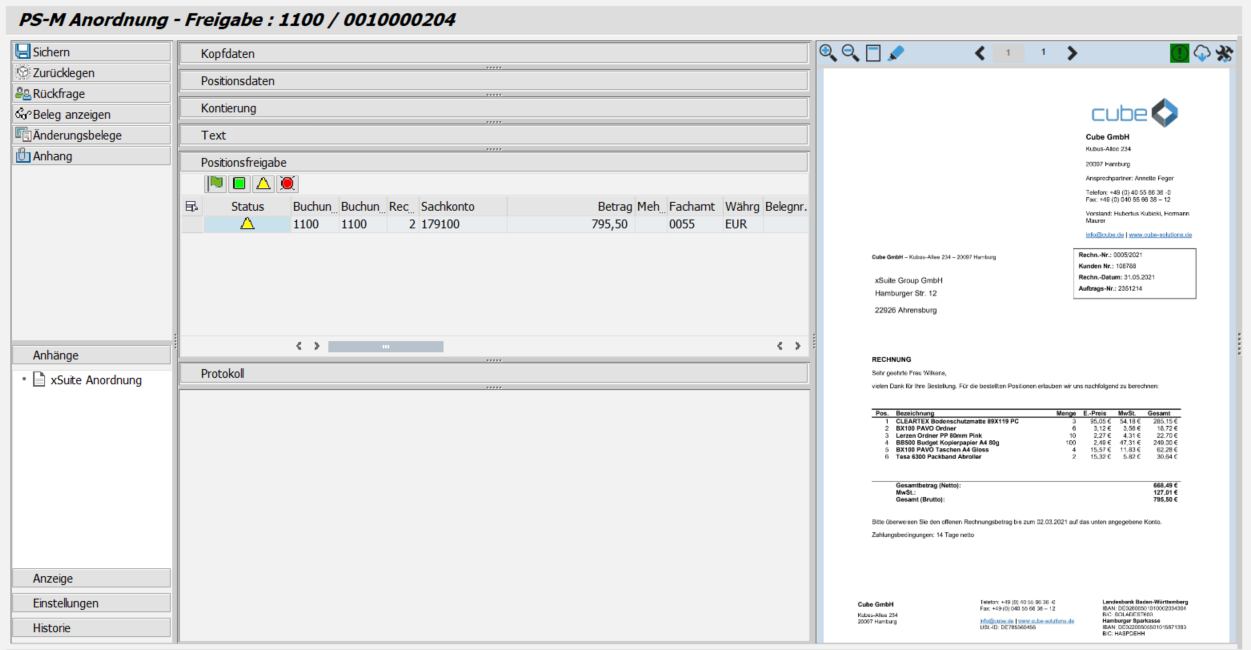 |
[de] Anzeige – SAP Fiori
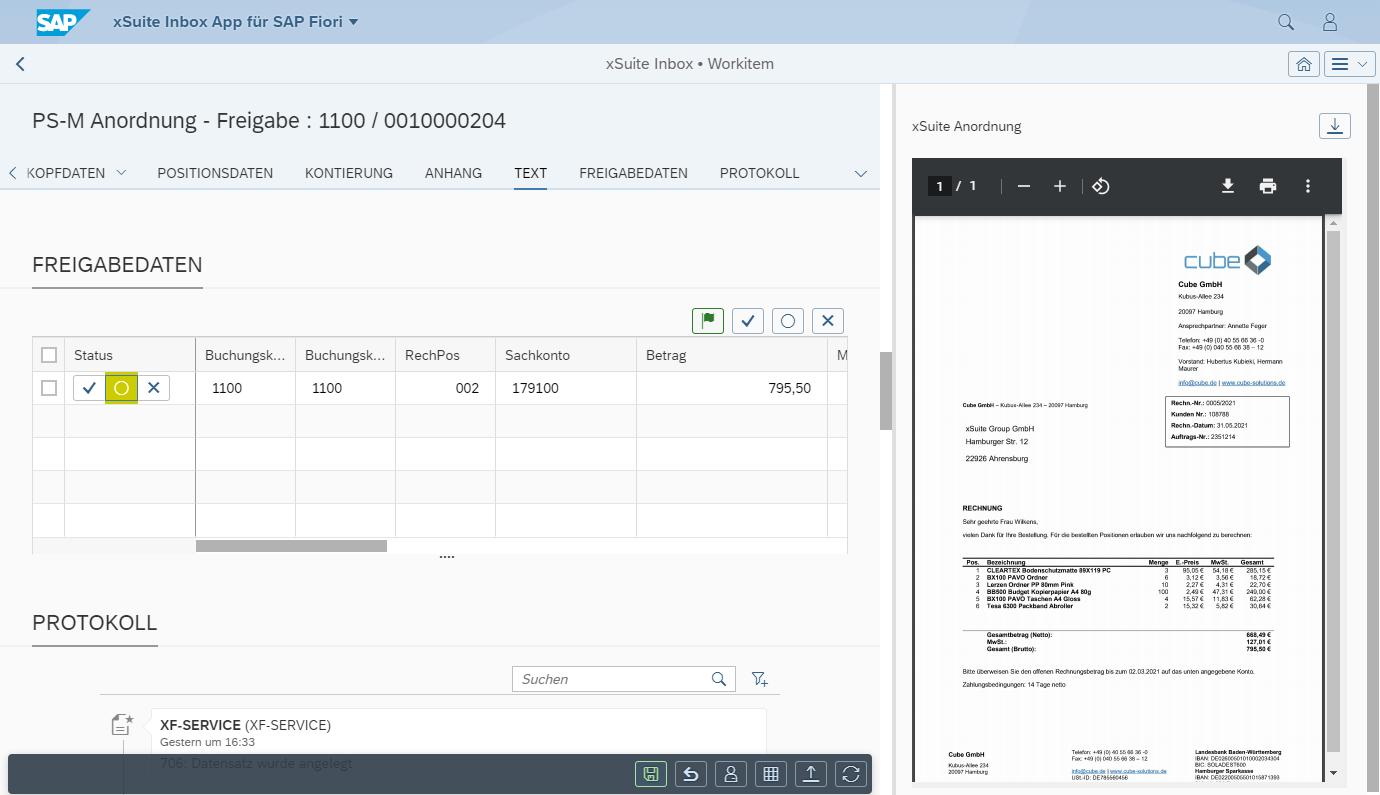 |
[de] Anzeige – xSuite Web
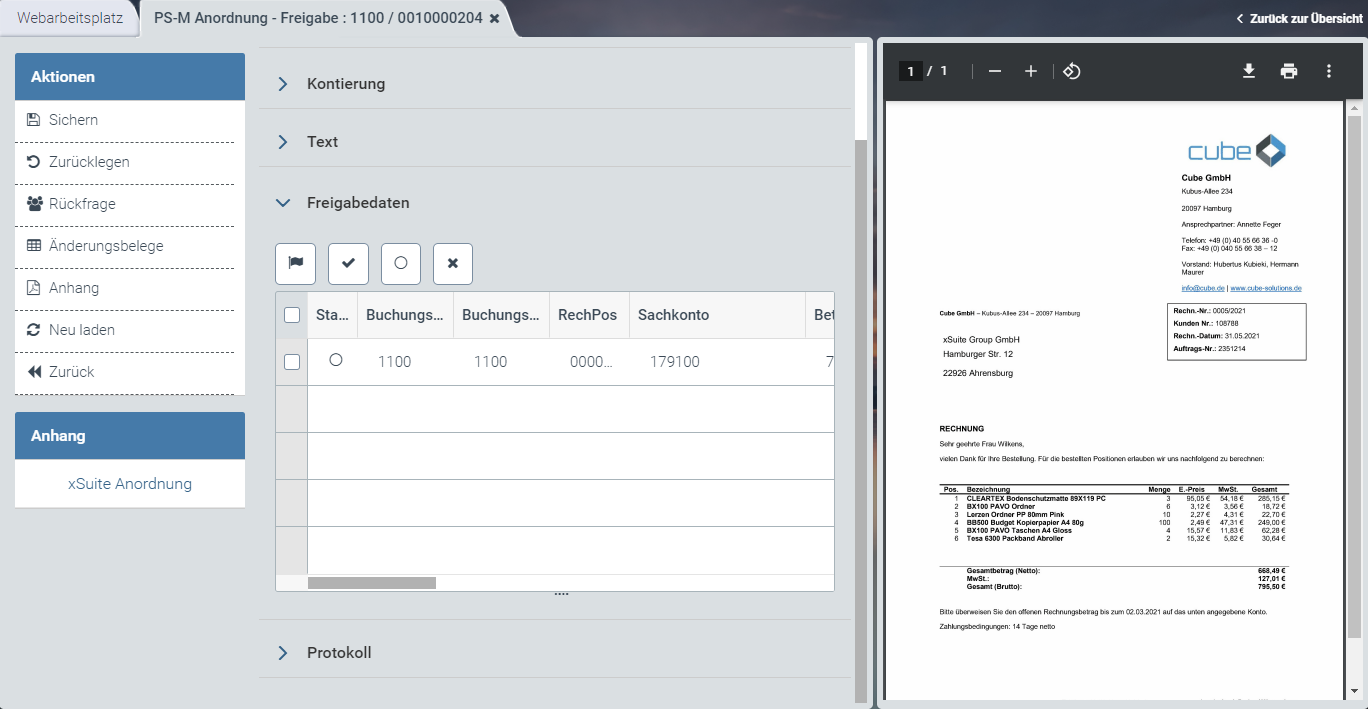 |
[de] Informationen zum Aufbau finden Sie unter [de] Aufbau – Workitem im SAP GUI, [de] Aufbau – Workitem in SAP Fiori und [de] Aufbau – Workitem in xSuite Web.
[de] Buttons am Beleg – Rolle FREL
SAP Fiori | SAP GUI / xSuite Web | [de] Beschreibung |
|---|---|---|
| [de] Sichern | [de] Tastenkombination im SAP GUI: CtrlF9 |
| [de] Zurücklegen | |
| [de] Rückfrage | |
-- | [de] Beleg anzeigen | [de] Öffnet den SAP-Beleg im Anzeigemodus. [de] Info: Dieser Button ist nur im SAP GUI verfügbar. [de] Tastenkombination im SAP GUI: CtrlShiftF10 |
| [de] Änderungsbelege | |
| [de] Anhang | |
| [de] Neu laden | [de] Info: Dieser Button ist nur in xSuite Web und SAP Fiori verfügbar. |
| [de] Zurück | [de] Info: Dieser Button ist nur in xSuite Web und SAP Fiori verfügbar. |

[de] Buttons in der Positionsfreigabe – Rolle FREL
[de] SAP GUI | [de] SAP Fiori | [de] xSuite Web | [de] Name / Beschreibung |
|---|---|---|---|
|
|
| [de] Gibt alle Positionen frei. [de] Tastenkombination im SAP GUI: ShiftF9 |
|
|
| [de] Gibt die ausgewählten Positionen frei. |
|
|
| [de] Entfernt die Freigabe oder Ablehnung der ausgewählten Positionen. |
|
|
| [de] Lehnt die ausgewählten Positionen ab. |


[de] "PS-M Vervollständigung nach Ablehnung" – Rolle FMC2
[de] Anzeige – SAP GUI
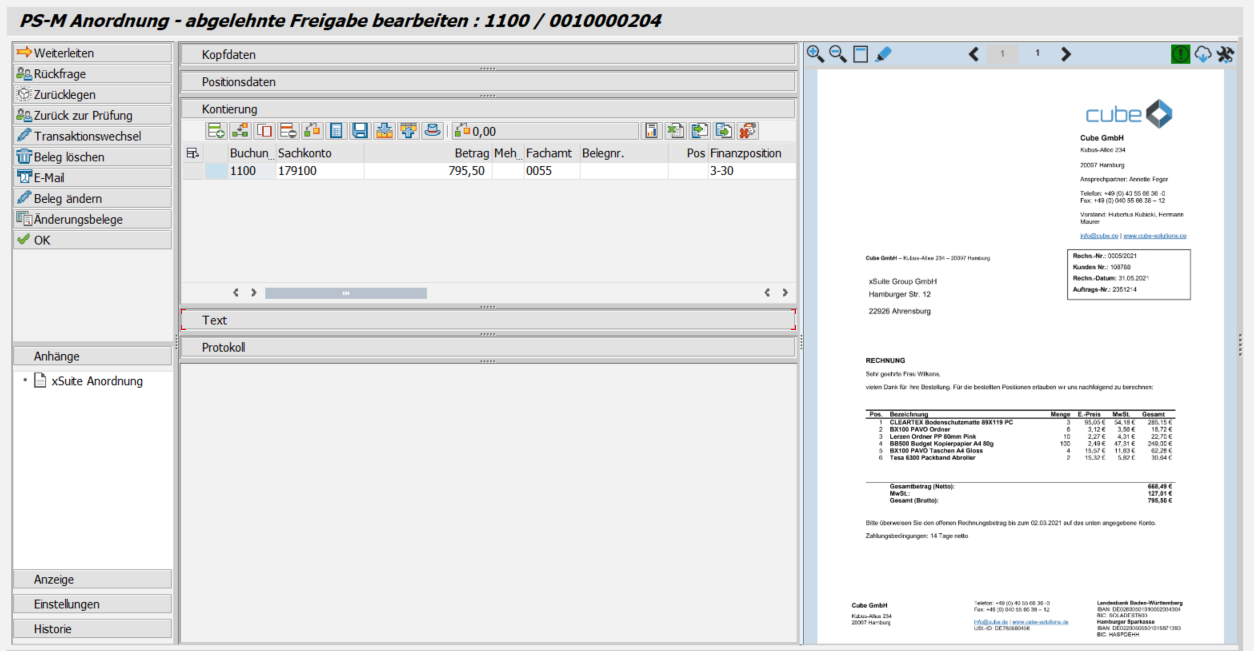 |
[de] Anzeige – SAP Fiori
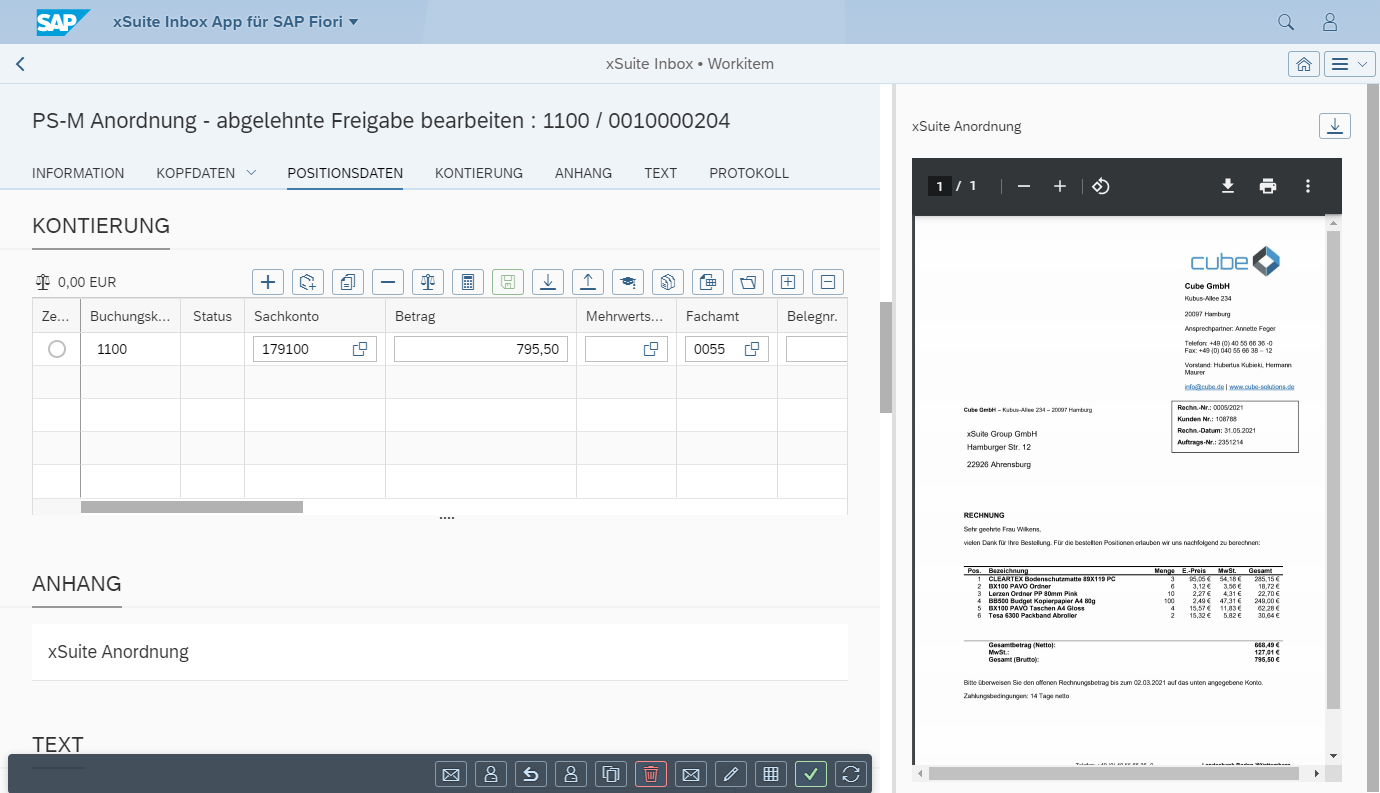 |
[de] Anzeige – xSuite Web
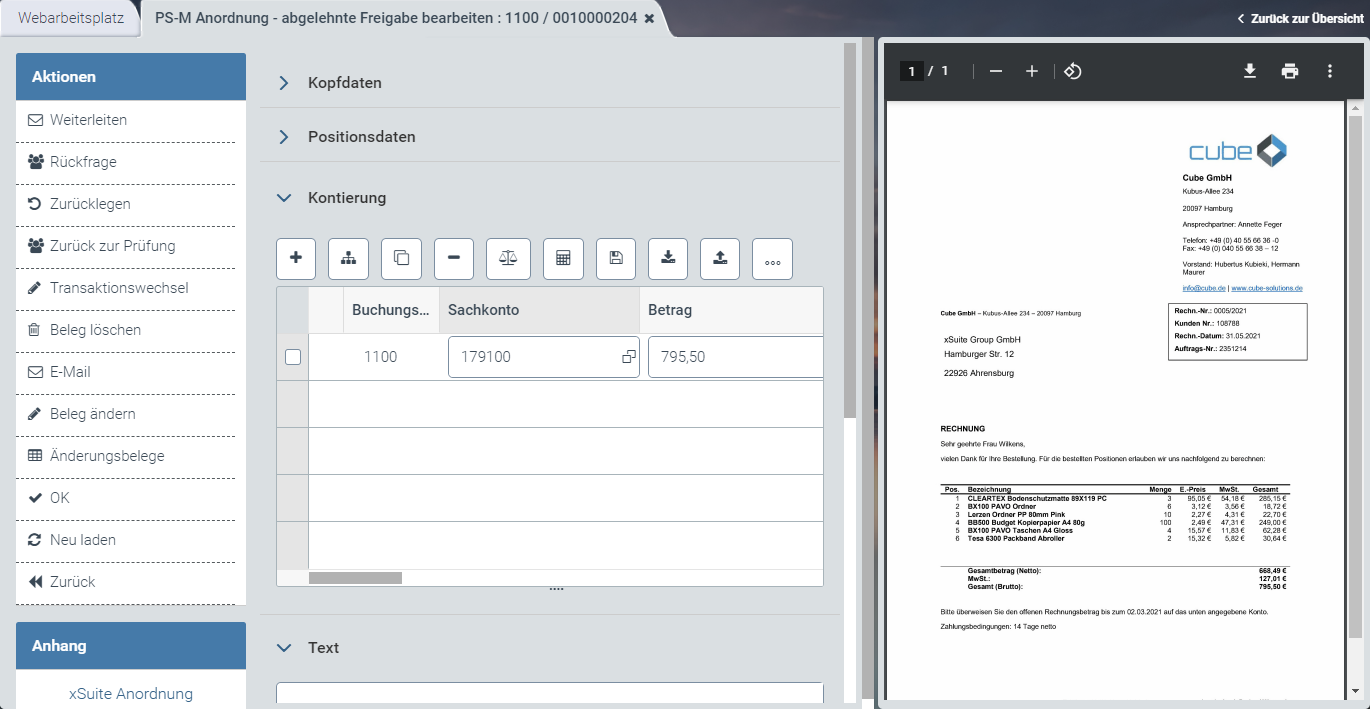 |
[de] Informationen zum Aufbau finden Sie unter [de] Aufbau – Workitem im SAP GUI, [de] Aufbau – Workitem in SAP Fiori und [de] Aufbau – Workitem in xSuite Web.
[de] Buttons am Beleg - Rolle FMC2
SAP Fiori | SAP GUI / xSuite Web | [de] Beschreibung |
|---|---|---|
| [de] Weiterleiten | |
| [de] Rückfrage | |
| [de] Zurücklegen | |
| [de] Zurück zur Prüfung | |
| [de] Transaktionswechsel | |
| [de] Beleg löschen | |
| [de] E-Mail | |
| [de] Änderungsbelege | |
| [de] Beleg ändern | [de] Öffnet den SAP-Beleg im Änderungsmodus. [de] In xSuite Web und in SAP Fiori wird der SAP-Beleg über den ITS-Service (Internet Transaction Server Service) geöffnet. [de] Tastenkombination im SAP GUI: CtrlF10 |
| [de] OK | [de] Tastenkombination im SAP GUI: CtrlF5 |
| [de] Neu laden | [de] Info: Dieser Button ist nur in xSuite Web und SAP Fiori verfügbar. |
| [de] Zurück | [de] Info: Dieser Button ist nur in xSuite Web und SAP Fiori verfügbar. |
[de] "PS-M Manuelles Buchen" – Rolle FMC3
[de] Anzeige – SAP GUI
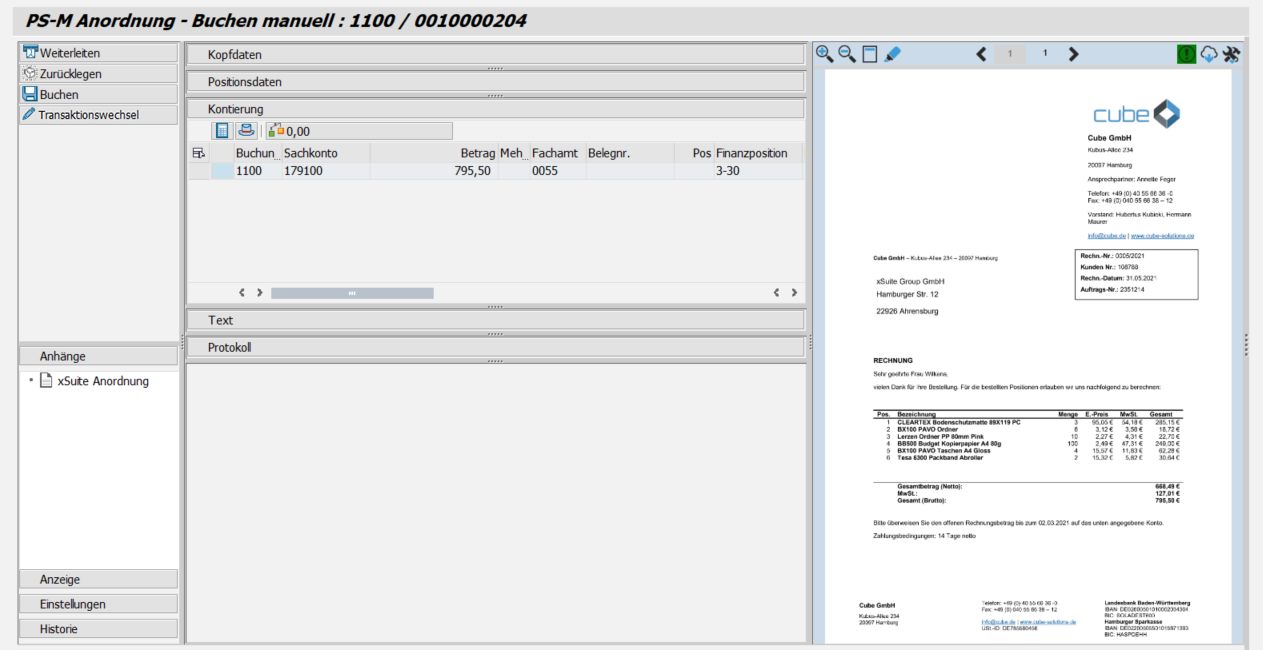 |
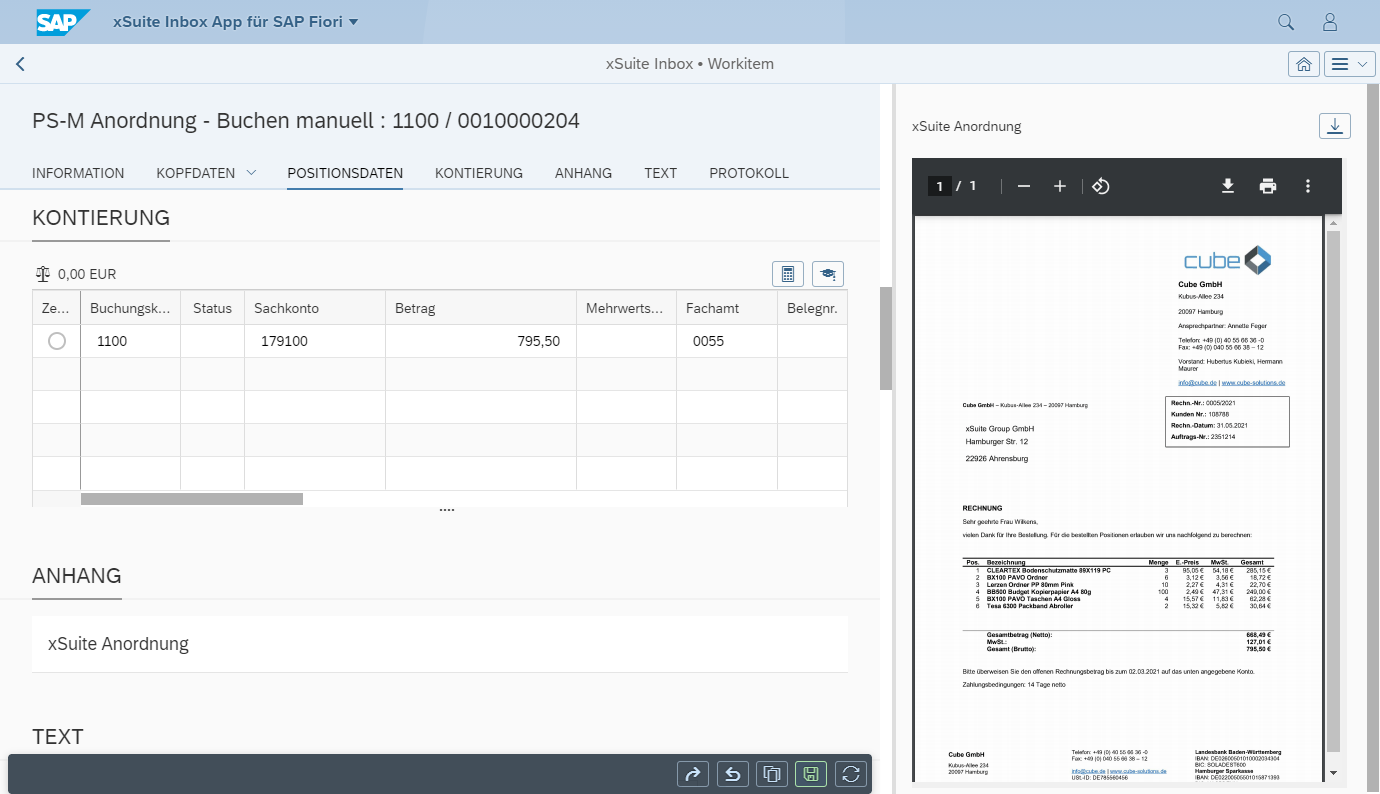
[de] Anzeige – SAP Fiori
 |
[de] Anzeige – xSuite Web
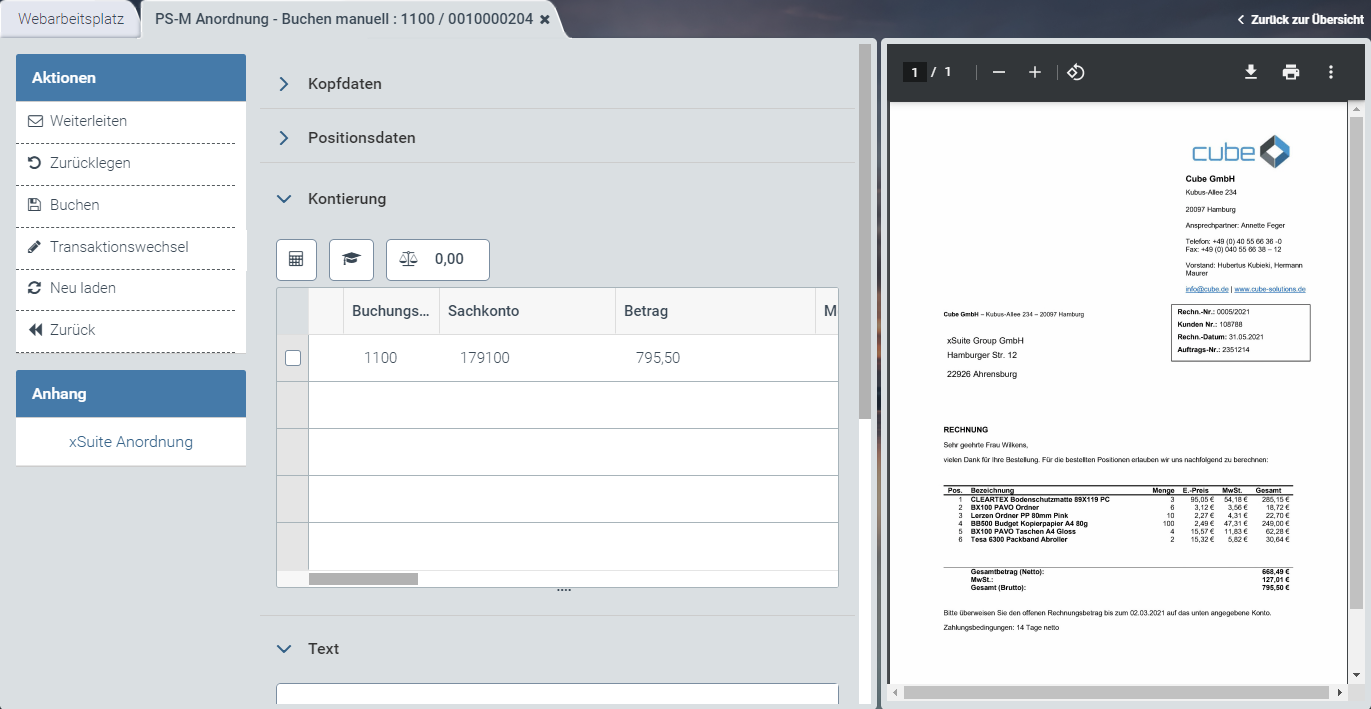 |
[de] Informationen zum Aufbau finden Sie unter [de] Aufbau – Workitem im SAP GUI, [de] Aufbau – Workitem in SAP Fiori und [de] Aufbau – Workitem in xSuite Web.
[de] Buttons am Beleg – Rolle FMC3
SAP Fiori | SAP GUI / xSuite Web | [de] Beschreibung |
|---|---|---|
| [de] Weiterleiten | |
| [de] Zurücklegen | |
| [de] Buchen | [de] Springt in die SAP-Transaktion ab, die zur Buchung verwendet wird (F870 für Anordnungen oder F8Q7 für Daueranordnungen). [de] Prüft alle Positionen und bucht den Beleg, sofern beim Prüfen keine Fehler gefunden wurden. [de] In xSuite Web und in SAP Fiori wird die Ansicht Buchen über den ITS-Service (Internet Transaction Server Service) geöffnet. [de] Tastenkombination im SAP GUI: F8 |
| [de] Transaktionswechsel | [de] Ändert die Belegart und löscht den aktuellen Workflow. [de] Ein neuer Beleg wird erstellt und der Workflow wird mit der neuen Belegart fortgeführt. |
| [de] Neu laden | [de] Info: Dieser Button ist nur in xSuite Web und SAP Fiori verfügbar. |
| [de] Zurück | [de] Info: Dieser Button ist nur in xSuite Web und SAP Fiori verfügbar. |