Sending an Email from a Document in the SAP GUI
In the SAP GUI, open a document that supports sending emails.
Click the E-mail button.
➣ The screen Info Mail for Document: {Document No.} will open.
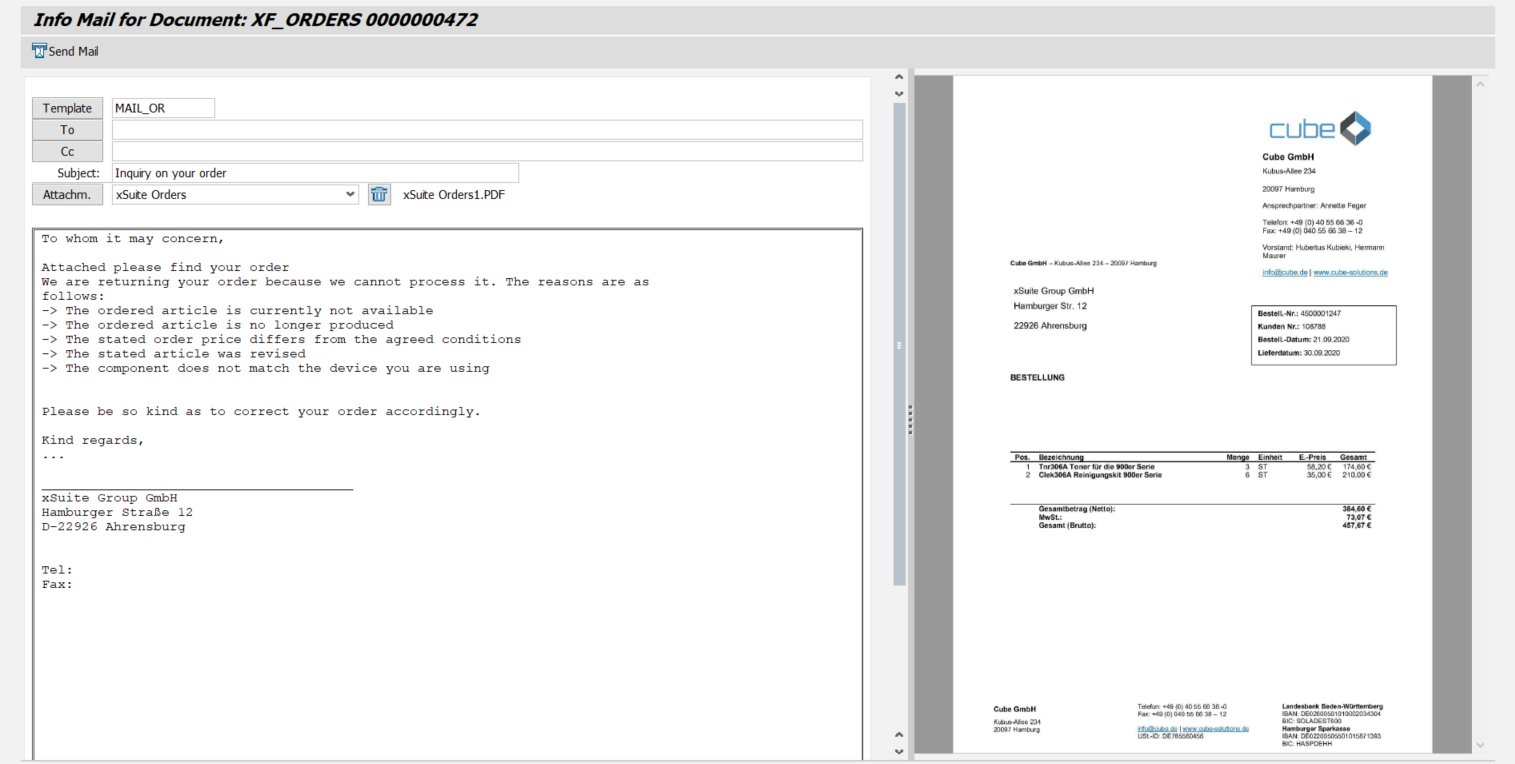
Edit the following data.
Field
Information
Template
This is where to select the default text template.
Select the text template you need.
For more information in text templates, see Text Templates for Emails.
To
Enter the email address of the recipient.
Cc
Enter the email addresses of additional recipients as needed.
Subject
Enter a subject.
Attachm.
The image of the document is automatically selected as the attachment.
Add other attachments as needed. You can select all attachments to the document.
Message field
The message is prepopulated with the text of the text template selected.
Edit the message.
Click the
 Send E-Mail button.
➤ You will receive a notification that the email has been sent.
➤ The entry
E-Mail sentwill be added to the document log.