"Screen Layout" node
/WMD/BC_SPRO → xSuite Business Solutions → Workflow → Basis
This concerns the screen layout of the xSuite dialogs delivered.
If adjustments are made in tables under Screen Layout, ensure that the xSuite namespace ranges from A to Y.Customer customizations must begin with Z so that the settings are not overwritten during an update.
The xSuite screen is composed of the different sections. On the left is the button bar with the settings menus. The input area is located in the middle. The document is displayed on the right.
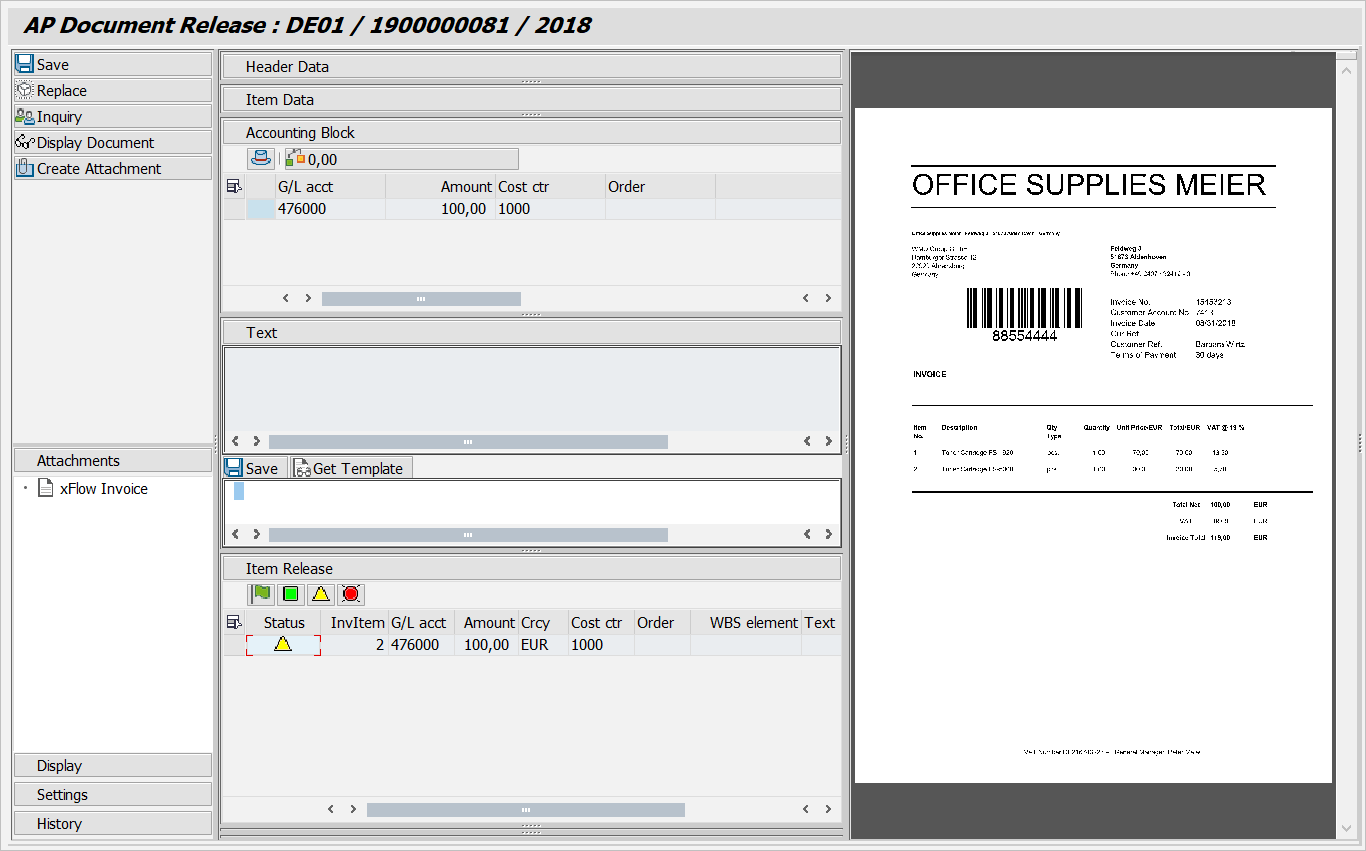 |
Every task has its own "dialog mode" in which you can configure how information appears in the xSuite screen. In each dialog mode, toolbars, field catalogs, and subscreens must be defined.