"Workflow Agents" node
/WMD/BC_SPRO → xSuite Business Solutions → Workflow → Basis
At least one person is always involved in a workflow. Usually, however, not just one but several people are involved. For each task, definitions must be made as to which individuals are allowed to process it, and according to what prerequisites.
SAP users can be authorized to participate in an xSuite workflow using xSuite user administration. In addition, users who are connected via an active directory or have been created manually as web users can also be authorized for an xSuite workflow. xSuite user management can use data from other upstream systems for simplification and a better overview. The user master data is always maintained in the user administration responsible for it. Settings and attributes relevant to the workflow are added to the user master in xSuite user management.
One of the main features of xSuite user management is the integration of existing SAP users and users from other systems such as an active directory. They can be imported or integrated into xSuite user administration.
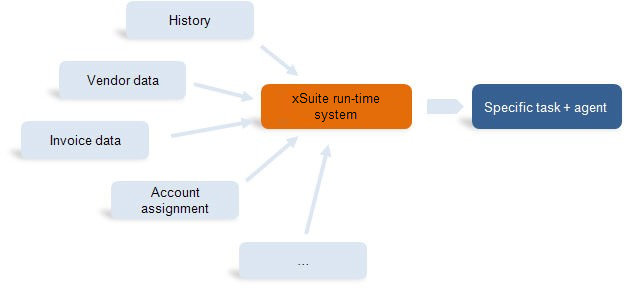
Another advantage of the xSuite workflow is the dynamic agent determination. The agent determination controls which conditions must be fulfilled for one or more individuals to be selected as responsible users.
The following graphic illustrates the function of dynamic agent determination. The xSuite runtime system collects all relevant information and determines the resulting tasks as well as the responsible users. The task (work item) is presented to the users in SAP (Business Workplace), in SAP Fiori (inbox) and in xSuite Web (Web Business Workplace).
 |