Creating a Payment Request in SAP Fiori
Open the SAP Fiori start page.
Click on the Payment Request tile.
➣ The Payment Request view will open.
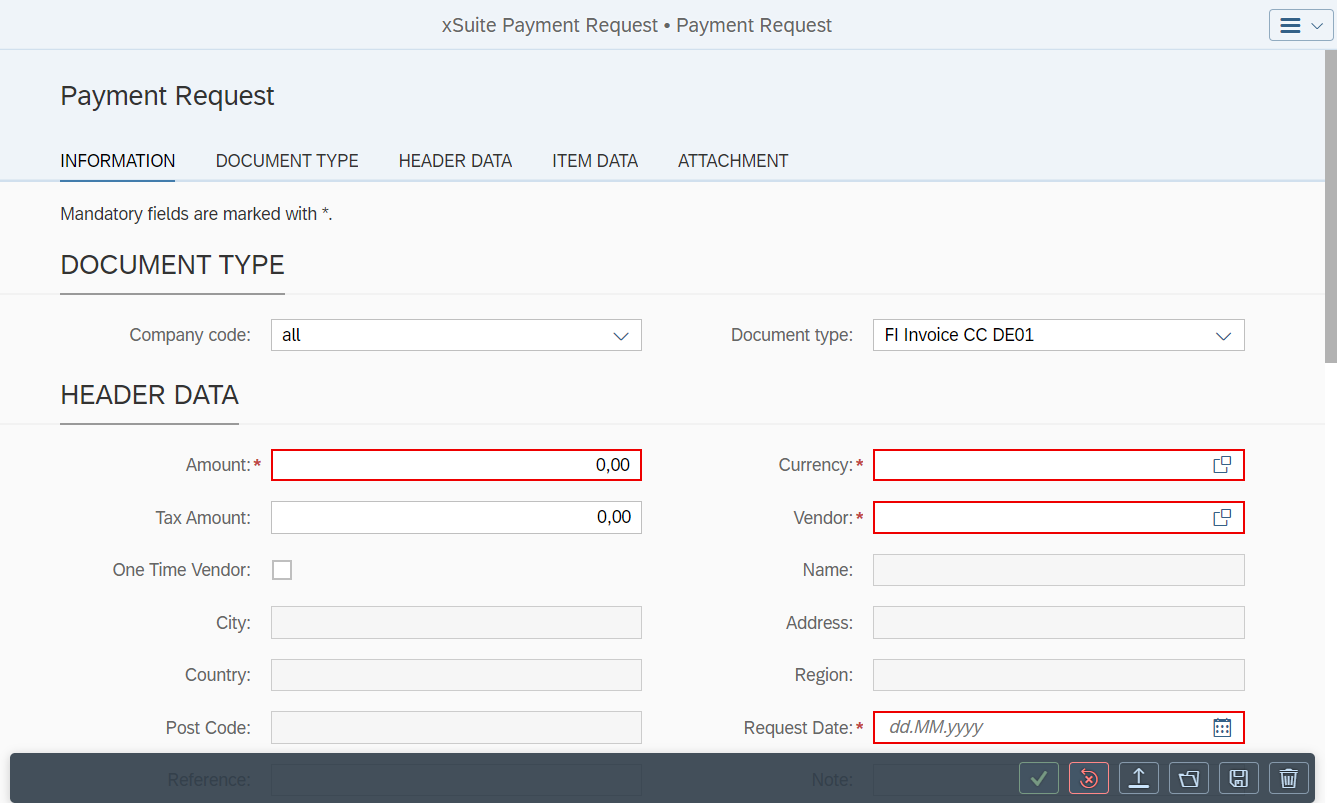
Select a company code in the Company code field.
Select a document type in the Document type field.
Notice
Depending on the document type selected, different fields will be available in the Header data area.
In the Header data area, specify the general data for the payment request.
Notice
The following fields must be populated:
For FI documents: Amount, Currency, Vendor and Request Date
For MM documents: Amount, Currency, Purchase Order and Vendor
If necessary, in the Item Data section, click the button
 Add to add a new line item.
If necessary, click the
 Attach button in the Attachment section to upload attachments.
Click
 Create.
➤ The payment request will be created and transferred to the Invoice Monitor.