Installing an SAP Gateway
Just as all other SAP Fiori apps, xSuite Apps for SAP Fiori require an SAP Gateway. The SAP Gateway may either be a part of the ERP system or a stand-alone system.
If an SAP Gateway is not installed yet, you can perform a full installation with the transaction SPRO.
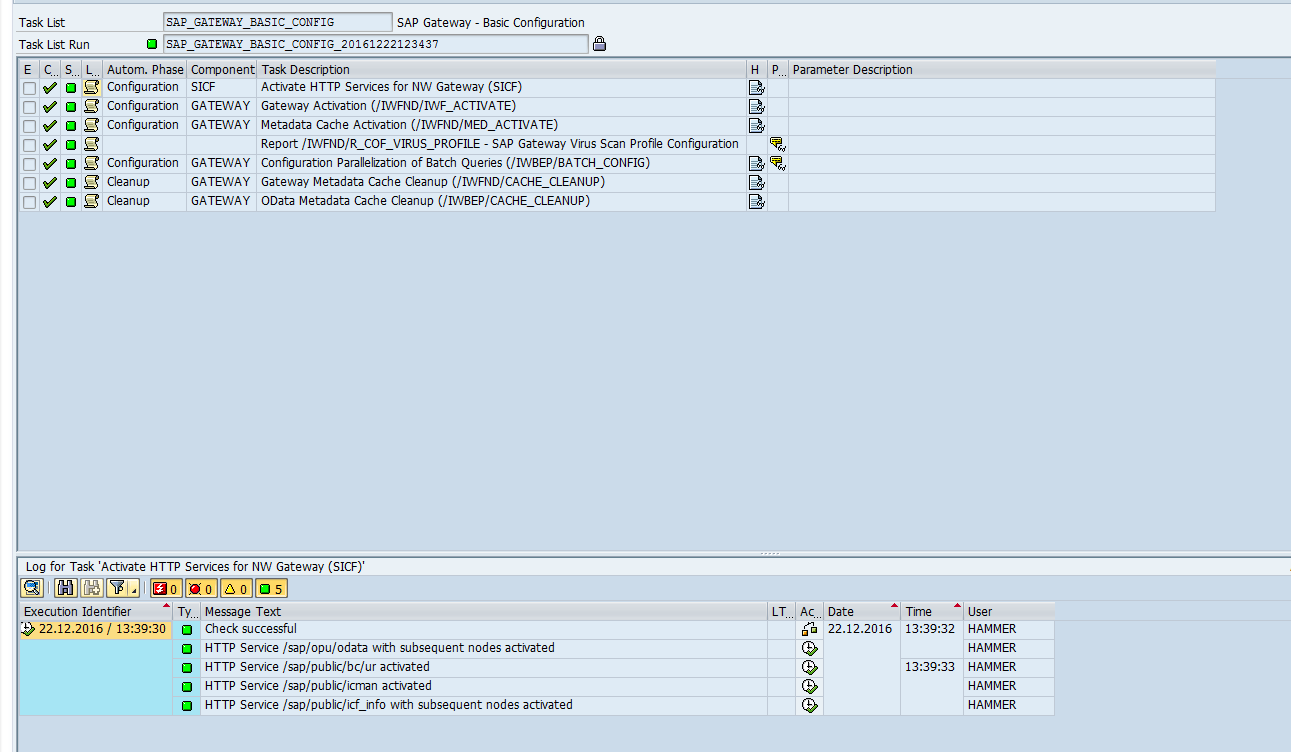
We recommend performing a "minimal installation." This installation will suffice to enable the use of SAP gateway services. SAP provides a task list for the automatic execution of a minimal installation. For more information, see the information further down in this section and the SAP manual UI Technology Guide for SAP S/4HANA 1909.
Execute the transaction STC01.
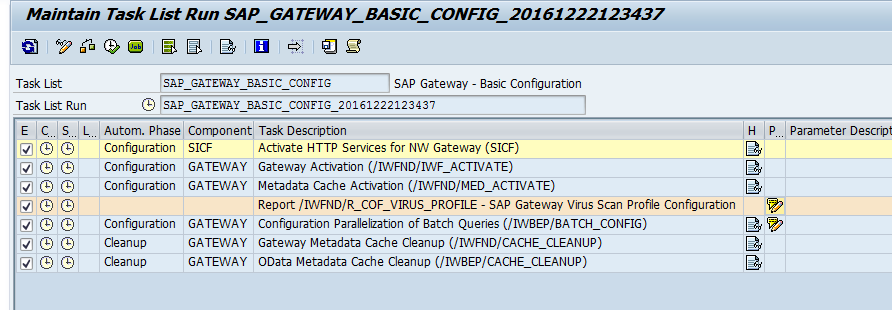
Generate the task list SAP_GATEWAY_BASIC_CONFIG.
Notice
In the column Help, you can open the mini-documentation with the button
 Show Task Documentation for each task. The mini-documentation contains information on the configurations that have been performed.
Perform follow-up jobs manually for the following tasks.
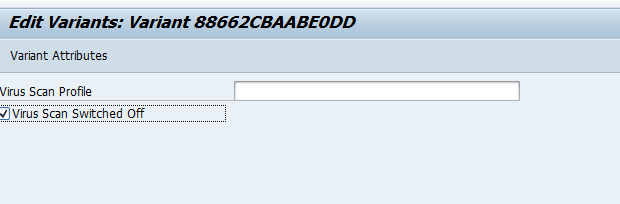
Report /IWFND/R_COF_VIRUS_PROFILE - SAP Gateway Virus Scan Profile Configuration (Task 4): Either set a virus profile using report /IWFND/R_COF_VIRUS_PROFILE or disable the virus scan.
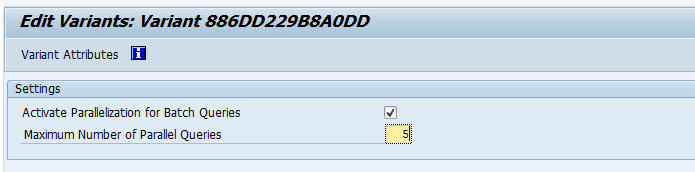
Configuration Parallelization of Batch Queries (/IWBEP/BATCH_CONFIG) (the fifth task): Set the maximum number of queries that can be executed concurrently.
Save.
Start the "Task List Run."
➤ When all tasks have been executed (green light), the SAP Gateway services can be run.