Importing the tile catalog
Open the portal manager. For more information, see Opening the portal manager.
Click on
 Content Manager and select the My Content tab.
Click on the button
 Import.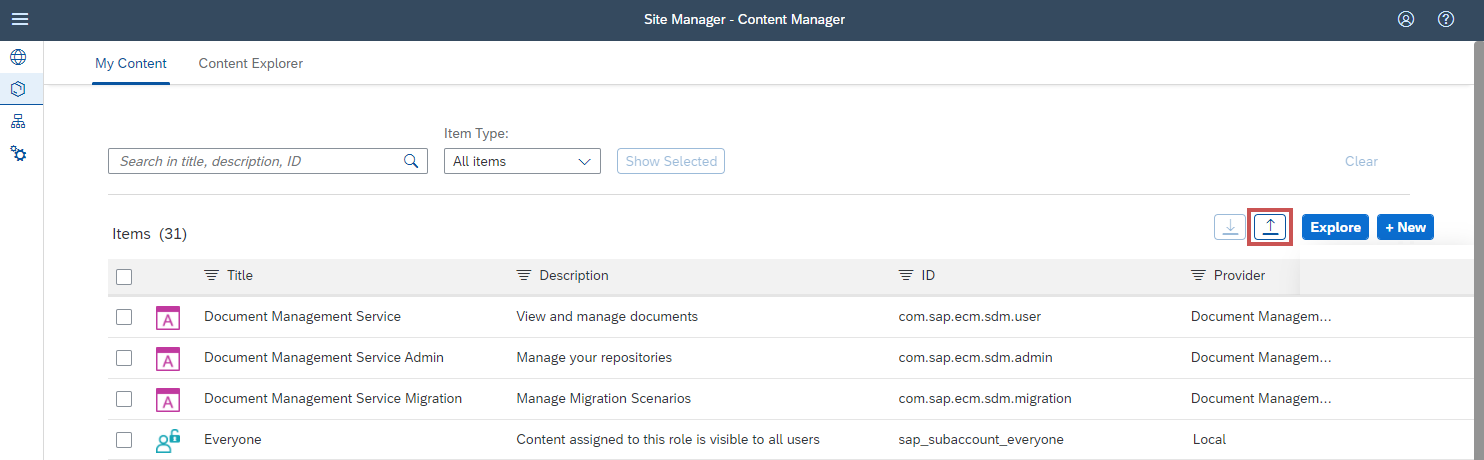
➤ The Import Content dialog will open.
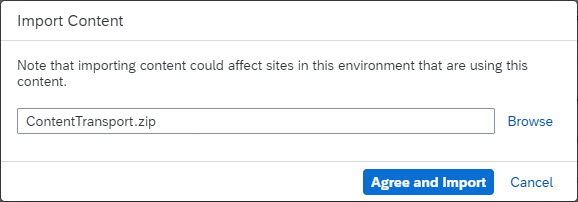
Select the ZIP file that contains the provided content, and then click Agree and Import.
➤ The tile catalog has now been imported.
➤ The xSuiteCubeUser role collection will be created automatically.
Notice
The xSuiteCubeUser role collection must be assigned to all users who are to use the xSuite Apps in the Fiori Launchpad.