"Check SAP Enhancements" activity
/WMD/BC_SPRO → xSuite Business Solutions → Workflow → Standard Customizing
Direct access: CMOD
For SAP enhancements, you must perform an advance check as to whether the customer is already using Includes ZXM08U30 and ZXM02U08. These are components of enhancements LMR1M005 (EXIT_SAPLMRMC_002) and MEREQ001 (EXIT_SAPLMEREQ_008):
Enhancement | Short text | Function exit |
|---|---|---|
LMR1M005 | Logistics invoice verification: release for posting parked document | EXIT_SAPLMRMC_002 |
MEREQ001 | Customer-specific data in purchase requisition | EXIT_SAPLMEREQ_008 |
Whether these Includes are already used elsewhere for user exits can be checked under Check SAP Enhancements under the menu item Utilities → SAP Enhancements. In the Exit name field, enter the user exits LMR1M005 and MEREQ001 one after another and execute them using the Execute button or F8:
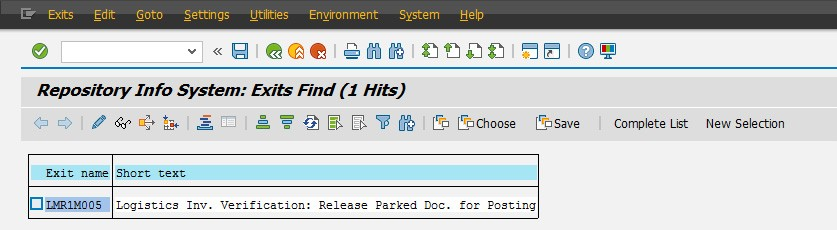 |
In the next step, double-click the function modules EXIT_SAPLMRMC_002 and EXIT_SAPLMEREQ_008, as follows:
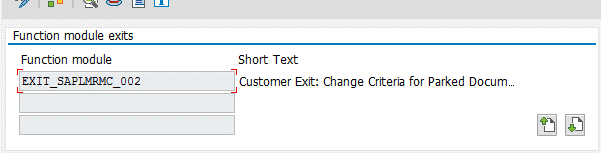 |
Then double-click the Include ZXM08U30 in the Function Builder:
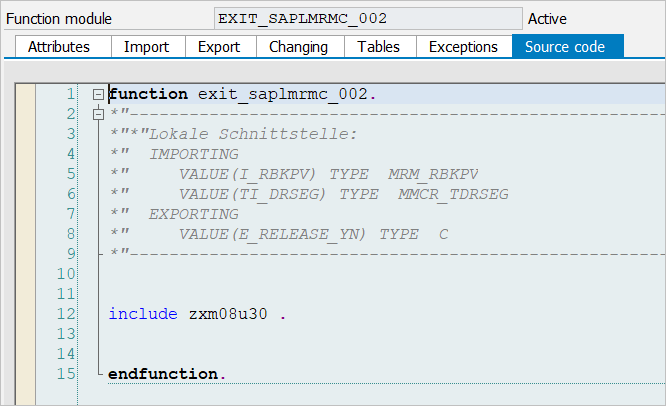 |
If the contents of the Includes are empty, the transports from the standard delivery can be imported with the Includes. If the customer already uses the Include elsewhere, the content of the xSuite Includes must be copied and inserted so that the program code is supplemented with the existing code and does not contradict it.