Appendix B. "settings.json" parameters—additional information
"attachmentsGrid" parameter
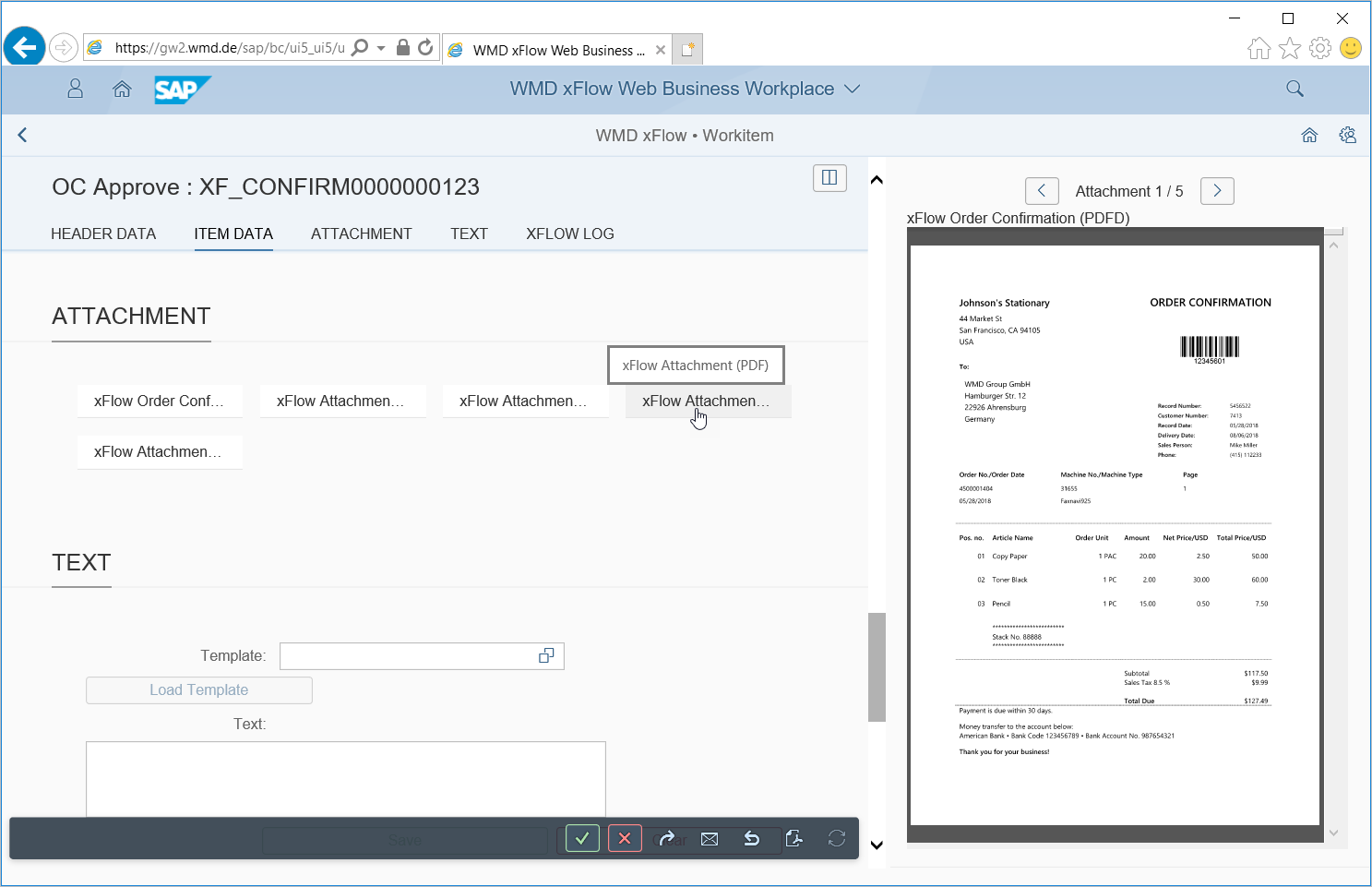
If the value true is entered for the attachmentsGrid parameter, then attachments will be displayed in the grid, as follows:
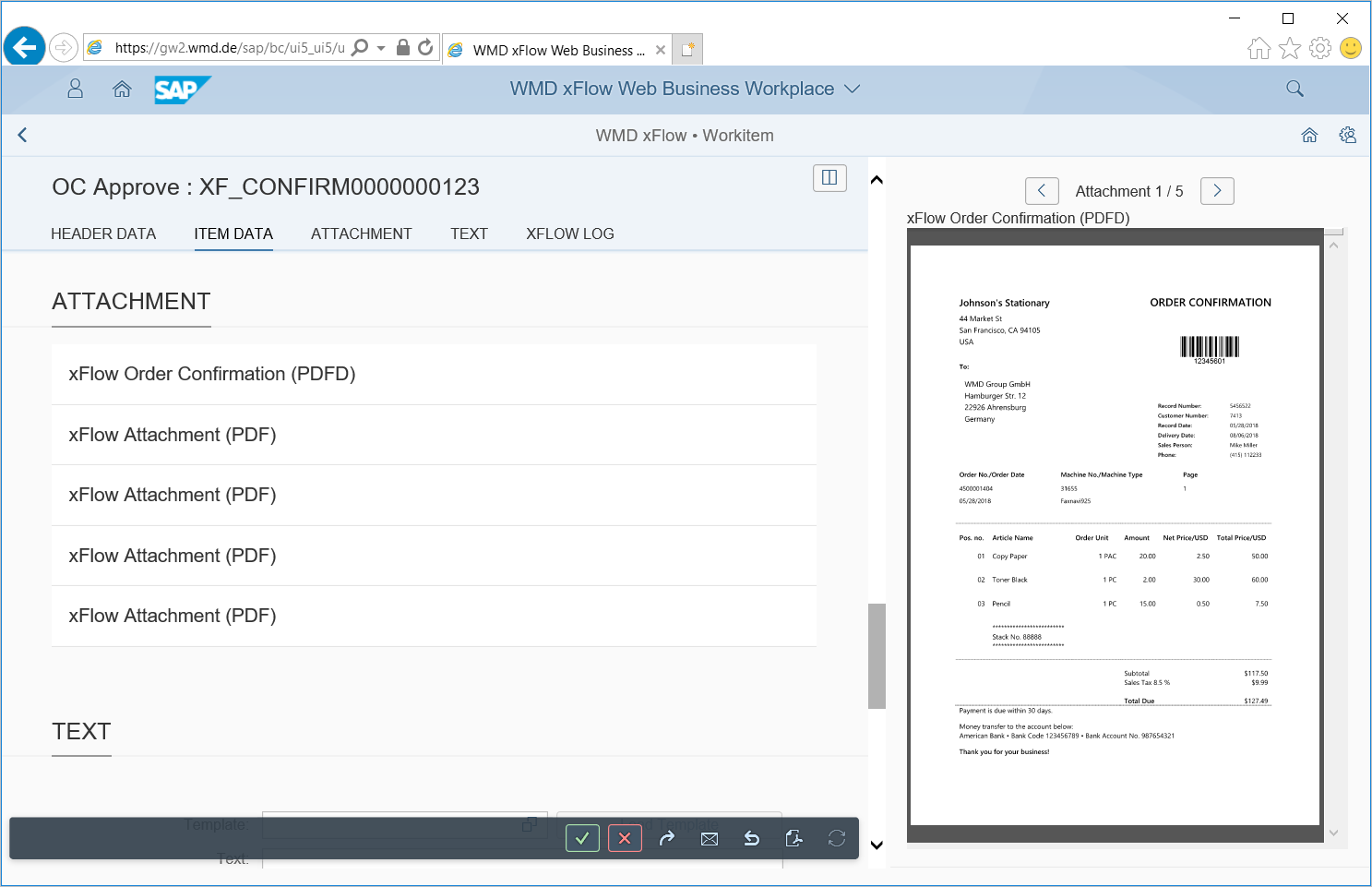
If the value false is entered for the attachementsGrid parameter, then attachments will be displayed in list form, as follows:
"secondaryCalendarType" parameter
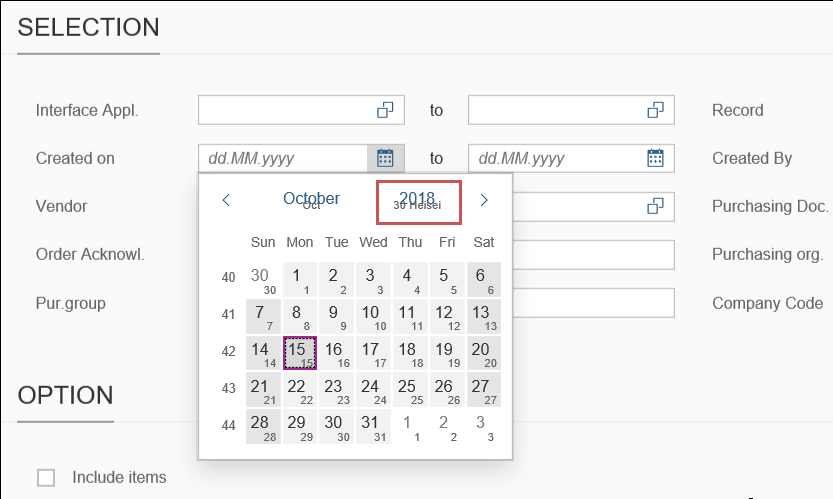
If the parameter secondaryCalendarType has the value Japanese, the pop-up window for calendars will display the Japanese calendar in addition to the Gregorian calendar:
Parameters of the "VIEWER/BUS-SETTINGS" section
In the three examples below, the following preconditions apply:
There are three back ends with the RFC destination BE1, BE2, and BE3.
The interface applications APPL_1, APPL_2, and APPL_3 are available on these three back ends.
Example 1
Requirements for the back ends
A viewer is active on all 3 back-ends. (The default value of
enabledistrue.)No Helix Archive is used. (The default value of
cloudisfalse.)The xSuite Bus service can be reached via the URI
https://<domain1>.
Implementation in the file "settings.json"
…
	"busSettings": {
		"_default_": {
			"_default_": {
                                "cloud":	 	 	"",
				"enabled":			"",
				"uri":				"https://<domain1>",
                                "fcat":                         "",
				"tokenRequired":		""
			}
		}
	},
…
Example 2
Requirements for the back ends
A viewer is active on all 3 back-ends. (The default value of
enabledistrue.)In all three back ends, separate settings are used for the interface application APPL_2. A Helix Archive is addressed via the domain
https://<domain2>.The settings from example 1 apply to the Interface applications APPL_1 and APPL_3.
If no separate settings have been made for an interface application, the settings of the interface application
_default_will apply.Settings must always be made for the interface application
_default_. In this example, the_default_settings are used for the interface applications APPL_1 and APPL_3.If the default value is used for a parameter, the parameter can be omitted in
settings.json. In this example, the parameters with default values are omitted to reduce the amount of code.
Implementation in the file "settings.json"
…
	"busSettings": {
		"_default_": {
			"_default_": {
				"uri":				"https://<domain1>"
			},
			"APPL_2": {
				"cloud":	  		true,
				"uri":				"https://<domain2>"
			}
		}
	},
…
Example 3
Requirements for the back ends
For the back ends BE1 and BE2, the settings from Example 2 apply.
The following different settings exist for the back-end BE3.
The following URL is used for the interface application APPL_1:
https://<domain3>APPL_2 uses the same Helix Archive as the other two back ends.
The viewer is deactivated for APPL_3.
Settings must always be made for the interface application
_default_. These settings will apply if no individual settings have been made for an RFC connection.In this example, the
_default_settings for the back ends BE1 and BE2 are used.A separate settings structure is created for the back end with RFC destination BE3. The settings structure must contain a
_default_interface application. The settings of APPL_1 are used for this. For APPL_2 and APPL_3, corresponding settings are made.If the default value is used for a parameter, the parameter can be omitted in
settings.json. In this example, the parameters with default values are omitted to reduce the amount of code.
Implementation in the file "settings.json"
…
	"busSettings": {
		"_default_": {
			"_default_": {
				"uri":				"https://<domain1>"
			},
			"APPL_2": {
				"cloud":		  	true,
				"uri":				"https://<domain2>"
			}
		}
		"BE3": {
			"_default_": {
				"uri":				"https://<domain3>"
			},
			"APPL_2": {
				"cloud":		  	true,
				"uri":				"https://<domain2>"
			},
			"APPL_3": {
				"enabled":			false
			}
		}
},
…