Returning work items for substitutes – Report /WMD/XF_SUBST_START
The report /WMD/XF_SUBST_START returns work items of users for whom a substitution is to begin.
In the standard version, substitute maintenance takes place centrally via xSuite User Administration or through the user in SAP via Transaction /WMD/XF_USR_SUB.
A substitution is valid starting on the specified date at the specified time. The substitution does not apply to processes that were started prior to that specified date. Accordingly, the user acting as substitute will only receive new transactions. The report /WMD/XF_SUBST_START enables older transactions to also be taken into account and to have them forwarded to the substitute.
The administrator can schedule the report as a job in SAP or execute it manually using transaction SE38.
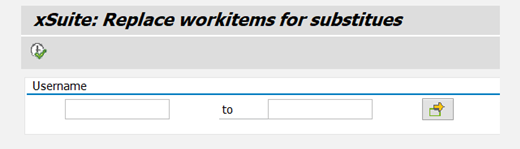 |
The administrator can enter one or more users into the field User name to have them checked for substitute maintenance. Missing entries will be added.