Set up Build Work Zone for cFLP use
Within the Cloud Foundry subaccount, click Service Marketplace and enter
Build Work Zonein the search field.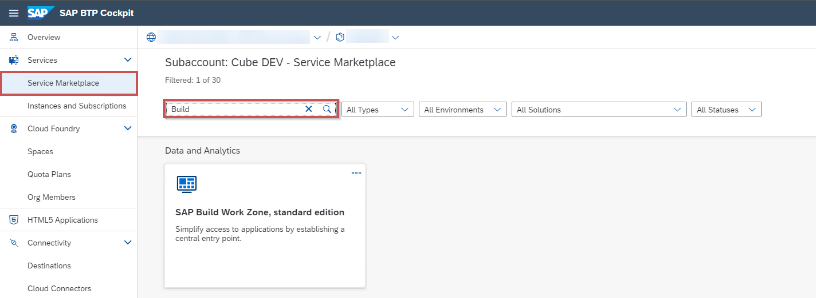
Click on the tile SAP Build Work Zone, standard edition.
➣ The overview of the Build Work Zone will open.
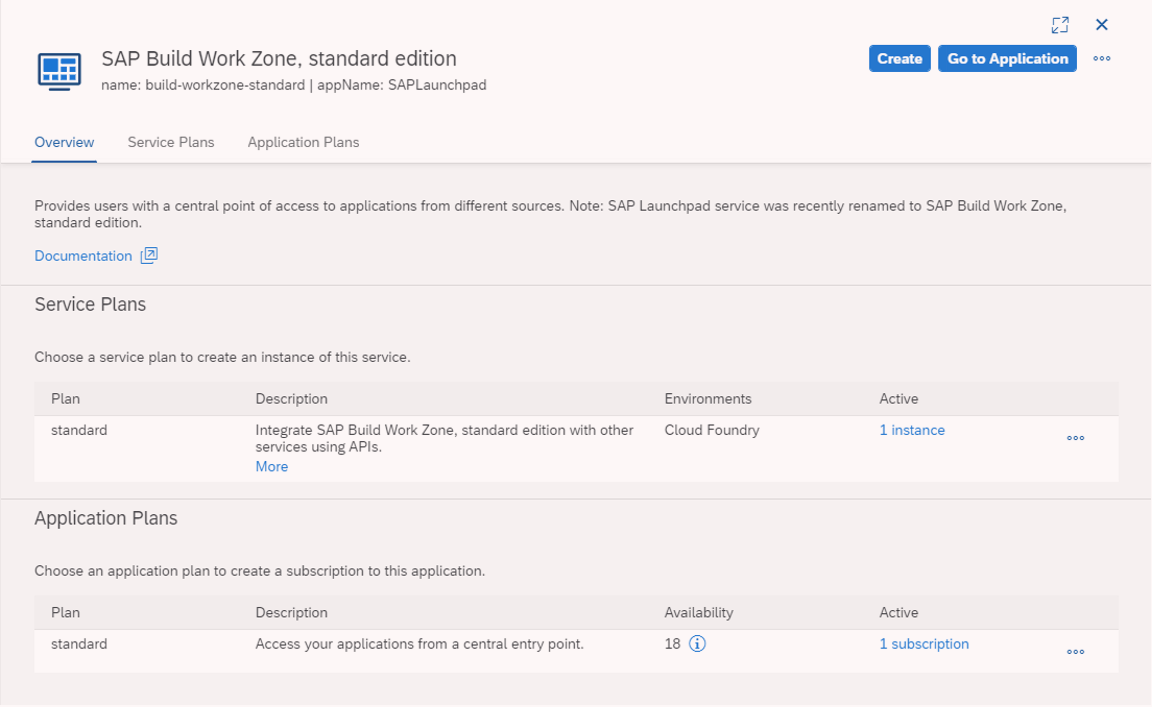
Click the Create button.
➣ The New Instance or Subscription dialog will open.
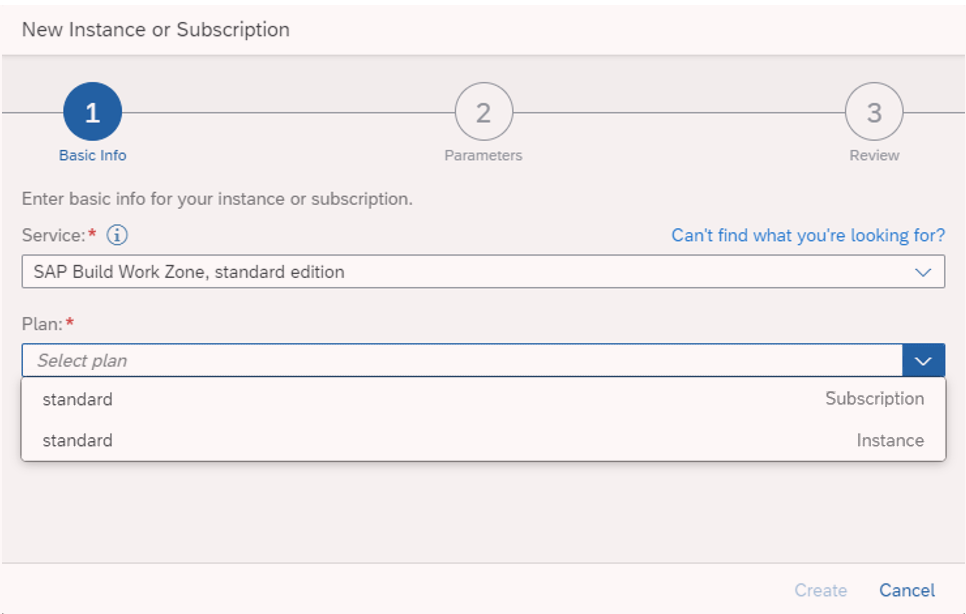
In the drop-down list Service, select the value
SAP Build Work Zone, standard edition.In the drop-down list Plan, select the value
Standard Subscription.Click Create.
➤ The subscription to the Build Work Zone is now listed under Instances and Subscriptions.
➤ The portal manager can now be called up by clicking Go to Application.
Notice
The role collection "Portal_Admin" is required for calling the portal manager.