Customizing the file "settings.js"
Notice
Only in the following cases is it necessary to adjust the settings.json file:
The RFC destination differs from the default value
XSUITECUBE.You are not using the DocViewer and/or xSuite Bus Prism.
You are making other optional configurations.
Open the MTA archive file with a program such as "7-Zip."
Double-click on the folder
xSuiteCube_ui_deployerto open.Double-click on the file
xSuiteBase-content.zipto open.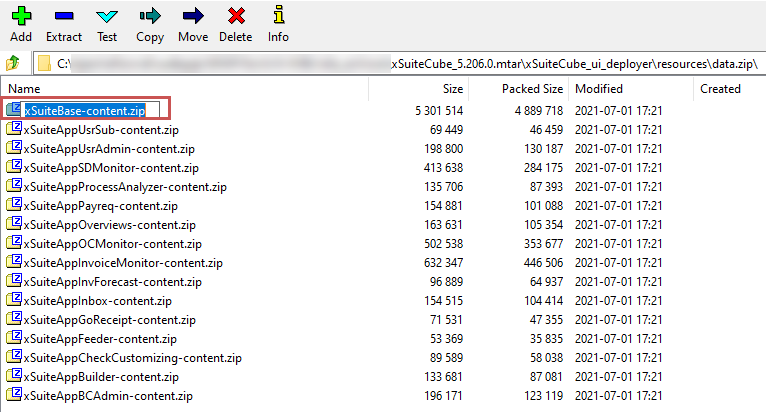
Right-click on the
settings.jsonfile and then click Edit.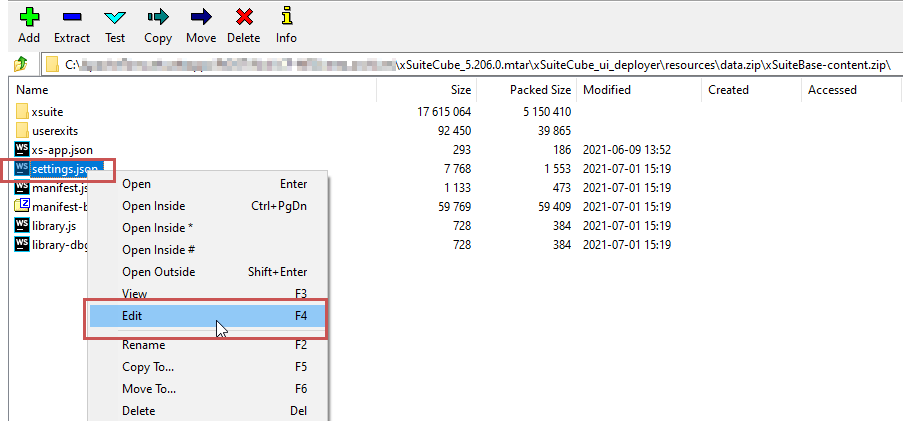
➣ The file will open in the editor.
Specify the value
Ffor thecloudparameter.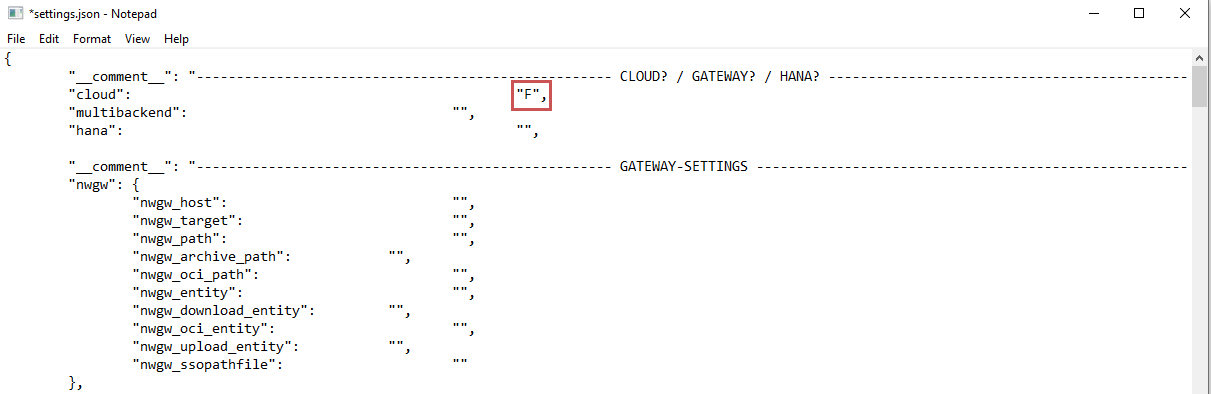
If the RFC destination is different from the default
XSUITECUBE, specify the name of the RFC destination to the back-end system as the value for the parameternwgw > nwgw_target.If you are not using DocViewer and/or xSuite Bus Prism, follow these steps:
Enter
falsefor thedocviewer > default > _default_ > enabledparameter.For the
docviewer > default > _default_ > uriparameter, replace the default value with an empty string.
Notice
For information on additional configuration options, see the publication xSuite Apps for SAP Fiori Installation Guide.
Save the changes to the file and close the editor.
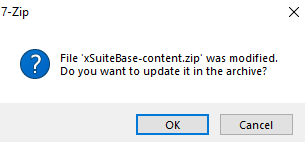
➣ A security prompt will open.
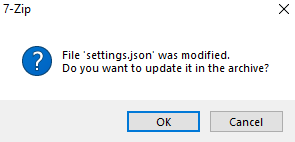
Confirm the security prompt with OK.
Click the button
 to exit the file
 xSuiteBase-content.zip.➣ A security prompt will open.
Caution
If the security prompt does not appear, check the customized files. Make sure that the changes have been saved.
Confirm the security prompt with OK.
➤ The changes to the
settings.jsonfile have now been saved.