Configuring individual tiles for the Fiori Launchpad
xSuite Apps can be run in the Fiori Launchpad or in stand-alone mode.
If you run the xSuite Apps in the Fiori Launchpad, you can configure the behavior of individual tiles for each xSuite App.
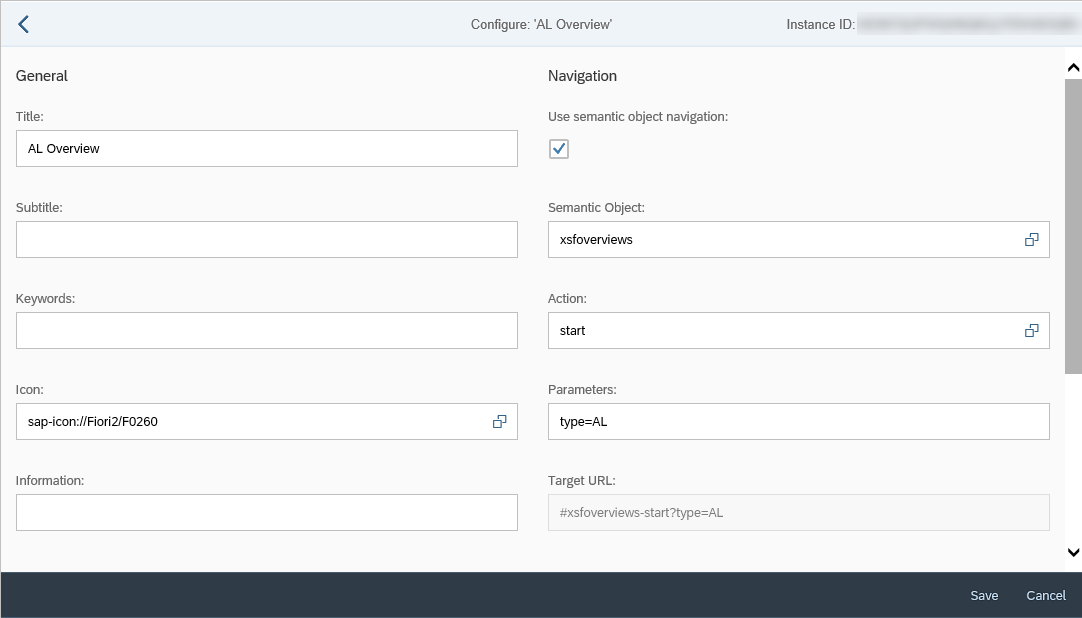
To configure the behavior of individual tiles, use the tile parameters. For example, the following tile configuration calls the AL Overview (Opening the configuration page for a tile → field Action = start and field Parameters = type=AL).
Notice
You cannot define a theme for the Fiori Launchpad. The theme defined by the user in Fiori will be used automatically. The exception is when a tile is opened in a new tab; then the default theme will automatically be used.