Creating a tile group
Notice
Importing the tile catalog automatically creates a tile group (see Importing the tile catalog).
You only need to perform the following steps if you want to create an additional tile group.
Open the portal manager. For more information, see Opening the portal manager.
Click on
 Content Manager and select the My Content tab.
Click the New button and then click Group.
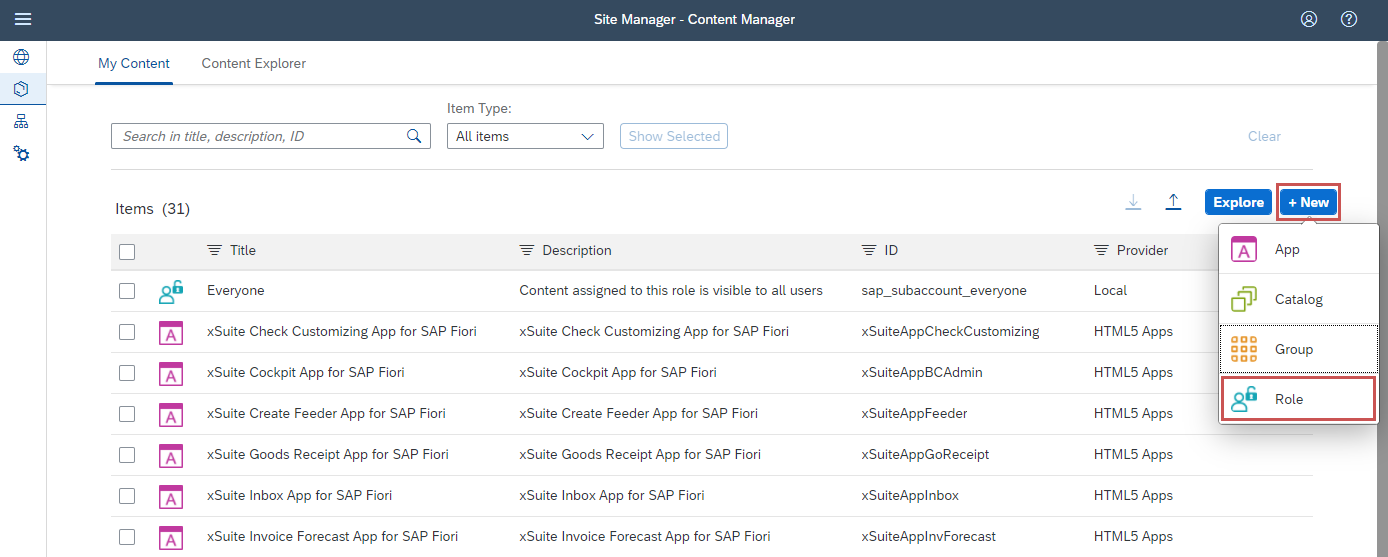
➣ The screen for a new group will open.
In the Title field, enter the value
xSuite Cube.In the Description field, enter the value xSuite Apps for SAP Fiori.
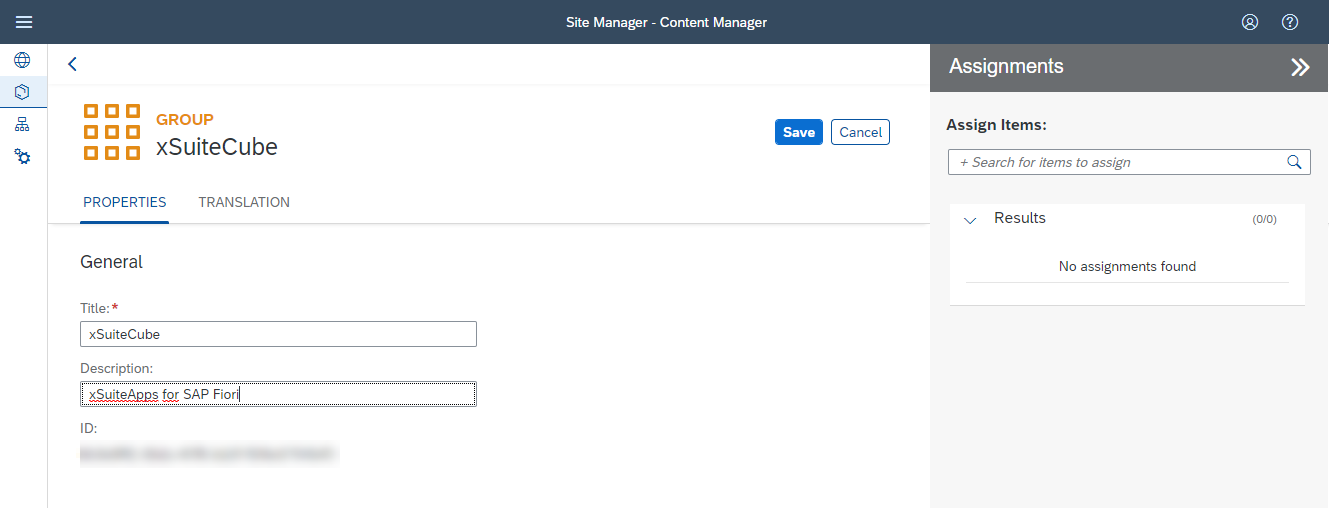
If necessary, open the Translation tab and enter the translations for the title and the description.
In the Assignments area, click in the search field to search for items to assign to the group.
Click on the button
 next to the name of an xSuite App to add the app to the group.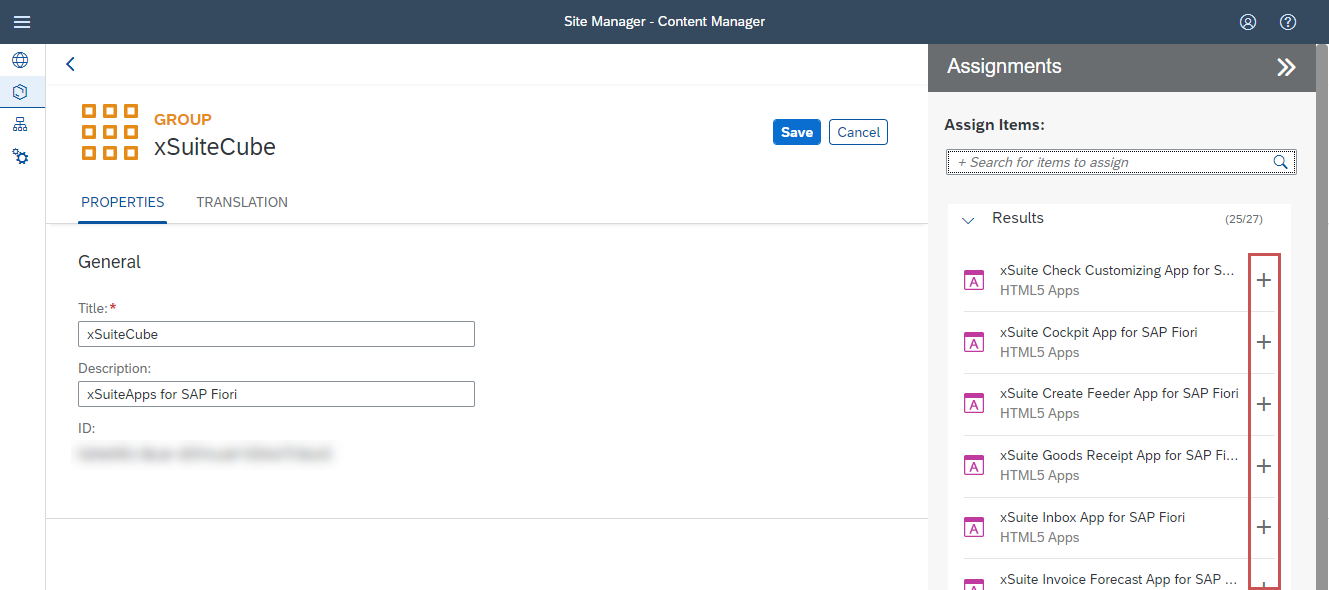
Click Save.
➤ The tile group has now been created and configured.