Creating a new user
In the Administration tile group, click on the User Management tile.
Note
If the tile is hidden, open the default dashboard. For more information, see Opening a dashboard.
The User Management screen will open.
Click the Create user button.
The Create user window will open.
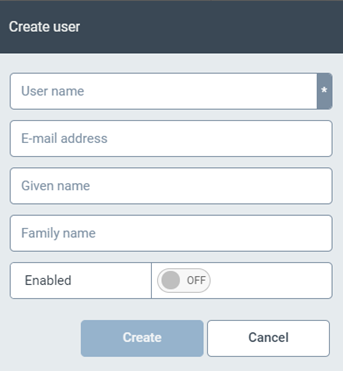
Fill in the following fields:
User name
E-mail address
Given name
Family name
To activate the user, set the value in the Release field to ON.
The new user will be created and activated.