Field types (V1)
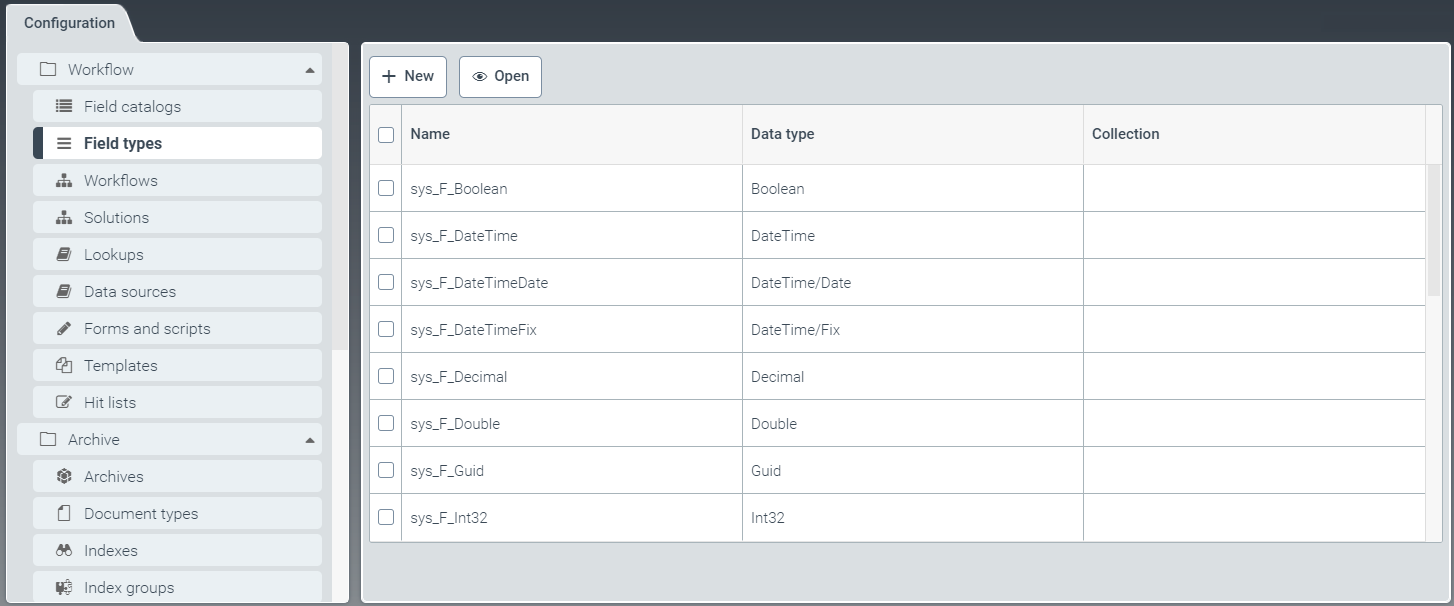 |
The field type indicates which data type a field is based on.
A check mark in the column Collection indicates that the data type is an array.
You can edit any of the field types listed using the field data, or create a new field type.
For more information, see Editing field data of a field type and Creating a field type (V1).
Creating a field type (V1)
From the configuration menu, open the Field types window and click New.
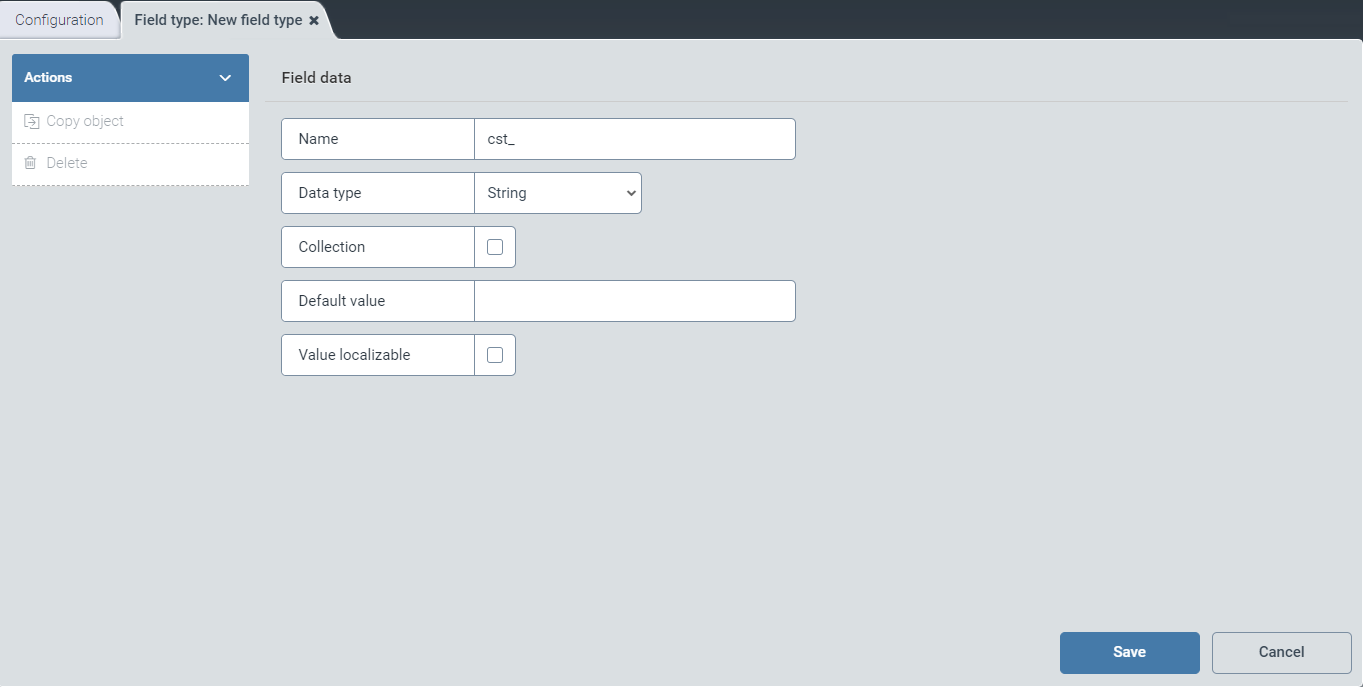
➣ In the Field data screen, specifications can be made without further ado.
Configure the following fields:
Field
Description
Name
Enter the technical name of the field type.
Notice
The technical name comes prepended with cst_. This prefix cannot be deleted.
Data type
Use the drop-down list to select the data type.
Collection
Select the check box to specify that the field type is an array.
Default value
Enter the default value for this field type.
Lookup
Enter the technical name of the lookup whose values are to be available in the respective selection list in the client.
The data type String/lookupRef must previously have been selected.
Value localizable
Activate the check box to display values in localized form.
Click Save to confirm the data you have entered and selected, or click Cancel to discard it.
Notice
After saving, the options Copy object and Delete will appear in the action menu.
To create a copy of the version of the field type currently open, click Copy object. The copy will be identified with the suffix _Copy postpended to the name of the field type.
To delete a field type that you have saved, click Delete.
Editing field data of a field type
In the menu item Field types, click the line of the field type you wish to select.
➣ The Field type: {Name of the field type} window will open.
Notice
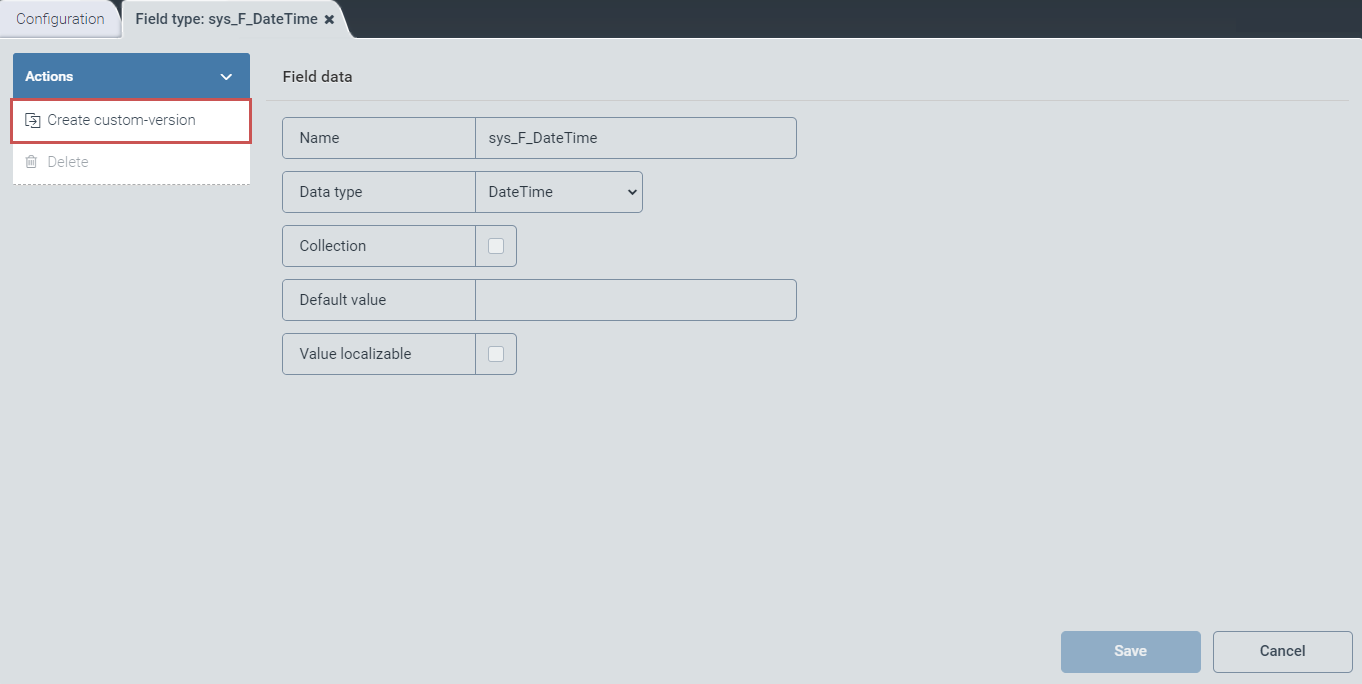
Standard field types with the prefix sys_ cannot be edited until specific steps have been taken, as follows:
To create a custom version, click on the Create custom-version button.
Save the custom version.
Close the window and open it again.
Notice
The technical name comes prepended with cst_. This prefix cannot be deleted.
Configure the following fields:
Field
Instructions
Name
Enter the name of the field type.
Data type
Use the drop-down list to select the data type.
Collection
Select the check box to specify that the field type is an array.
Default value
Enter the default value for this field type.
Lookup
Enter the technical name of the lookup whose values are to be available in the respective selection list in the client.
The data type String/lookupRef must previously have been selected.
Value localizable
Activate the check box to display the data type in localized form.
Click Save to confirm the data you have entered and selected, or click Cancel to discard changes.
Notice
After saving, the options Copy object and Delete will appear in the action menu.
To generate a copy of the version of the field type currently open, click on Copy object. The copy will be identified with the suffix _Copy postpended to the name of the field type.
To delete a field type that you have saved, click Delete.