Index-field search
Use an index-field search to find archive documents by the values of their index fields. The index field search is similar to an advanced search in internet search engines.
Reset when you have finished your index-field search.
Note
The search in index fields is linked with AND. The results will only yield archive documents that match all specified search terms.
In individual archives and archive groups, you can combine a fulltext search with an index field search. For this kind of combined search, the search terms are linked with AND. The results will only yield archive documents that match all specified search terms.
Executing an index-field search
Requirements
A hit-list layout exists for the archive or archive group.
Or
The archive group has search forms.
Procedure
Select either a single archive or an archive group. For more information, see Archive selection for actions.
Click on the hit-list toolbar
 Filter documents by fields.
The index-field search will open.
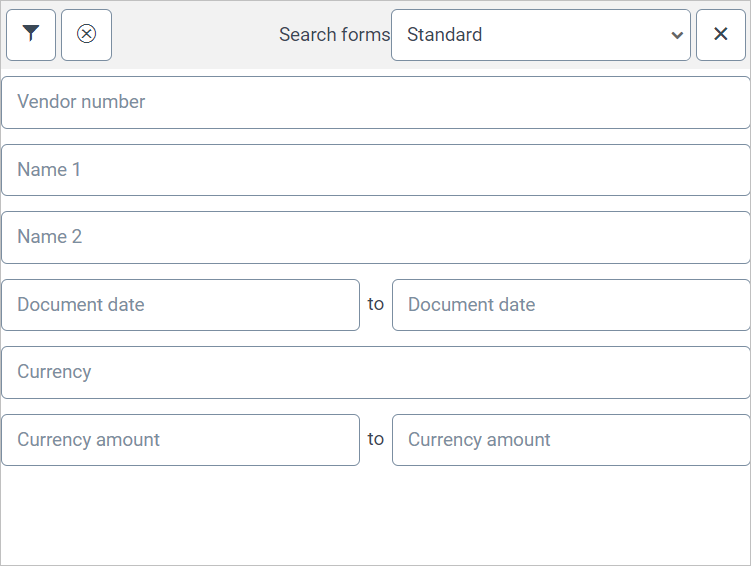
If search forms are set up for the archive or archive group selected, the pick list Search forms will appear. In this case, select a search form.
The index fields for it will be displayed.
Enter any combination of search terms into the fields.
For more information on the search options, see Search options for archive searches.
Click on the
 Filter documents by fields button, or press Enter.
The archive documents will be displayed in the hit list.
Resetting an index-field search
Click
 Filter documents by fields on the hit list toolbar.
The index-field search will open.
Click on
 Favorites.