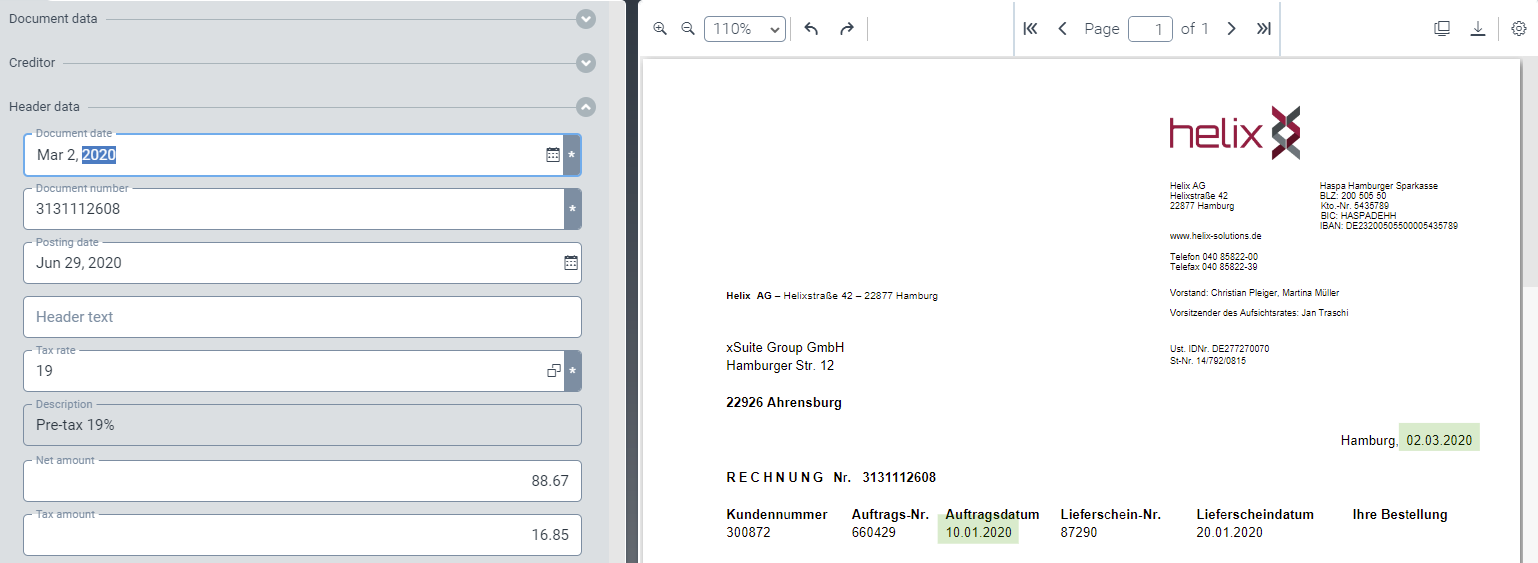
Highlighting header data in the image
Open a work item. For more information, see Opening a work item.
Open the Header data area.
Double-click in a header data field.
If the field value belonging to it is found in the image, it will be highlighted in green.
If alternative field values are found, they will also be highlighted in green, as is the document date in the following example.