The archive hit-list filter tree
In the archive hit list, archive documents are displayed in a flat list. With the filter tree you can filter this flat list grouped by different properties.
The hit list layout determines whether a filter tree is available for an archive hit list. It also specifies the available properties and groupings.
The hit list layout determines whether a filter tree is available for an archive hit list.
Example
In the "Standard" hit list, the filter tree consists of the two properties "Name" and "Invoice number":
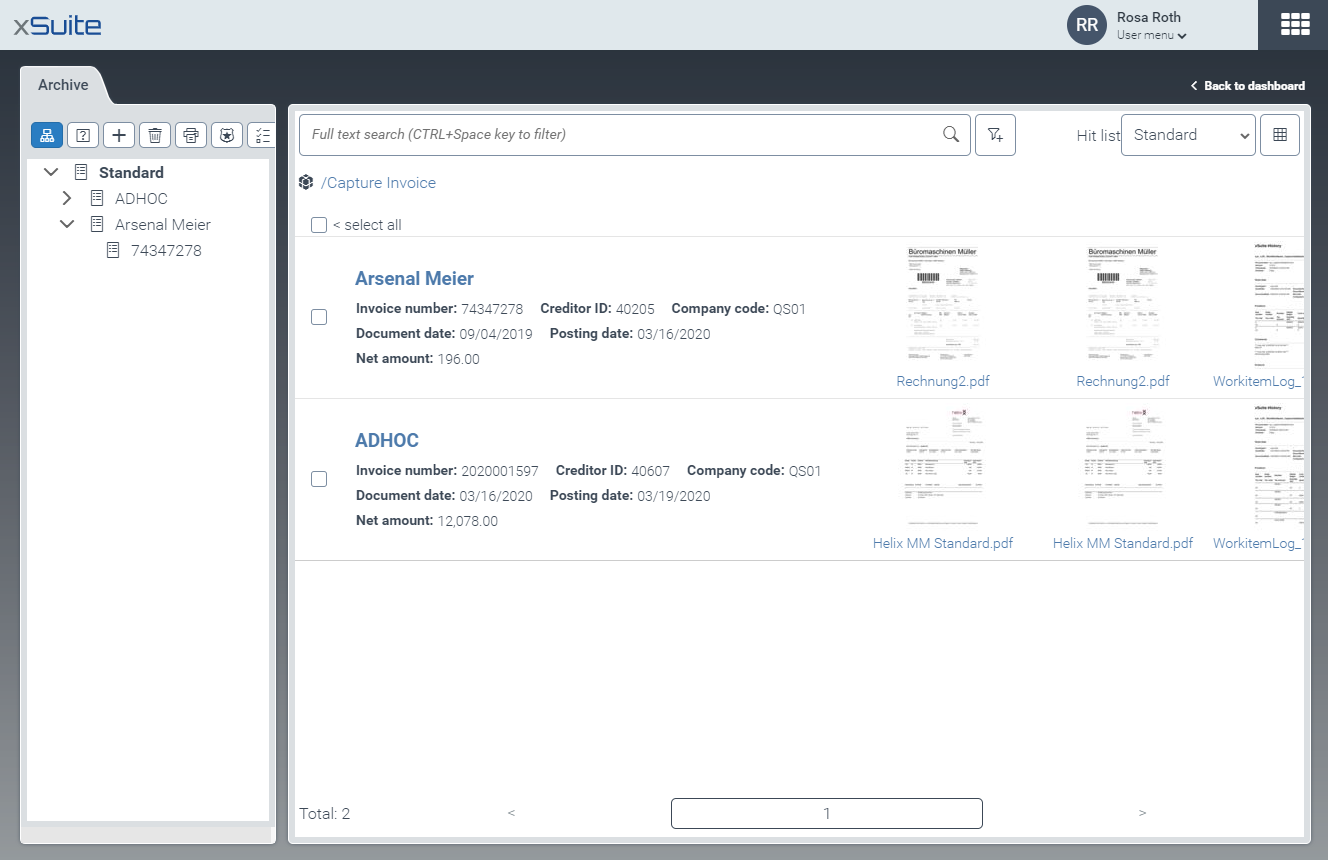
If you click on the name "Arsenal Meier" in the filter tree, only invoices from Arsenal Meier will be displayed in the archive hit list:
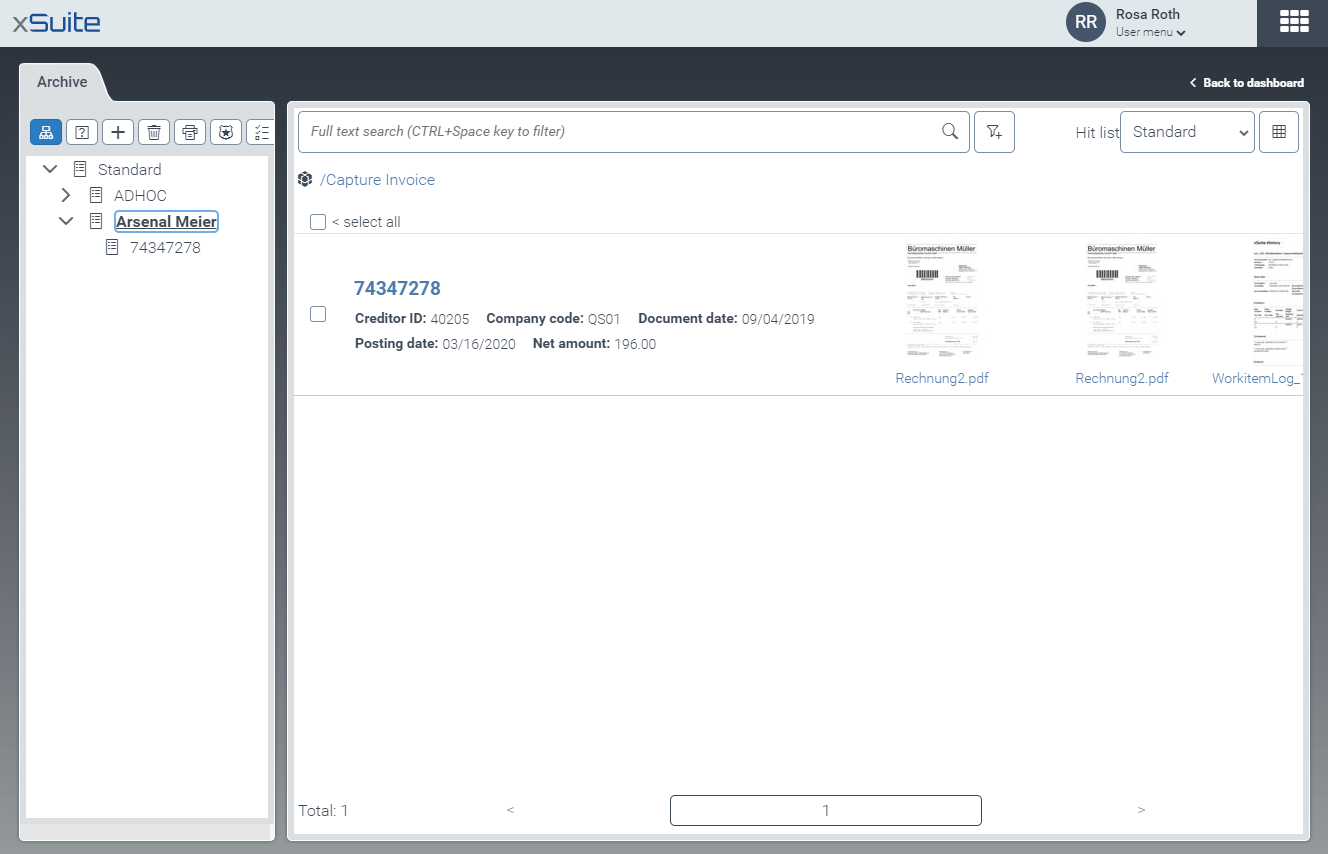
On the next level in the filter tree, you can filter the invoices of Arsenal Meier by invoice number.

Notes on the filter tree
A filter tree may have up to 500 levels.
The first level corresponds to the selected hit-list layout.
Each additional level corresponds to a property of the archive documents. A property is a value of a certain index field. The index field is defined in the hit list layout.
The property according to which filtering is performed is hidden in the archive hit list because it is the same for all archive documents.
You can toggle between the filter tree and the archive structure. For more information, see Toggling between filter tree and archive structure.