Downloading the attachment of a document
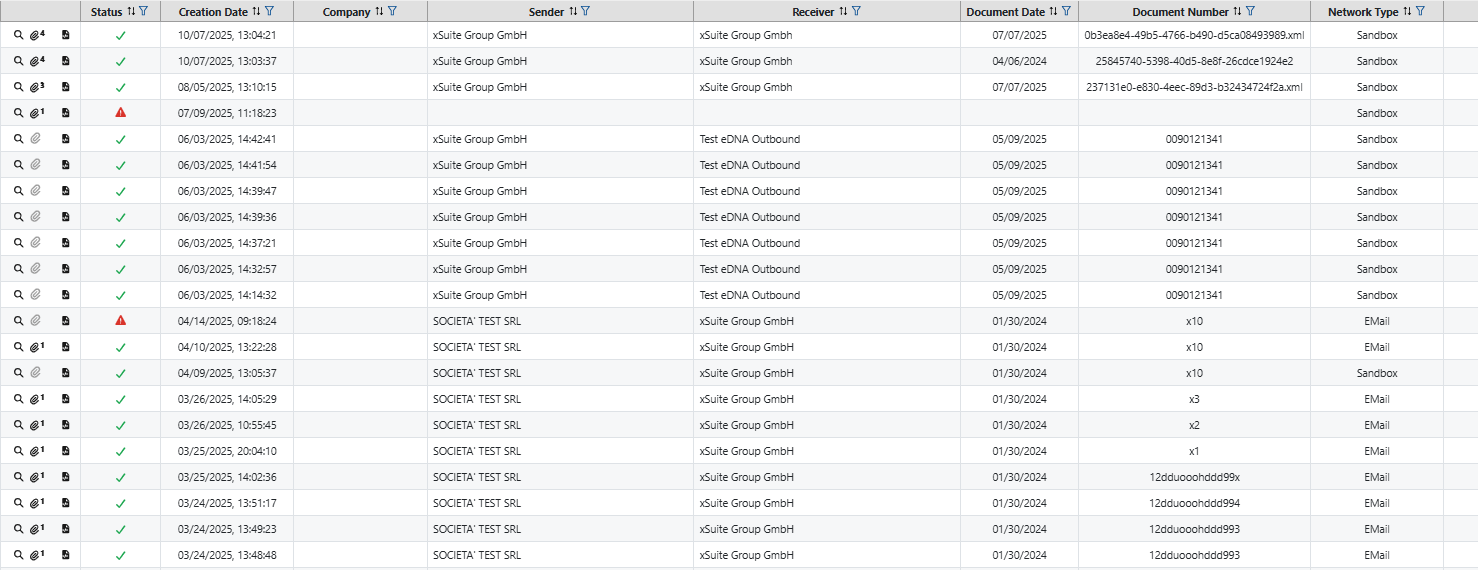
You can download the attachments of a document from the table of incoming documents. The number of attachments for a document is shown by the number next to the button  .
.
Navigate to Inbound or Outbound.
➣ The Monitor area with the table of all documents will open.
Notice
The Monitor section contains all documents. This means that even documents that were not recognized as invoices are listed in the table.
Unlike the Monitor area, the Invoices area only contains documents that have been recognized as invoices by the system.
Optionally, click on the Invoices navigation area. Here you can download attachments from incoming or outgoing invoices.
Click on the
button in the row of a document. This allows you to open the detailed view of the document.➣ A list of available attachments for the document will open.
Click on the file name of the chosen attachment.
Inbound
Outbound
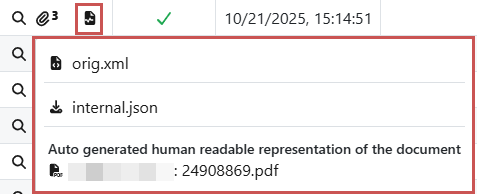
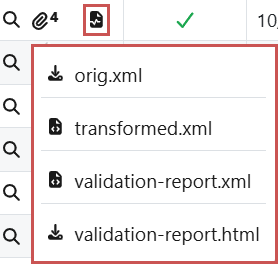
➤ The attachment will be downloaded.
Notice
You can also view and download attachments in the detailed view.