Search options for archive searches
In the full-text search, the index-field search and the metadata search you have different search options.
Overview of search options in fulltext search and index field search
Search option | Syntax | Purpose | Examples of search terms | Possible results |
|---|---|---|---|---|
Simple search | To search for entries that contain at least one of the words entered. | invoice delivery | Finds: Invoice is correct. Delivery is correct. Invoice and delivery are correct. | |
Does not find: Invoices are correct. | ||||
invoice correct | Finds: Invoice correct. Invoice is correct. Delivery is correct. | |||
Does not find: Invoices are correct. Corrected invoices. | ||||
Search for a phrase | "..." | To search for an exact group of words. Regarding the syntax: Set the group of words in quotation marks ("..."). | "invoice correct" | Finds: Invoice correct. |
Does not find: Invoices correct. Invoice is correct. | ||||
Fuzzy search | To search for entries that contain similar words to those entered. | suppliers | Did you mean: Supplies? | |
corerct | Did you mean: correct? | |||
Placeholder search | * | To search for words or groups of words that you only know partially. Regarding the syntax:
| Sm*th | Finds: Smith, Smyth, Smouth |
Does not find: Smithers | ||||
Sm?th | Finds: Smith, Smyth | |||
Does not find: Smouth, Smithers | ||||
Soundex search | ~ | To search for words that sound similar. About the syntax Add the tilde (~) at the end of a word. | sail~ | Finds: sail, mail, more, soul |
OR search | OR | To search for entries that contain exactly one of the words entered. Regarding the syntax: write OR in upper-case letters. | invoice OR delivery | Finds: Invoice is correct. Delivery is correct. |
Does not find: Invoice and delivery are correct. | ||||
AND search | AND | To search for entries that contain all of the words entered. About the syntax Write AND in upper-case letters. | invoice AND delivery | Finds: Invoice and delivery are correct. |
Does not find: Invoice is correct. Delivery is correct. | ||||
NOT search | AND NOT | To search for entries that contain certain words and not others. About the syntax: Write AND NOT in upper-case letters. | invoice AND NOT delivery | Finds: Invoice is correct. |
Does not find: Invoice and delivery are correct. |
Overview of search options in an index-field search
Search option | Description | Example |
|---|---|---|
"From" search | Numeric and date fields including a “from” field and a “to” field. If you are searching for a certain value, enter the value in the “from” field and leave the “to” field empty. |  Finds archive documents whose currency amount is 110 euros. |
"From-to" search | Numeric and date fields including a “from” field and a “to” field. If you are searching for a range of values, enter the values in both the “from” field and the “to” field. |  Finds archive documents with dates between January 1, 2019 and March 31, 2019. |
Overview of search options in a metadata search
Search option | Syntax | Example | |
|---|---|---|---|
Search for a value | — |
Finds all archive documents for which the creator is "Smith". | |
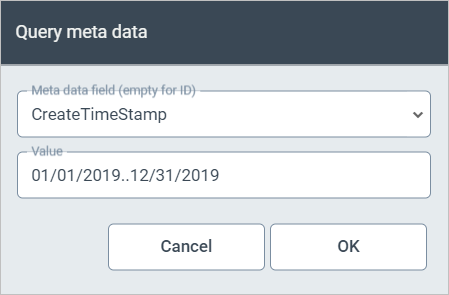
Search for a range of values | 2 periods (..) |
Finds all archive documents created in 2019 and all archive documents that have at least one attachment created in 2019. | |
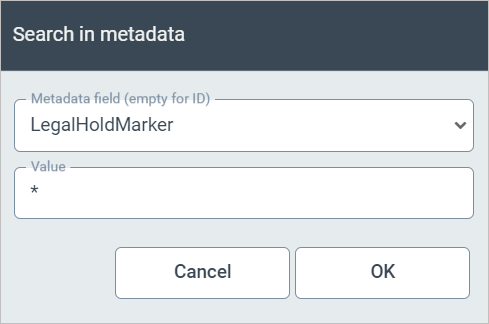
Search to determine whether a metadata field is available | Asterisk (*) |
Finds all archive documents where the metadata field LegalHolderMarker is present and a legal hold has been set as a result. | |
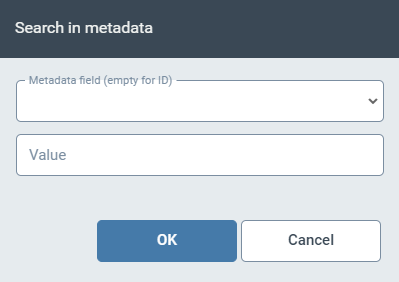
Search for an ID | — |
Finds the archive document that has the ID entered or that has the attachment with the ID entered. |