Processing multiple work items in succession
Open the default dashboard. For more information, see Opening a dashboard.
The Workplace tile will appear in the Tasks tile group.
In the Workplace tile, click one of the inboxes.
Your workplace will open. The work items for the task list you clicked on will be displayed.
In the first column, activate the checkboxes of the work items that you want to process in succession.
Click
 Execute.
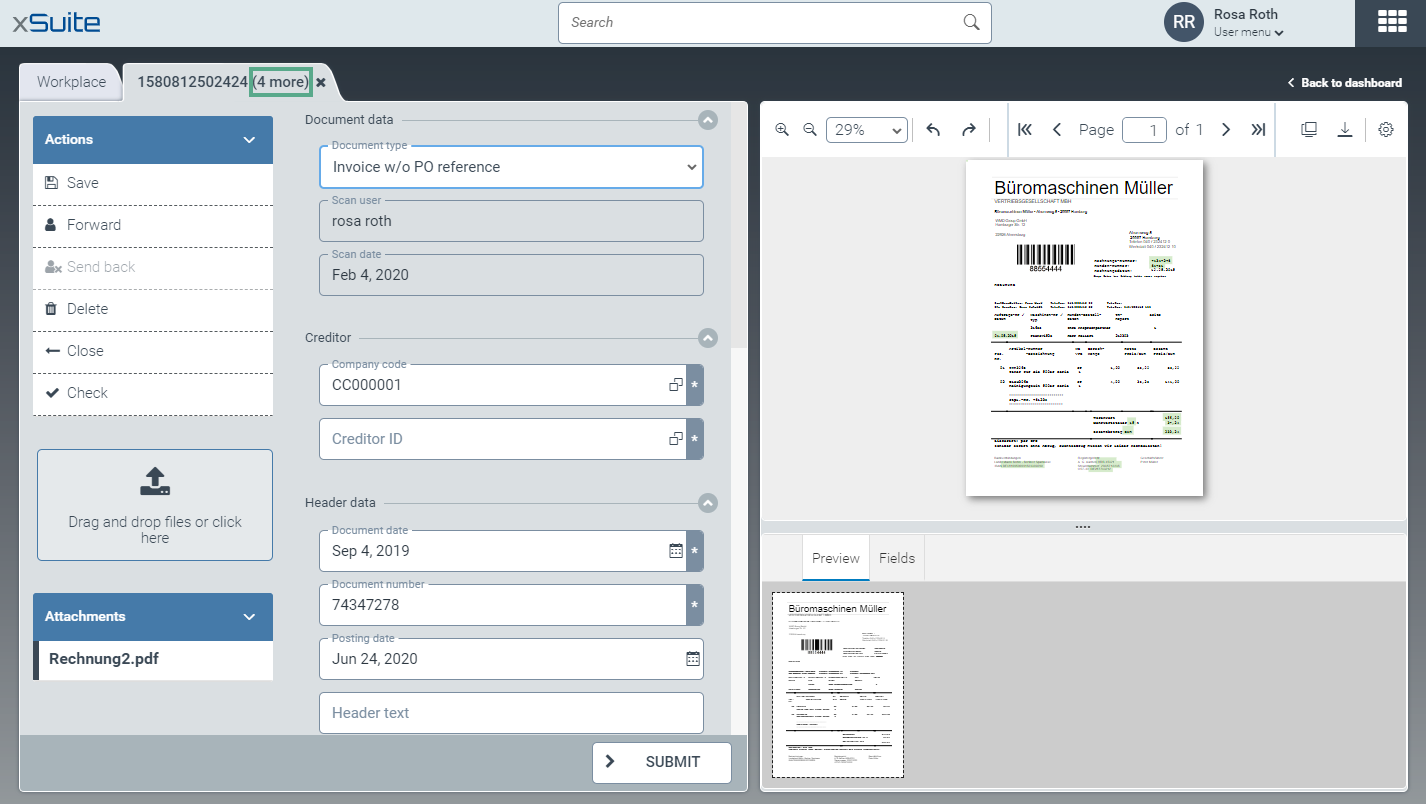
All selected work items will open, one above the other in a single tab. The tab will show the number of work items that are still open under the work item currently displayed.

When processing work items, carry out one of the following steps:
When you have finished a work item, click
 Submit.
The work item will be removed from its task list and sent to the next workflow step.
If you wish to continue working on the work item at a later time, click
 Close.
The work item will be returned to its task list.
In both cases, the work item will be closed and the next work item will be displayed. The number of work items on the tab has now been reduced by 1.