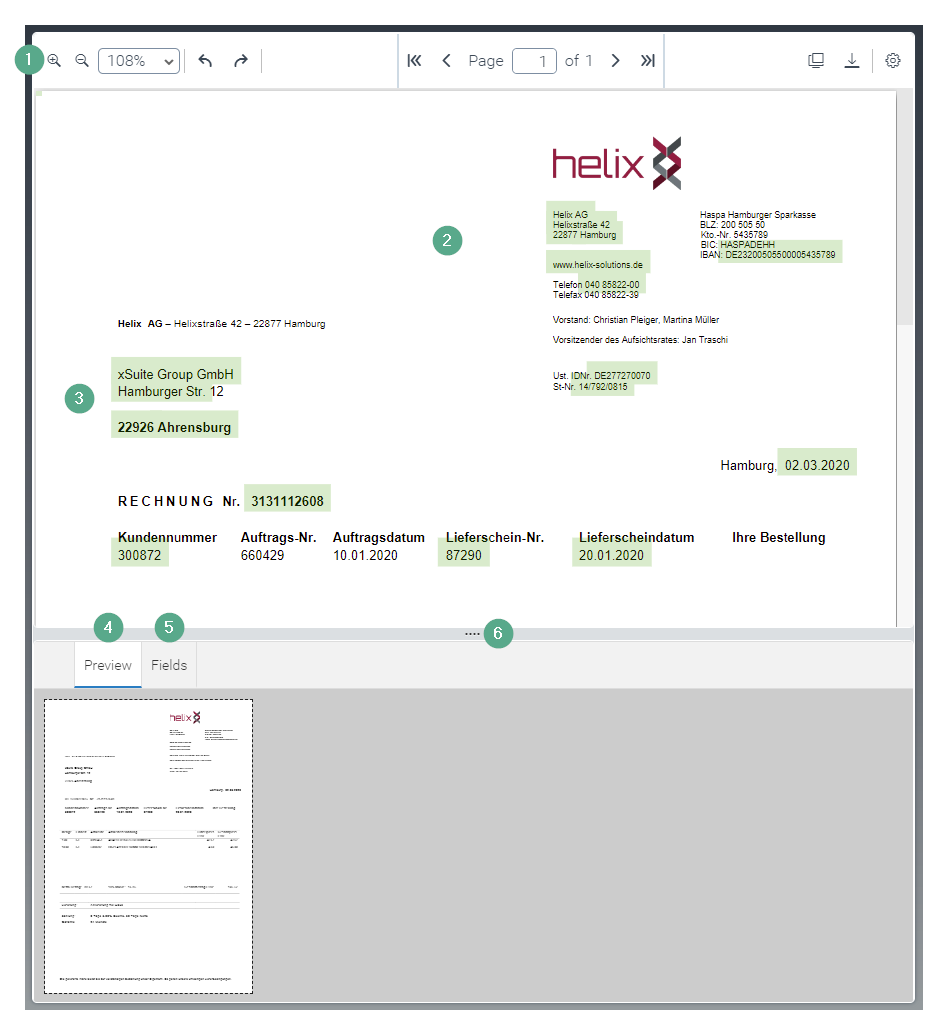
UI elements in the Document Viewer
 |
Element | More information | |
|---|---|---|
1 | The Document Viewer toolbar | |
2 | Image display | This is where the individual pages of the image are displayed. |
3 | Highlighting | Found field values will be highlighted in green. For more information, see Field values in image. Selected text is highlighted in blue. For more information, see Copying text from the image to the form. |
4 | Preview tab | This is where the pages of the image are displayed in preview mode. |
5 | Fields tab | This is where the properties of the image are displayed in the form of fields. For information on the columns, see Overview of "Fields" tab columns. |
6 | Slider for display | Use the slider to change the size of the screen and the tab area. |