Removing a legal hold from archive documents
Requirements
You have the right to set and remove legal holds for archive documents (Legal).
Procedure
Select a single archive. For more information, see Selecting a single archive.
If necessary, restrict the archive hit list results with a search.
Select individual archive documents if required.
Click
 Legal hold on the archive toolbar.
The context menu will open.
Select the item Legal hold in the context menu.
The dialog Remove legal hold will open.
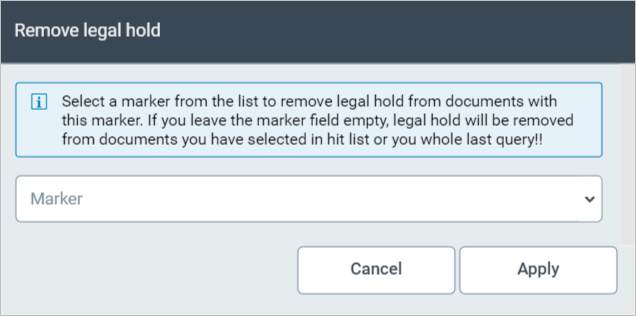
Select the legal holds you wish to remove. You have the following options:
To restrict deletion to legal holds with a certain marker, add a marker in the Marker combobox or select a marker.
To delete all legal holds, leave the Property combobox blank.
Click Apply.
If you have selected archive documents, the legal hold will be removed without a confirmation prompt.
If you have not selected any archive documents, the legal hold will be set for all archive documents in the archive hit list. Therefore, a security prompt will appear. Confirm it with Yes.